Uploading your resume to LinkedIn isn't just a one-click task. You can pin it to your profile's Featured section for everyone to see, attach it to jobs using the Easy Apply button, or save different versions in your job application settings. The right move depends entirely on your goal: do you want a public-facing resume, or do you want to hand-pick which recruiters see it for specific roles?
Why Your LinkedIn Resume Strategy Is a Game Changer
Before we jump into the "how-to," let's talk about the "why." Simply uploading a file isn't the goal. The real prize is creating a powerful, consistent professional story that works for you even when you're offline. Your live LinkedIn profile and your static resume are a potent one-two punch, but they have very different jobs.
Think of your LinkedIn profile as your ongoing career story. It’s where your personality shines through, where you share what you're learning, and where you connect with your industry. Your resume, on the other hand, is the condensed, laser-focused proof that you have the exact qualifications for a specific job.
Profile vs. Resume: The Power Duo
A recruiter's first stop is almost always your LinkedIn profile. It gives them the big picture of your professional journey. If they like what they see, they’ll hunt for your resume to get the hard facts and role-specific details.
This is why getting them in sync is absolutely critical:
-
Consistency Builds Trust: Mismatched dates, different job titles—these are immediate red flags. They scream carelessness or, even worse, dishonesty.
-
Profile Provides Context: Your profile has room for recommendations, articles you've written, and links to projects that a traditional resume just can't hold. It adds color to the black-and-white facts on the page.
-
Resume Delivers Precision: A sharp resume cuts through the noise. It delivers the targeted, quantifiable wins that prove you're the right person for this particular job.
A great LinkedIn strategy goes hand-in-hand with a polished profile. If you want to dig deeper, check out these excellent tips on how to update your LinkedIn profile for maximum visibility.
Your profile tells recruiters who you are. Your resume proves you can deliver the results they need. Together, they create a complete picture of your value.
Avoiding a Critical Disconnect
Letting these two assets get out of sync is a rookie mistake. A shocking 33% of resumes don't even include a link to the candidate's LinkedIn profile. That’s a massive miss, especially when you learn that 94% of recruiters use the platform to vet candidates. This disconnect can make you invisible to the very people you're trying to impress. You can find more resume insights like this over at enhancv.com.
Creating this synergy doesn't have to feel like a chore. If you're struggling to frame your accomplishments in a compelling way, it can be helpful to understand what a resume writer does to turn a career history into a powerful story.
Exploring the Four Ways to Share Your Resume on LinkedIn
LinkedIn isn't just a digital rolodex; it's the place where your career story plays out in real-time. Knowing how to upload a resume in LinkedIn is a huge part of that story, but it’s definitely not a one-size-fits-all deal. The platform gives you a few different ways to do it, and each one serves a very different strategic purpose.
Choosing the right method really comes down to what you're trying to accomplish. Are you broadcasting to the world that you're open for business, or are you making a more targeted, private play?
Add a Resume to Your Profile Featured Section
Think of the Featured section on your profile as your personal highlight reel. Sticking your resume here is the most public move you can make. It puts your full career history on display for anyone who clicks on your profile, from curious recruiters to old colleagues. This is a clear signal that you're actively looking for new opportunities.
It's a great tactic for freelancers, consultants, or anyone in an aggressive job search who wants to cast a wide net. Just one word of caution: since it’s public, scrub any sensitive personal details. Your home address and personal phone number have no business being there. A professional email and your LinkedIn profile URL are all you need.
Attach a Resume to a Job Using Easy Apply
This is probably the most common way job seekers get their resumes into the system. When you see a job post with that little "Easy Apply" button, you can attach a resume directly to that specific application.
The big win here is privacy and customization. The only person who sees the resume you submit is the recruiter for that specific role. This is your chance to tailor your resume with the exact keywords and achievements that mirror the job description—a small step that makes a massive difference in getting noticed.
Key Insight: LinkedIn is smart enough to save your four most recent resumes. This makes it a breeze to pick the right version for new applications without having to find and re-upload the file every single time.
Send Your Resume in a Private Message
Sometimes, the best opportunities don't come from a job board; they come from a direct conversation. Sending your resume in a direct message is a powerful and personal way to connect with a recruiter, a hiring manager, or a networking contact who just shared a role.
This move shows you’ve got initiative. It lets you add context, introduce yourself, and explain why you're interested in that specific company or role before they even see your experience. It's a direct line that cuts through the noise of the main application pile, but you have to use it wisely to make a good impression.
This little decision tree can help you figure out which path makes the most sense for your goals.
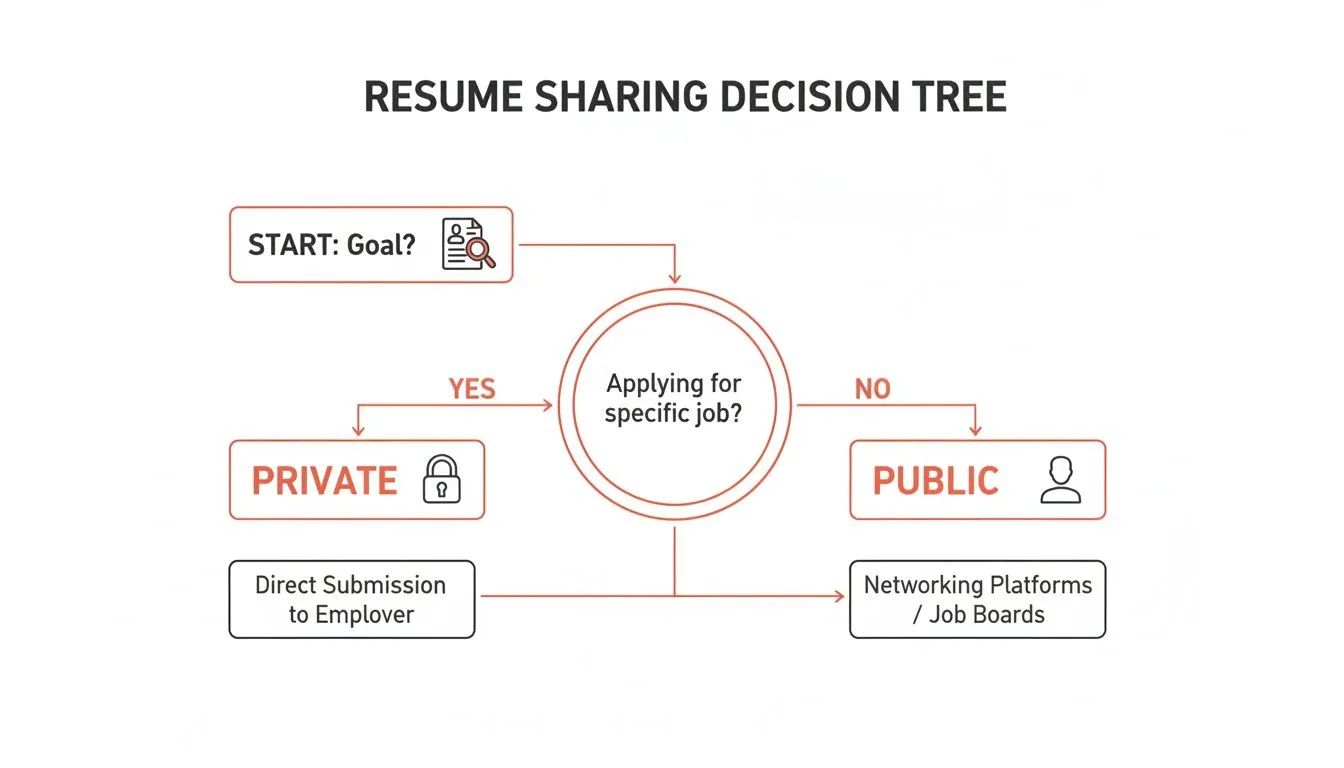
As you can see, the choice is pretty clear. If you're actively applying, keep it private and tailored. If you're showcasing your work and availability, go public.
Save Resumes in Your Job Application Settings
For the truly organized job seeker, LinkedIn has a bit of a hidden gem: you can store multiple resume versions right in your account settings. This is totally separate from your public profile and is a lifesaver for managing applications to different types of roles.
For instance, you could keep a few tailored versions on hand:
-
A resume focused on your project management skills.
-
Another version that highlights your data analysis experience.
-
A third tailored for a leadership role.
This method keeps you prepared to strike the moment a good opportunity pops up. You can apply in seconds with the most relevant document, combining the privacy of direct applications with the efficiency of having everything ready to go.
LinkedIn Resume Upload Methods at a Glance
Feeling a bit overwhelmed by the options? This table breaks it down to help you pick the right strategy for your situation.
| Upload Method | Best For | Visibility | Key Consideration |
|---|---|---|---|
| Profile Featured Section | Active job seekers, freelancers, and consultants casting a wide net. | Public. Anyone viewing your profile can see and download it. | Sanitize personal info (address, phone number). This is a general resume, not a tailored one. |
| Easy Apply | Applying for specific jobs directly on LinkedIn. | Private. Only the recruiter for that specific job sees it. | Perfect for tailoring your resume with keywords from the job description for each application. |
| Private Message | Direct outreach to recruiters, hiring managers, or networking contacts. | Private. Only the recipient(s) of your message see it. | A powerful, personal touch, but use it thoughtfully. Best when you have a specific reason to connect. |
| Job Application Settings | Staying organized and applying quickly with tailored resumes. | Private. Stored for your use only; not visible on your profile. | Excellent for managing different versions of your resume for various career paths. |
Each of these methods has its place. Your job is to match the method to your mission. Whether you’re sending a targeted application or putting out a public signal, using LinkedIn’s features the right way gives you a serious edge.
Optimizing Your Resume for a LinkedIn Upload
Before you even touch that upload button, let's talk about the document itself. The resume you share on LinkedIn needs to be just as sharp as your profile. Spending a few minutes getting it right can be the difference between getting noticed and getting lost in the noise.
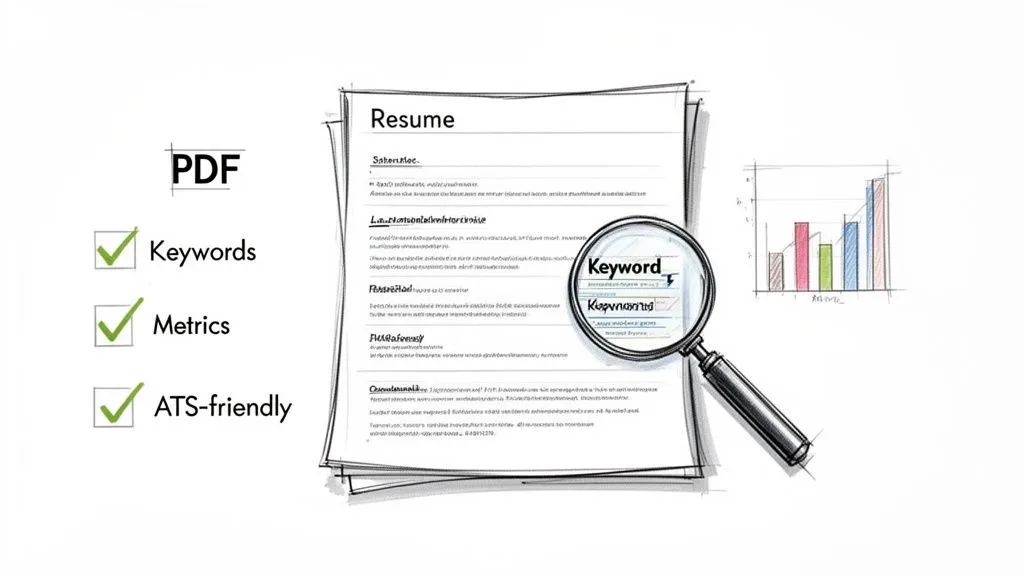
This prep phase is your secret weapon. It ensures that when a recruiter or hiring manager finally opens your file, they see a polished, professional, and highly relevant snapshot of what you can do.
Choose the Right File Format
First things first: your file format matters more than you might think. While LinkedIn technically accepts .doc and .docx files, the undisputed king of resume formats is the PDF.
Why? A PDF locks in your formatting. That means the clean layout, spacing, and fonts you agonized over will look exactly the same on a recruiter’s Mac as they do on your Windows machine. No more weird formatting glitches or broken layouts from a temperamental Word document.
It's a simple step, but it guarantees a professional first impression every single time. Plus, PDFs are universally compatible with the Applicant Tracking Systems (ATS) that most companies use to screen applications.
Tailor Content for Maximum Impact
A one-size-fits-all resume is the fastest way to get ignored. The competition on LinkedIn is fierce—with over 9,000 members applying for jobs every single minute, a generic document just won't cut it.
Tailoring doesn't mean rewriting your entire career history for every single application. It's about strategic adjustments that align your resume with the specific job description.
-
Mirror Keywords: Find the key skills and qualifications in the job posting. Weave those exact terms into your experience and skills sections to show you're a direct match.
-
Quantify Achievements: Don't just list your duties. Show your impact with numbers. Think "Increased team efficiency by 15%" or "Managed a project budget of $250,000." Results speak louder than responsibilities.
-
Align with Your Profile: Make sure your job titles, dates, and key accomplishments on your resume match what's on your LinkedIn profile. Consistency builds trust and credibility.
Of course, your resume is just one piece of the puzzle. For a deeper dive, check out these proven tips on how to optimize your entire LinkedIn profile for maximum visibility.
Create an ATS-Friendly Structure
Your resume has two audiences: a human recruiter and a screening robot. The Applicant Tracking System (ATS) scans your document first, and a confusing layout can get you tossed out before a person ever sees your name.
Keep your resume ATS-friendly with a few simple rules:
-
Use a Clean Layout: Stick to a simple, single-column, chronological format. Use clear, standard headings like "Work Experience" and "Education."
-
Avoid Graphics and Tables: Fancy charts, images, and complex tables can confuse the software. Let your words do the talking.
-
Choose Standard Fonts: Use common, easy-to-read fonts like Arial, Calibri, or Times New Roman. Don't get creative here.
Key Takeaway: An optimized resume tells a consistent story. It aligns with your profile, speaks the language of the job description, and is formatted for both human eyes and recruiter software. This creates a powerful and cohesive application package.
Getting this right is fundamental. To really understand how these systems work and ensure your resume sails past the initial scan, it's worth exploring the fundamentals of the ATS filter 90-10 rule.
Managing Privacy and Your Uploaded Resumes
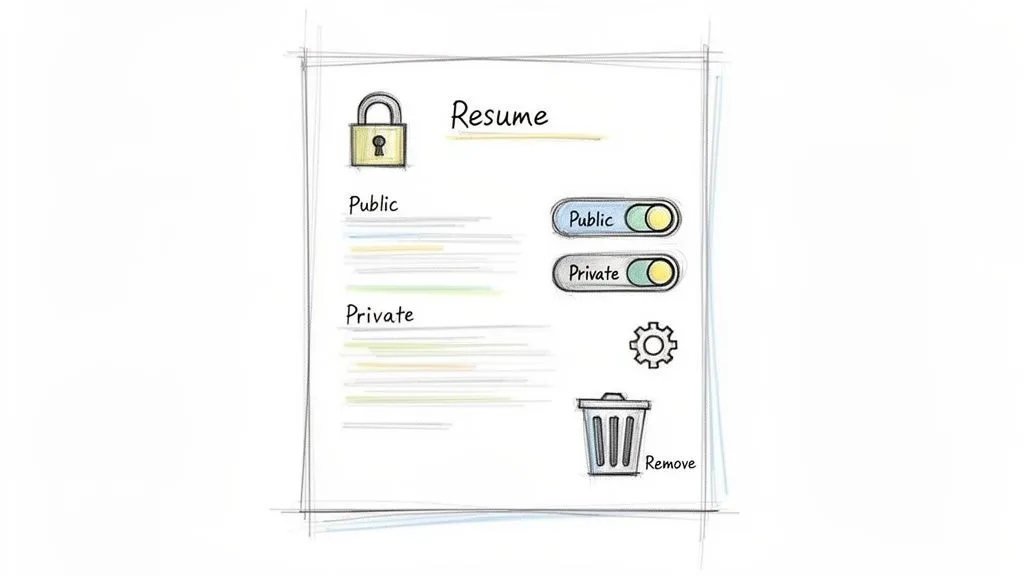
Knowing how to upload a resume in LinkedIn is only half the battle. Controlling who sees it is the real strategic move.
Think of your uploaded resumes like keys to different doors in your career. You wouldn't hand them all out to just anyone, and the same principle applies here. Your privacy settings give you direct control, ensuring your job search stays both effective and confidential. Proper management is what stops you from accidentally sending a resume for a startup to your current Fortune 500 boss.
Understanding Your Document Visibility
When you pin a resume to your profile's Featured section, you're making it public. Anyone who lands on your profile—recruiters, colleagues, your current manager—can view and download that file. This is great for active job seekers who want maximum exposure, but it means you absolutely must scrub any sensitive personal data like your full home address.
On the other hand, resumes you attach using Easy Apply or save in your settings are completely private. They are only ever seen by the hiring team for that specific role. This is the safest, most targeted way to share tailored resumes without broadcasting your job search to the world.
Pro Tip: Never use the Featured section for a targeted job application. That space is for a general, high-level version of your resume. Always use the private Easy Apply function for resumes you've customized for a specific opening.
The distinction is critical. A public resume is a marketing flyer. A private one is a direct, confidential application.
How to Manage Saved Resumes
To save you time, LinkedIn helpfully stores the last four resumes you’ve used with Easy Apply. It's a handy feature, but this convenience demands a little housekeeping to prevent some costly mistakes.
You can manage these saved files directly in your Job Application Settings. Head over there to see every version you've stored and, more importantly, delete the ones that are no longer relevant.
Regular clean-up is non-negotiable. Here’s why:
-
It prevents errors. This is how you stop yourself from accidentally sending a resume tailored for a marketing manager role when you're applying for a data analyst position.
-
It keeps you current. This ensures you’re always applying with your most recent accomplishments and skills, not last quarter's news.
-
It cuts down on clutter. A clean list simplifies the application process, showing you only the most relevant resume versions to choose from.
Imagine the horror of applying for your dream job, only to realize later that you sent a version from six months ago that's missing your biggest project win. A quick check of your saved resumes prevents that exact nightmare. Take a few seconds to review and remove old files. It's the simplest way to maintain full control and make sure you’re always putting your best foot forward.
Troubleshooting Common LinkedIn Upload Issues
Even a platform as slick as LinkedIn can have its moments. Hitting an upload error when you’re in the zone applying for jobs is frustrating, to say the least.
But don’t worry—most of these issues are common and the fixes are surprisingly simple. Instead of getting stuck, think of this as a quick pit stop. Once you know what’s causing the hiccup, you can solve it in a minute or two and get right back to your job search. Let’s walk through the usual suspects.
Dealing with File Rejection Errors
The most frequent culprit behind an upload failure is a problem with the file itself. LinkedIn is pretty specific about the types and sizes of documents it accepts, mainly to keep things secure and readable for its systems and, more importantly, for recruiters.
If your file gets rejected, check these two things first:
-
File Format: LinkedIn only plays nice with .doc, .docx, and .pdf files. If you saved your resume in another format, like .pages or .txt, it’s a no-go. The easiest fix is to just open your document and save it as a PDF. This has the added benefit of locking in your formatting so it looks perfect every time.
-
File Size: The platform has a pretty strict size limit, usually capping files under 2MB. If your resume is packed with high-resolution images or fancy graphics, it might be too heavy. A quick search for a free online PDF compressor will usually solve this in seconds, without any noticeable drop in quality.
Honestly, a simple "Save As PDF" and a quick compression check will prevent the vast majority of these errors. It’s a two-minute fix that makes your document universally compatible.
Fixing Resume Parsing Problems
Ever upload your resume only to find LinkedIn has jumbled your information? Maybe it lists your job title as the company name or gets your employment dates all wrong. That’s a parsing error.
It happens when LinkedIn’s software, which acts a lot like an Applicant Tracking System (ATS), gets confused by your resume's layout. This is more than a small annoyance—it can get your application misfiled or even overlooked. The usual offenders are complex tables, columns, funky headers, or overly decorative fonts.
Key Takeaway: An overly creative resume design can confuse the bots. When it comes to getting your information parsed correctly, simplicity is your best friend.
To fix this, head back to your original document and simplify the layout. A clean, single-column format with standard headings like "Work Experience" and "Education" is your safest bet. Stick to a common, web-safe font like Arial or Calibri.
This clean structure ensures that both software and human recruiters can read your information without a hitch. A straightforward, well-organized resume always wins.
A Few Lingering Questions
Even with the best instructions, a few common questions always seem to pop up when uploading a resume to LinkedIn. Let's tackle them head-on so you can move forward with confidence.
Should I Post My Resume on My LinkedIn Profile?
This is a classic "it depends" scenario, and the right answer really hinges on your job search strategy.
Putting your resume in the Featured section makes it public. This is a great move if you're actively looking and want maximum visibility—it’s a clear signal to recruiters that you're open for business.
But for a more private, targeted approach, it’s often smarter to attach tailored resumes only when you apply for specific jobs. This lets you customize your story for each role, which massively boosts your chances of getting noticed. A hybrid approach can work wonders: keep a strong, general resume featured, but always send customized versions for individual applications.
Is It Bad to Use LinkedIn Easy Apply?
The "Easy Apply" button itself won't hurt your chances, but a lazy, low-effort application definitely will. Think of the feature as just a tool. If you use it to spam dozens of jobs with the same generic resume, your success rate is going to be pretty dismal. No surprise there.
However, if you use "Easy Apply" for its speed but still take a minute to attach a resume tailored to that specific job, it becomes an incredibly efficient way to apply. You respect the recruiter’s time while still showing why you're a unique fit. The key is always quality and relevance, no matter how you hit "submit."
Key Takeaway: A thoughtful, customized "Easy Apply" application beats a rushed, generic one every time. The tool isn't the problem; the strategy behind it is what counts.
How Often Should I Update My Resume on LinkedIn?
Your resume should be a living document, not a museum piece. A good rule of thumb is to update it on LinkedIn whenever you have a meaningful career update. This could be starting a new role, wrapping up a major project with measurable results, or earning a new certification.
For the resumes you've saved in your application settings, it’s smart to give them a quick review every few months, even if you’re not actively job hunting. This keeps you ready for any unexpected opportunities that come your way.
If you're a student building out your first professional document, check out this student resume template with real examples to make sure it stays current and impactful. And for a resume in your "Featured" section, make sure it always reflects your latest and greatest accomplishments.
Ready to create a resume that tells your unique career story? StoryCV acts as your personal AI writing partner, "interviewing" you to uncover the achievements and impact that make you stand out. Move beyond generic templates and craft a compelling narrative that opens doors. Start your professional-quality resume for free.