Your job application is the first—and often the only—chance you get to make an impression. Think of its format not just as a document layout, but as the strategic framework for your entire professional story. The right structure organizes everything from your contact details to your hard-won skills into a clean, compelling narrative that gets you noticed.
A good format makes sure your best qualifications are seen and understood in seconds, helping you clear both the initial human scan and the automated software reviews.
Why Your Job Application Format Matters Now More Than Ever
Let's be real: the job market is a battlefield. Recruiters are drowning in applications, which means they’re only spending a few seconds on their first look. This is where your format becomes a critical survival tool, not just a matter of looks.

A clean, professional layout creates an instant positive feeling. Before a recruiter even reads a single word about your experience, a strong format signals that you're organized, detail-oriented, and respect their time. It's like the handshake before the conversation; a sloppy one can kill the opportunity before it even starts.
The Modern Job Search Is a Numbers Game
The sheer volume of applications makes that first impression non-negotiable. In 2025, it's not uncommon for job seekers to send out anywhere from 32 to over 200 applications before landing an offer. This flood is fueled by online platforms that make applying easy, but it also means success rates for those cold applications can dip as low as 0.1% to 2%.
A well-structured format helps you cut through the noise and beat those odds. For a deeper dive, you can find more job application statistics that paint a clear picture of the current hiring landscape.
It’s about more than just looking good. A smart format guides the reader’s eye directly to your most impressive qualifications, making it dead simple for them to see what you bring to the table. When a hiring manager has 100 resumes to get through, the one that’s easiest to read is the one that gets a second look.
Your format is the silent advocate for your skills. It tells the recruiter you're a serious, detail-oriented candidate worth their time, all within the first six seconds of their review.
Core Components of a Winning Format
To build a document that actually works, you need to know its essential parts. Each section has a specific job to do, and together they create a powerful story about your career. A logical flow is absolutely key to keeping the reader engaged.
Here’s a quick-reference table breaking down the non-negotiable components that form the backbone of any effective job application document.
Key Components of a Winning Job Application Format
| Component | Purpose | Best Practice |
|---|---|---|
| Header/Contact Info | Makes you easily reachable. | Include your full name, phone, email, and LinkedIn URL. Keep it clean and simple at the top of the page. |
| Summary/Profile | Your "elevator pitch" to hook the reader. | Write 2-3 sentences summarizing your key skills, experience level, and career goals relevant to the role. |
| Work Experience | Proves your impact and qualifications. | Use reverse-chronological order. Focus on achievements with metrics, not just listing duties. |
| Education | Shows your foundational knowledge. | List your degree, university, and graduation date. Place it after experience unless you're a recent grad. |
| Skills | Highlights your technical and soft abilities. | Create a dedicated section with categorized skills (e.g., "Programming Languages," "Marketing Tools"). |
Ultimately, the goal is always clarity and impact. By structuring your application thoughtfully, you're taking control of your professional story and making the most persuasive case for why you're the right person for the job.
Breaking Down Each Section for Maximum Impact
A winning job application isn't just a template you fill out; it's a strategic story built from distinct, hard-hitting sections. Each part has a specific job to do, guiding the recruiter’s eye from who you are to the proof of what you can do. Let's walk through how to build each piece to create a story that’s impossible to ignore.
The Header: Your Digital Handshake
This is the simplest yet most critical part of your application. Your contact info is the first thing a recruiter sees, and it needs to be clean, professional, and scannable in a second. If you mess this up, you've created a barrier before they even read a single word.
Your header must always include:
- Full Name: Make it stand out with a slightly larger font size (16-20pt).
- Phone Number: Just one reliable number. That's all they need.
- Professional Email Address: Keep it simple, like
FirstName.LastName@email.com. - Location: City and state are perfect. A full street address is outdated and unnecessary.
- LinkedIn Profile URL: A clean, customized URL shows you're serious about your professional brand.
This section sets the tone. Leave out personal details like your date of birth, marital status, or a headshot unless it's a specific requirement for the job or the country you're applying in.
The Professional Summary: Your Elevator Pitch
Right below your header sits your professional summary. Think of this as your three-sentence elevator pitch, designed to hook the reader and convince them your application is worth their time. This is not a fuzzy "objective" statement about what you want—it's a powerful summary of the value you deliver.
A strong summary nails three questions:
- Who are you professionally? ("A data-driven Marketing Manager...")
- What’s your core experience? ("...with over 8 years of experience in B2B SaaS...")
- What’s your killer achievement or skill? ("...specializing in scaling lead generation funnels and increasing marketing ROI by over 300%.")
This brief intro immediately frames your entire application. It tells the hiring manager exactly why you’re relevant before they even glance at your work history.
Work Experience: Turning Duties into Achievements
The work experience section is the heart of your application. This is where you prove you can do the job. But here’s the most common mistake people make: they just list their job duties. Recruiters don’t care what you were supposed to do; they care about what you actually accomplished.
To make this section sing, you have to reframe every bullet point from a passive task into an active, quantified achievement. A fantastic framework for this is the STAR method (Situation, Task, Action, Result).
Your goal is to show, not just tell. Instead of saying, "Managed social media accounts," prove your impact by saying, "Grew organic social media engagement by 45% in six months by implementing a new content strategy."
Let’s look at a real-world example of this transformation.
Before (Duty-Focused):
- Responsible for managing email marketing campaigns.
- Wrote blog content for the company website.
- Tracked project timelines and deliverables.
This tells a recruiter nothing about your performance. Now, let’s inject some impact:
After (Achievement-Focused):
- Spearheaded a new email segmentation strategy that increased open rates by 25% and boosted click-through rates by 18%.
- Authored and optimized 15+ long-form blog posts, resulting in a 40% increase in organic search traffic to key landing pages.
- Implemented a new project management workflow using Asana, which reduced project completion times by an average of 10% across the team.
The "After" version is packed with strong action verbs and specific metrics that clearly show the positive results of your work. This is the single most important change you can make to your application. If you find it hard to frame your accomplishments this way, it might be worth exploring what a professional resume writer does, as they specialize in digging up and highlighting these key achievements.
Education and Skills: Highlighting Your Foundation
After your work experience, the education and skills sections provide the supporting evidence. Where you place them and how much detail you include depends on where you are in your career.
For education, keep it brief:
- List your most recent degree first.
- Include the university, degree, and graduation year.
- Only include your GPA if it's high (think 3.5 or above) and you're a recent graduate. Otherwise, just leave it off.
The skills section is your chance to give recruiters and Applicant Tracking Systems (ATS) a quick, scannable list of your abilities. The key here is organization. Break your skills into categories so they can quickly spot the keywords they're searching for.
Example Skills Section Format:
- Programming Languages: Python, JavaScript, SQL
- Marketing Tools: HubSpot, Google Analytics, SEMrush, Ahrefs
- Project Management: Agile, Scrum, Jira, Trello
- Languages: English (Native), Spanish (Professional Working Proficiency)
By building each section with purpose and a relentless focus on impact, your application transforms from a boring list of facts into a persuasive document that sells your story.
Creating an ATS-Friendly Job Application Format
Before a human recruiter ever sees your application, it has to pass a critical test. It needs to get through the digital gatekeeper known as the Applicant Tracking System (ATS). A staggering 98% of Fortune 500 companies use these systems to manage the flood of applications they get. Your job application format is the key to passing this first scan.
Think of an ATS as a simple-minded robot that reads your resume. It doesn't care about cool graphics, fancy fonts, or clever layouts. Its only job is to parse your information, find keywords, and decide if you're a potential match. If the robot can't read your resume, it assumes you're unqualified. Your application gets tossed into a digital black hole.
This initial screen is ruthless. A poorly formatted resume can get you rejected instantly—not because you lack the skills, but because the software couldn't make sense of your file. This is why a clean, machine-readable format isn't just a good idea; it's non-negotiable.
The Do's and Don'ts of ATS Formatting
Figuring out ATS requirements doesn't have to be a headache. The main principle is simplicity. The more straightforward your document, the better the chance the software will read it correctly.
Here are the essential rules to follow.
ATS Formatting Do's:
- Stick to Standard Fonts: Use universally recognized fonts like Arial, Calibri, Times New Roman, or Georgia. These are the easiest for software to process.
- Use a Simple Layout: A single-column format is your safest bet. Multi-column layouts can confuse an ATS, causing it to read your experience out of order.
- Submit the Right File Type: When in doubt, a .docx file is often the most compatible, especially with older systems. Most modern ATS handle PDFs just fine, which is great for preserving your layout. Always check the job posting for instructions.
- Use Standard Section Headings: Label your sections with clear, common titles like "Work Experience," "Education," and "Skills." Now is not the time to get creative with headings like "My Journey."
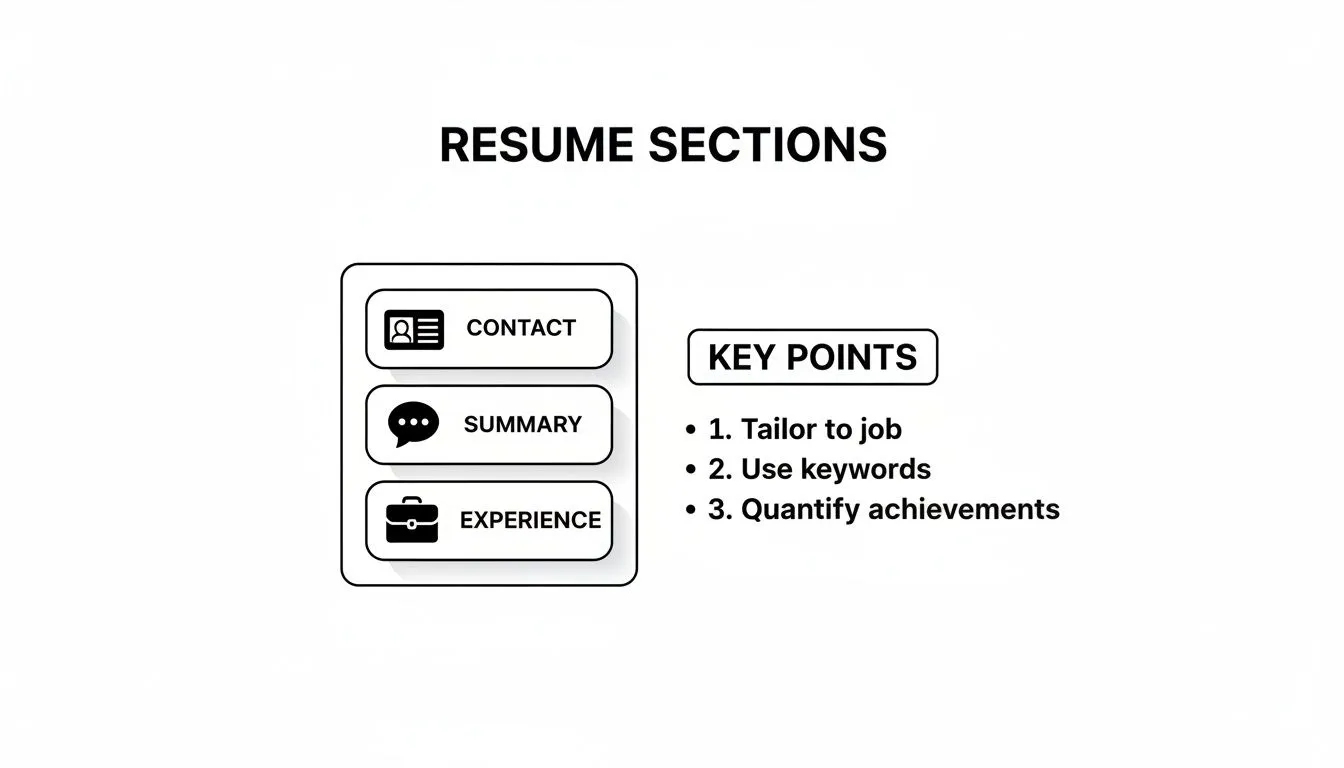
This infographic shows the core sections an ATS expects to find and process.
ATS Formatting Don'ts:
- Avoid Tables and Text Boxes: These elements are notorious for causing parsing errors. The ATS often struggles to pull data from them correctly or ends up scrambling the information.
- Don't Use Graphics or Images: Logos, photos, skill bars, and charts are completely unreadable to an ATS. They just create errors that can get your resume kicked out.
- Skip Headers and Footers: Information you place in the header or footer might be completely ignored by the software. Keep your contact details and other critical info in the main body of the document.
While you need to please the machine, your resume will eventually be read by a human. The challenge is finding a format that works for both.
ATS-Friendly vs. Human-Friendly Formatting Choices
This table breaks down common formatting choices and shows how to strike the right balance.
| Formatting Element | Best for ATS | Best for Human Recruiters | Recommendation |
|---|---|---|---|
| Layout | Single column | Single or two-column | Stick to a single column to be safe. It's clean and works for everyone. |
| Fonts | Standard (Arial, Times New Roman) | Clean, modern sans-serif fonts | Choose a standard sans-serif font like Calibri or Arial. |
| Graphics/Icons | None | Minimal, professional icons | Avoid them. The risk of ATS errors isn't worth the small aesthetic gain. |
| File Type | .docx | Submit a PDF unless the job description specifically asks for a .docx file. | |
| Section Titles | Standard ("Experience") | Can be creative ("My Impact") | Use standard titles. Recruiters know what they mean and so does the ATS. |
Ultimately, a simple, clean, and classic format is your best bet. It ensures readability for both the initial software scan and the human reviewer who follows.
Weaving in Keywords Naturally
Passing the ATS isn't just about avoiding formatting mistakes; it's about speaking the system's language. The software is programmed to hunt for specific keywords and phrases pulled straight from the job description. Your job is to find those terms and work them into your resume.
Start by carefully dissecting the job posting. Look for the nouns and action verbs that describe the required skills, responsibilities, and qualifications. For a project manager role, you might spot phrases like "Agile methodologies," "stakeholder communication," "budget management," and "risk mitigation."
Your goal isn't to stuff your resume with keywords. It's to strategically mirror the language of the job description in your professional summary, work experience bullets, and skills section. This shows both the ATS and the human recruiter that your background is a direct match for what they need.
By focusing on a clean layout and smart keyword integration, you're building an application designed to succeed. You’ll clear the first hurdle and present a professional, easy-to-read document to the person who makes the final call. For a deeper dive into how these systems think, you might find our guide on how the ATS filter works and the 90-10 rule helpful.
Tailoring Your Application to Your Career Stage
Your career isn't static, so why would your resume be? A one-size-fits-all template just can't do justice to the different stories you need to tell at each stage of your professional life. The format that gets a recent grad noticed will get a seasoned professional ignored. A career changer? They need a completely different playbook.
The secret is picking a format that puts your biggest strengths front and center, right now. It’s about strategically arranging your information to tell the most powerful story to a hiring manager who only cares about one thing: can you solve their problem?
Let’s break down how to shape your format for maximum impact, whether you're just starting out, climbing the ladder, or blazing a whole new trail.
For Recent Graduates and Students
When you're a student or just graduated, your work experience section can feel a little... sparse. That’s fine. The goal isn’t to invent a long work history but to shift the recruiter’s focus to your potential, your academic wins, and the practical skills you’ve already picked up.
Your first move? Put your Education section right at the top, just below your summary. This instantly highlights your most recent and relevant achievement.
But don’t just list your university and degree. Flesh it out with details that prove you're ready to contribute:
* Relevant Coursework: Name specific classes that match the job description. Think "Data Structures & Algorithms" for a software role, not "Intro to Philosophy."
* Major Projects: Briefly describe a significant academic project. What was your role? What did you build or discover? What was the outcome?
* GPA: Only include it if it's genuinely impressive. A 3.5 or higher is a good benchmark; otherwise, leave it off.
Next, give Internships and Projects their own dedicated sections. Treat your internships like real jobs, using achievement-focused bullet points. For projects, explain the goal, the tools you used, and the result. This is your proof that you can apply what you've learned.
For a deeper dive, our complete guide on crafting a compelling student resume with real-world examples has templates and tips built specifically for this stage.
For Mid-Career Professionals
As a mid-career professional, your story is about growth, impact, and taking on more responsibility. Your resume format has to scream "upward trajectory." This is where the classic reverse-chronological format shines, putting your most recent and impressive roles right where a recruiter can see them.
The focus must shift from duties to quantifiable achievements. Your work experience section is the main event and should dominate the page. Every bullet point should be a mini-story about your ability to deliver results.
Consider a few formatting tweaks to really emphasize your progression:
* Leadership and Mentorship: Got a bullet point for managing a team or coaching junior colleagues? Make it count. For example, "Mentored 3 junior developers, leading to a 15% improvement in team code quality."
* Promotions: Don’t make the recruiter hunt for your promotions. List the company name once, then indent each role with its title and dates. This creates a clear visual timeline of your advancement within the company.
* Strategic Impact: It's time to move beyond day-to-day tasks. Write bullet points that connect your work to big-picture business goals—think revenue growth, cost savings, or market share.
For experienced professionals, the resume's narrative should shift from "what I did" to "the impact I created." Every line should reinforce a story of consistent, measurable contributions to business success.
For Career Changers
Changing careers means your past job titles might look irrelevant on the surface. This is where your resume format becomes absolutely critical. The goal is to bridge the gap by highlighting your transferable skills and showing how your unique background makes you a surprisingly strong candidate.
A hybrid (or combination) format is almost always your best bet. This layout kicks off with a powerful professional summary and then immediately dives into a "Summary of Skills" or "Areas of Expertise" section. This is your chance to frame your experience before the recruiter even sees your work history.
For instance, a teacher moving into a corporate training role could group their skills like this:
* Instructional Design: Curriculum development, lesson planning, adult learning principles.
* Communication & Presentation: Public speaking, workshop facilitation, stakeholder reporting.
* Project Management: Event coordination, resource allocation, deadline management.
This structure forces the recruiter to view your skills through the lens of their job opening. Then, in your work experience section, you reframe your accomplishments. You didn't just "grade papers," you "provided detailed, constructive feedback to 100+ students to improve performance." It’s all about translating your past into their future.
Formatting Your Application for Global and Remote Roles
The job market has officially gone global. Remote and international roles aren't just a trend anymore; they're a core part of how companies hire. But this shift means your standard job application needs a serious rethink. A resume that lands you an interview in New York might get tossed in the trash in Berlin for reasons you'd never expect.

This isn't just a niche concern. Over 70% of employers are looking to hire internationally, which means you need an application that can cross borders without causing confusion. This global mindset is changing the rules for everyone—remote, hybrid, and even in-office applicants. If you want to dive deeper into this shift, the World Economic Forum has some great insights on the future of jobs.
Navigating International Norms
When you're applying for a job in another country, you're stepping into their world. Local customs and anti-discrimination laws dictate what information is normal and what's a major red flag.
Your goal is simple: create a document that feels professional and familiar to the person reading it, no matter where they are. This means sweating the small stuff you usually take for granted.
Here are the big three cultural landmines to watch out for:
- Photos: In places like the U.S., Canada, and the U.K., putting a headshot on your resume is a huge mistake because of strict anti-bias laws. But in Germany and many parts of Asia, a professional photo is not just common—it's expected. My advice? Research the specific country, and if you're ever in doubt, leave it off.
- Personal Information: Things like your date of birth, marital status, and even nationality are typically left off applications in North America to avoid discrimination. In other regions, this info might be standard. The safest bet for a "universal" resume is to omit these details entirely.
- Date Formats: Is "10/04/2024" October 4th or April 10th? To sidestep this classic confusion, just write out the month. "October 2024" is clear to everyone, everywhere.
Highlighting Remote-Ready Skills
For remote jobs, your resume has to do more than just list your past duties. It needs to scream, "I can get things done without someone looking over my shoulder." Recruiters are hunting for proof that you have the DNA of a successful remote worker.
A remote application must proactively answer the question: "Can this person deliver high-quality work without direct supervision?" Your format should be organized to highlight self-discipline, communication, and proactivity.
Don't just list skills. Weave them into your work experience bullets to show how you've used them. You need to frame your abilities in the context of remote work.
Here’s how to show you're built for remote work:
- Asynchronous Communication: "Managed cross-functional projects across three time zones using Asana and Slack, ensuring clear documentation and seamless handoffs."
- Self-Management: "Independently prioritized and executed a Q3 content calendar, exceeding traffic goals by 15% with minimal oversight."
- Tech Proficiency: "Proficient in remote collaboration tools including Zoom, Miro, and Notion for virtual brainstorming and project tracking."
By tweaking your application for a global and remote audience, you're not just formatting a document. You're showing you have the cultural awareness and self-starting skills to succeed, which makes you a much more compelling candidate from the get-go.
A Few Lingering Questions
Even after you've built the perfect application, a few small questions can pop up and cause that last-minute doubt. The unwritten rules of the game can be confusing. Let's clear up some of the most common ones so you can hit "submit" with confidence.
These are the practical details that come up time and time again. Getting them right ensures a small mistake doesn't undermine all your hard work.
Should My Resume Be One Page or Two?
The "one-page rule" is a strong guideline, but it’s not an unbreakable law. For most people—students, recent grads, and professionals with less than 10 years of experience—a single page is the way to go. It forces you to be concise and respects the recruiter's time, which is always in short supply.
But if you’re a senior-level professional, an executive, or in a technical field with a long list of publications, projects, or patents, a two-page resume is perfectly fine. The key is relevance. Every single item on that second page has to add serious value. Never, ever stretch your resume to two pages by just widening the margins or adding fluff.
What's the Best File Format? PDF or Word Doc?
Always, always follow the instructions in the job posting first. If they don't specify, a PDF is your safest bet. Why? Because PDFs preserve your formatting perfectly, no matter what device or software the recruiter uses. What you see is exactly what they'll see, and that consistency is crucial for a professional first impression.
However, some older Applicant Tracking Systems (ATS) can still get tripped up by PDFs, especially ones with fancy designs. If you have a feeling the company is using an older system or if the application portal specifically asks for it, a .docx (Microsoft Word) file is a solid backup plan.
And one more thing. Name your file professionally. It’s a tiny detail that makes a recruiter’s life just a little bit easier.
Good File Naming Convention:
FirstName-LastName-Resume.pdf or FirstName-LastName-Cover-Letter.pdf
This simple step shows you’re detail-oriented before they even open the document.
Do I Really Still Need to Write a Cover Letter?
Yes. Unless the application explicitly says not to.
While it's true some recruiters might skip it, over 45% of them still prefer applications that include one. A cover letter is your chance to tell a story that your resume can't. It’s where you show genuine excitement for this specific role at this specific company.
It adds personality and context to the bullet points on your resume. You can connect your skills directly to the company's problems and explain why you are the right person, not just that you have the right qualifications.
A well-written, tailored cover letter can be the single thing that gets you an interview, especially in a crowded field. It's your chance to speak directly to the hiring manager in your own voice.
Just keep it brief—three or four short paragraphs is all you need. Think of it as a compelling handshake that makes them excited to read what comes next.
Ready to build an application that tells your unique story and actually gets noticed? StoryCV uses a smart, interview-based process to uncover your real impact. We help you craft a compelling narrative that stands out from the generic templates. It’s time to build a resume that opens doors. Start writing your first role for free at StoryCV.