The idea of a "perfect resume" is a myth. There’s no magic template that works for everyone.
The real goal is to build a strategic marketing document. It's a tool designed to tell your unique career story, grab a recruiter's attention in seconds, and sail past the automated systems that guard the gates.
What a "Perfect Resume" Really Means in Today's Market
Forget the old way of thinking—a resume isn't just a boring list of your past jobs. It has to be a dynamic, persuasive pitch that answers the hiring manager's only real question: "Why are you the best person for this job?"
This means shifting your mindset from creating a passive historical record to crafting an active, forward-looking sales pitch. Your resume is the front page of your personal brand. Every word has a job to do.
And it has to work fast. Recruiters spend an average of just 7.4 seconds scanning a resume before making a snap judgment. On top of that, a shocking 73% of hiring managers admit to rejecting candidates for poor formatting alone. The pressure is on to get it right.
The Two Audiences You Must Impress
Every time you hit "apply," you're writing for two completely different readers at the same time.
-
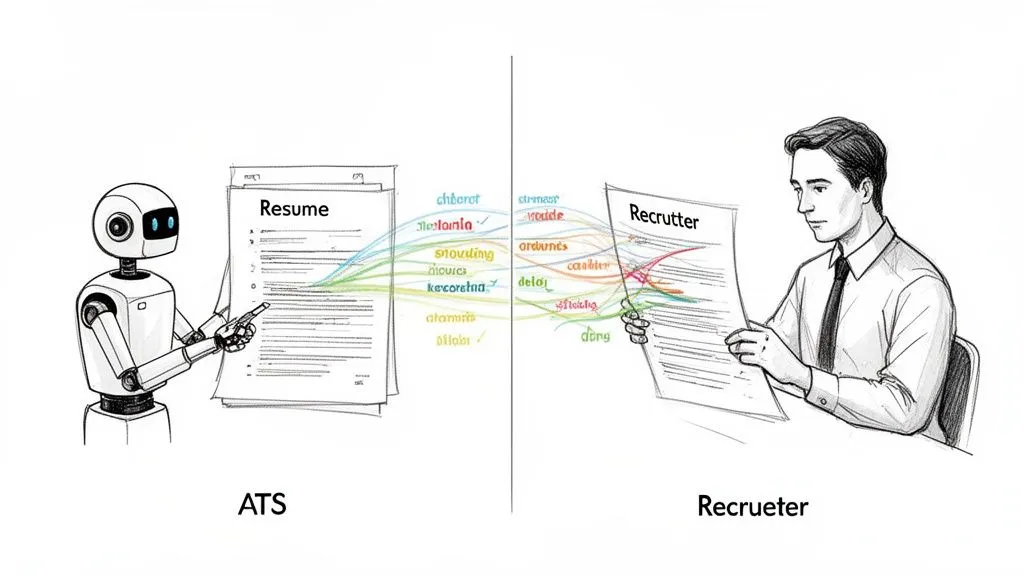
Applicant Tracking Systems (ATS): These are the software gatekeepers. They scan your resume for keywords and proper formatting before a human ever sees it. If your resume isn't built for the bots, it gets tossed out, no matter how qualified you are.
-
Human Recruiters: Once you get past the ATS, your resume has to connect with a real person. This is where your story, measurable achievements, and a clear career path become critical. A resume stuffed with keywords just for the ATS will feel robotic and lifeless to a hiring manager.
The sweet spot is a resume that’s structured enough for a machine to read, but compelling enough for a human to actually care about.
Stop Listing Duties. Start Telling Your Story.
The single most important shift you can make is moving from listing job duties to building a career narrative. It’s not about what you did—it’s about the impact you made.
Before you write a single bullet point, stop and think about your top 3-5 wins. What projects make you proud? When did you save the company money, make a process faster, or help drive more revenue? Those are the moments that form the foundation of a great resume.
This infographic breaks down the shift from outdated habits to a modern, strategic approach.
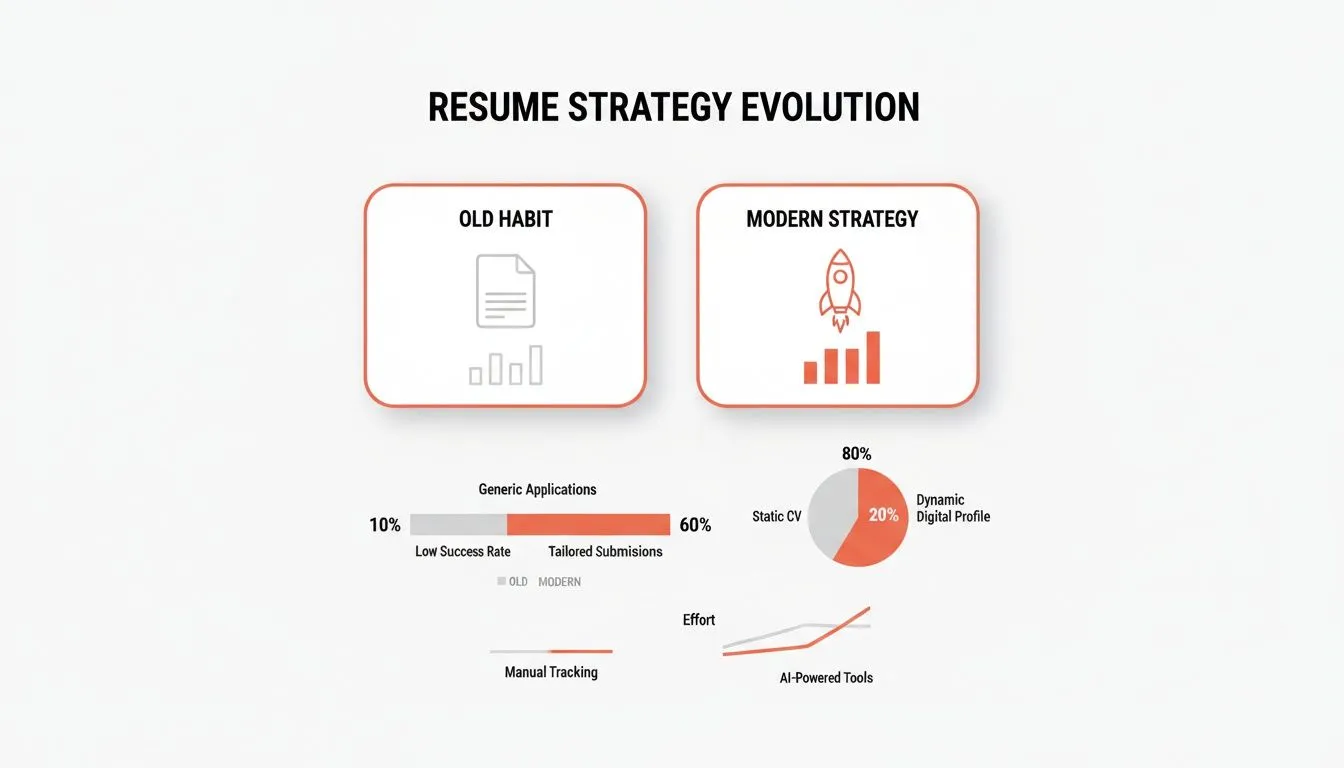
As you can see, the game has changed. Generic applications are out; tailored, results-driven stories are in. To get this right, you first need to understand what employers truly seek in resumes.
Here's a quick look at the old habits you need to ditch and the modern strategies to adopt.
Old Resume Habits vs. Modern Resume Strategy
| Outdated Habit | Modern Strategy (Why it Works) |
|---|---|
| Generic, one-size-fits-all resume | Tailoring for each specific role - Shows the recruiter you’ve done your homework and are a direct fit for their needs. |
| Objective statement ("Seeking a challenging role...") | Professional Summary or Headline - Immediately pitches your core value proposition and career level in 2-3 concise lines. |
| Listing responsibilities ("Responsible for...") | Showcasing quantifiable achievements - Uses numbers and metrics to prove your impact and demonstrate value, not just activity. |
| Ignoring keywords or "stuffing" them | Strategically integrating keywords from the job description - Passes the ATS filter naturally while sounding human and relevant. |
| Using flashy or complex formatting | Clean, simple, ATS-friendly design - Ensures readability for both bots and humans, preventing instant rejection due to formatting errors. |
Getting a handle on these modern strategies is the first step. By focusing on your core narrative and understanding your audience, you build the blueprint for a resume that tells a consistent and powerful story.
Building Your Core Resume Sections with Impact
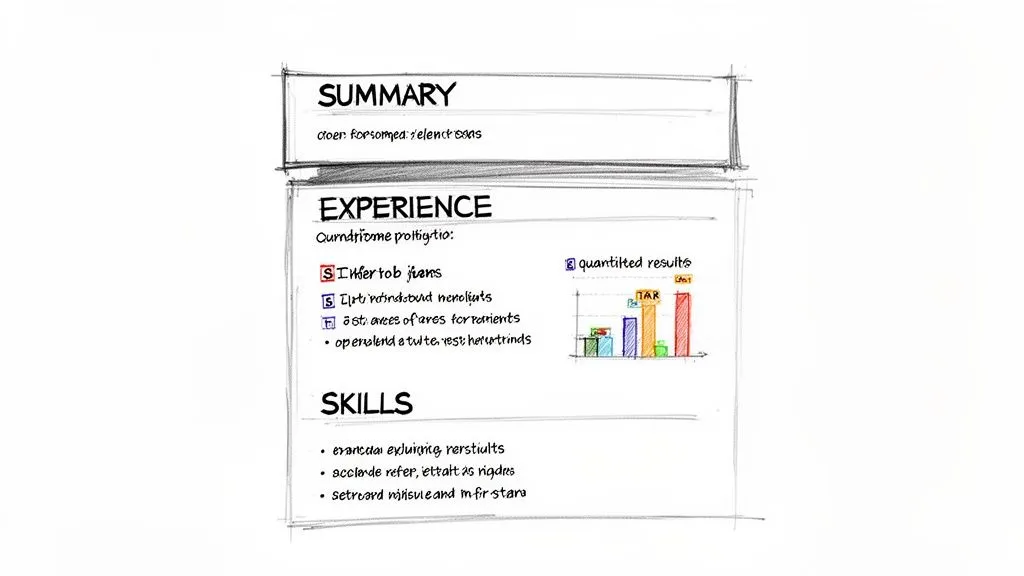
Okay, you've got your story straight. Now it's time to build the thing. This is where we move from big-picture strategy to the nuts and bolts of your resume, turning each section from a boring list into a powerful argument for why they should hire you.
The pressure to get this right is real. The global market for resume writing services exploded to $2.50 billion in a single year, thanks to a surge in remote work, career changes, and the gig economy. A sharp resume isn't just about looking good—it's about surviving in a crowded field where every word counts.
Crafting a Powerful Professional Summary
First things first: kill the "Objective" statement. Nobody cares what you want; they care about what you can do for them. Your Professional Summary is the 3-4 line headline at the top of the page that answers that question immediately. It's your elevator pitch. Your trailer. It has one job: hook the reader.
Keep it concise, confident, and packed with value.
Here’s a simple framework that works every time:
-
Start with your title and experience. (e.g., "Results-driven Digital Marketer with 8+ years of experience...")
-
Highlight 2-3 core specialties. (e.g., "...specializing in SEO, content strategy, and PPC campaigns.")
-
Land the punch with a huge, quantified win. (e.g., "Proven success in increasing organic traffic by over 200% and boosting lead conversion rates by 35% for SaaS companies.")
This combo instantly tells them who you are, what you do, and why you're good at it. It gives the recruiter a clear reason to keep reading.
Writing Impact-Driven Experience Bullets
Your "Work Experience" section is the heart of your resume, but too often it's just a graveyard of job descriptions. Let's fix that. Every single bullet point needs to be an achievement, not a responsibility. The goal is to show what you did, not just what you were supposed to do.
The easiest way to frame this is the STAR method:
-
Situation: What was the problem or context?
-
Task: What were you supposed to do?
-
Action: What specific steps did you take? Use strong verbs.
-
Result: What happened? Use a number. Always.
Instead of writing, "Responsible for managing social media accounts," a STAR-based bullet point sounds like this: "Revitalized a dormant social media presence (Situation/Task) by launching a data-driven content calendar and targeted ad campaigns (Action), resulting in a 45% increase in follower engagement and a 20% growth in inbound leads within six months (Result)."
See the difference? One is a passive duty. The other is an active, impressive story of impact.
Selecting and Showcasing Your Skills
The Skills section isn't just a dumping ground for keywords—it's prime real estate. This is where you make it painfully obvious to both the ATS bot and the human recruiter that you're a match for the role.
Organize your skills into logical groups. This makes the section scannable and shows you're a well-rounded candidate with both hard (technical) and soft (interpersonal) skills.
Skills Section Example:
-
Technical Skills: Python, SQL, Tableau, Google Analytics, Salesforce, Jira
-
Marketing Skills: SEO & SEM, Content Marketing, Email Campaign Management, A/B Testing
-
Interpersonal Skills: Cross-Functional Collaboration, Project Management, Stakeholder Communication
This structured approach helps you sail past the automated screeners. If you're just starting out, focusing on transferable skills is everything. We've got some great advice and templates on how to build a powerful student resume with real examples.
Leveraging Optional Sections for Extra Impact
Don't sleep on the optional sections. They are your secret weapon for standing out, especially if you need to fill an employment gap, showcase niche expertise, or prove you're passionate about your field.
Consider adding sections like:
-
Projects: Detail significant academic, personal, or freelance projects. What was the goal? What was your role? What tech did you use, and what was the outcome?
-
Certifications: List relevant professional certs that back up your skills (e.g., PMP, Google Analytics IQ, AWS Certified Cloud Practitioner).
-
Volunteer Experience: This shows initiative and can highlight key skills like leadership, fundraising, or event planning.
These sections add another layer to your story. They show you're someone who lives and breathes their work, not just someone who clocks in from 9-to-5. That's the kind of detail that gets you the interview.
Getting Past the Robots and In Front of a Human
You've done the hard work of crafting compelling stories and tracking down your impact numbers. But what happens if a human never even sees your masterpiece? Welcome to the world of Applicant Tracking Systems (ATS)—the silent gatekeepers of nearly every modern job search.
These software programs are built to do one thing: scan, sort, and rank resumes based on an employer's checklist. If your resume format is confusing or you’re missing the right keywords, it gets filtered out before a recruiter ever opens the file. This is the biggest hurdle in building my perfect resume.
The scale of this is staggering. Over 75% of resumes are rejected by an ATS without ever being seen by a person. When you realize some job postings attract over 150 applicants weekly, you see why companies rely on them. It’s also why the resume builder market is projected to hit $11.95 billion—everyone is looking for an edge.
Cracking the ATS Code
An ATS isn't looking for a beautiful resume; it's looking for a readable one. The software parses your document for standard information—contact details, work history, skills, and education—by looking for keywords and conventional section headings.
Think of it as a very literal-minded robot. It gets confused by fancy graphics, columns, or weird fonts. When it hits something it can’t process, it either skips the information or scrambles it, tanking your application's rank.
The goal is to design a resume that speaks both languages: bot and human. That means prioritizing clarity, structure, and simplicity above all else.
A beautifully designed resume that an ATS can't read is like a locked treasure chest. All the value is inside, but no one can get to it. Your first job is to give the system the key.
ATS-Friendly Formatting Checklist
To make sure your resume actually gets read, there are a few non-negotiable formatting rules. These aren't just suggestions; they are critical for passing that first automated screen.
This table breaks down exactly what you need to do and why it matters.
| Formatting Element | Best Practice | Why It Matters for ATS |
|---|---|---|
| Fonts | Stick to universal fonts like Arial, Calibri, or Times New Roman. | Ornate or custom fonts can be unreadable, causing parsing errors. |
| File Type | Save and submit as a PDF (unless a .docx is requested). | A PDF locks your formatting, ensuring it looks the same everywhere. |
| Layout | Use a clean, single-column layout. | Multiple columns can cause the ATS to read sections out of order. |
| Headings | Use standard titles: "Work Experience," "Education," "Skills." | Creative headings like "My Journey" will be ignored by the software. |
| Graphics | Avoid images, charts, graphs, tables, and text boxes. | Most ATS platforms cannot parse visual elements, making them invisible. |
Think of these rules as the foundation. Once you have a clean, readable structure, you can move on to the content itself.
Weaving Keywords in Naturally
With a clean format in place, your next job is to make sure the content aligns with what the ATS is searching for. The system scans your resume to see how well your skills and experience match the keywords from the job description.
This doesn't mean you should cram your resume with every keyword you can find—that’s called "keyword stuffing," and it's a huge turn-off for human recruiters.
Instead, carefully read the job posting. Identify the core skills, tools, and qualifications they mention repeatedly. Then, strategically weave those exact terms into your professional summary, experience bullets, and skills section. For example, if a posting mentions “stakeholder communication,” “Agile methodologies,” and “project management,” those phrases should appear naturally in your resume.
This approach serves two masters: it gets you past the automated filter and signals to the recruiter that you're a perfect fit for their needs. This balance is everything. To really nail it, you should understand the ATS filter 90-10 rule, which separates the superficial tweaks from the foundational work that truly gets you noticed.
Tailoring Your Resume for Every Single Application
Sending the same generic resume out for every job is the fastest way to get ignored. It tells a hiring manager you're just playing a numbers game, not that you’re actually interested in their specific role. Building my perfect resume for a real opportunity requires a smart, efficient strategy for customization.
This doesn't mean you have to start from scratch every single time. That’s exhausting and a total waste of your energy. The real pro move is to work from a comprehensive "master resume" and make targeted tweaks that align with what each job post is asking for.
Your Secret Weapon: The Master Resume
Think of your master resume as your personal career encyclopedia. It’s a long, detailed document—often several pages—that lists every job, project, skill, and measurable achievement you've ever had. No accomplishment is too small for this internal file.
This document is for your eyes only. When you find a role you want, you’ll copy this master version and then strategically cut, edit, and reframe it into a sharp, focused, one- or two-page resume that speaks directly to that company. This approach saves a ton of time while making sure every application you send is hyper-relevant.
How to Dissect a Job Description Like an Expert
Before you touch a single word, you need to become an expert on what the employer actually wants. The job description is your cheat sheet. It contains every keyword, skill, and priority the hiring manager and the ATS are screening for.
Start by breaking it down into a few key areas:
-
The Must-Haves: What are the absolute deal-breakers? This is usually years of experience, specific degrees, or required certifications.
-
The Core Responsibilities: Look for the action verbs that describe what you'll be doing day-to-day. Words like "manage," "develop," "analyze," and "lead" tell you exactly what they value.
-
The Tools and Skills: Make a list of every piece of software (like Salesforce or Python) and every soft skill (like "stakeholder communication" or "cross-functional collaboration") they mention.
This analysis gives you a clear roadmap. The words and phrases that pop up most often are your top targets for customization.
A tailored resume acts as a mirror, reflecting the employer's exact needs and language back to them. It creates an instant, subconscious connection that says, "I understand your problem, and I am the solution."
Making Smart Edits for Maximum Impact
With your analysis done, it's time to adapt your master resume. The goal is simple: align your document with the job description as closely as you can without losing your authentic voice.
Here’s a practical way to approach your edits:
-
Rewrite Your Professional Summary: Tweak your 3-4 line summary to include the exact job title from the posting. Make sure you highlight the top 2-3 skills they emphasized most. If they need a "data-driven project manager," your summary should say exactly that.
-
Reorder Your Bullet Points: This is a simple but powerful trick. Under your most recent roles, move the bullet points that most closely match the job’s key responsibilities to the top of the list. If the job is about launching new products, your proudest product launch moments need to be the first thing a recruiter sees.
-
Mirror Their Language: Swap your words for theirs. If your resume says you "led a team," but the job description says "managed a team," make that tiny switch. This simple change can make a huge difference in your ATS score.
-
Refine Your Skills Section: Adjust your skills list to feature the specific software, tools, and abilities mentioned in the job description. Ditch any skills that aren't relevant to this particular role to keep the section focused and punchy.
This targeted approach is what turns a good resume into a great one. It shows you’re paying attention and proves to the hiring manager that you're not just another random applicant—you're a serious candidate who's done their homework.
The Final Polish for a Flawless Submission
You've done the hard work. You’ve defined your story, written the content, and picked a clean format. Now for the last, crucial step: the final polish. This is where you catch the tiny mistakes that can get an otherwise great resume tossed in the "no" pile.
Think about it this way: a single typo screams carelessness. It undermines every impressive metric and accomplishment you've listed. A quick once-over isn't enough; you need a system.
Your Ultimate Proofreading Checklist
Don't just read it one more time. Run your resume through this multi-pass check. By looking for one type of error at a time, you'll catch way more than you would with a single skim.
-
Grammar and Spelling Pass: Start with the easy stuff. Use a tool like Grammarly or the built-in spell checker to catch the low-hanging fruit.
-
Consistency Pass: Now, check your formatting. Are all job titles bolded? Are all your dates in the exact same format (e.g., "May 2023" vs. "05/23")? Consistency shows attention to detail.
-
Clarity and Flow Pass: Read every single bullet point out loud. Seriously. Does it sound clunky or confident? Is it packed with jargon, or is it clear and direct? If you stumble while reading it, a recruiter will too.
-
Contact Info Pass: Double-check your phone number. Then check it again. One wrong digit and a great opportunity vanishes. Same goes for your email address.
Your resume is the first piece of work a company ever sees from you. If it's messy, they'll assume your work will be too.
And remember, your polish shouldn't stop at the PDF. Recruiters absolutely look you up online. Understanding what employers see when they Google you is part of the job search now. A messy digital footprint can sink a perfect resume.
The Power of a Second Opinion
After you've stared at a document for a few hours, your brain starts playing tricks on you. It auto-corrects mistakes on the screen, making you blind to your own typos. This is why a second pair of eyes is non-negotiable.
Find a friend, a mentor, or a family member you trust to be ruthless. Don't just ask them to "look it over." Give them a mission: "Please find every typo, every confusing sentence, and anything that just doesn't sound right." Their fresh perspective is invaluable.
Final Touches Before You Hit Send
You're so close. These last few details are small, but they signal professionalism and make the recruiter's life just a little bit easier.
Name Your File Like a Pro
Never, ever submit a file named Resume.pdf. The person on the other end is downloading dozens of those every day. Make yours stand out and easy to find.
-
Good:
FirstName-LastName-Resume.pdf -
Even Better:
FirstName-LastName-JobTitle-Resume.pdf
Make Your Cover Letter a Companion, Not a Clone
Your resume and cover letter are a team. They need to work together. The resume is the "what"—your skills and results. The cover letter is the "why"—why you're fired up about this company and this role.
Use the cover letter to tell a short story. Pull out one key achievement from your resume and expand on it, connecting it directly to a problem you know the company is trying to solve. This proves you've done your homework and creates a single, powerful narrative.
Your Resume Is a Living Document
Finally, remember that a great resume is never really "done." It's a living document that grows with you. Get in the habit of updating it every few months, even when you're happy in your job.
Log new achievements, skills, and big projects while they're still fresh. That way, when the perfect opportunity lands in your lap, you're ready to go instantly—no more frantic scrambling to remember what you accomplished last year.
Common Questions About Resume Writing
Even with the best plan, you're going to hit a few roadblocks. It's just part of the process. Getting the small details right—the stuff that feels like an unwritten rule—is what separates a resume that gets a glance from one that gets a call.
Let's tackle some of the most common questions that pop up when you're in the thick of it.
How Long Should My Resume Be?
The classic "one-page rule" is more of a strong suggestion than a law. For most people—students, recent grads, and anyone with under 10 years of experience—sticking to one page is the way to go. It forces you to be ruthless and make sure every single word earns its spot.
But if you're a senior professional with a long, relevant career packed with critical achievements, a two-page resume is completely fine. In fact, it's often necessary. The real test is relevance, not length. Never add fluff to fill a page, and don't cut a huge accomplishment just to meet an arbitrary limit. Let your impact dictate the length.
Should I Put a Photo on My Resume?
For jobs in the United States, Canada, and the United Kingdom, the answer is a simple, firm no. Strict anti-discrimination laws make companies very wary of photos on resumes. They can introduce unconscious bias, and many recruiters will discard an application with a photo to avoid any legal gray areas.
This is highly location-dependent, though. In many parts of Europe and Asia, a professional headshot is standard and even expected. Your best bet is to research the local customs for the country where you're applying. When in doubt, leave it out. Let your experience do the talking.
How Do I Handle Employment Gaps?
First, know that employment gaps are a normal part of a career. Life happens. The absolute worst thing you can do is try to hide a gap by fudging your employment dates. Recruiters see this as a major red flag, and it will destroy your credibility if it comes up in a background check.
Instead, be prepared to speak about it honestly if asked in an interview. On the resume itself, you can fill that time with any productive activities you were involved in.
-
Relevant Projects: Did you do any freelance work or build a personal project? Detail it.
-
Certifications & Coursework: Show that you were actively upskilling and learning.
-
Volunteer Work: Highlight transferable skills like leadership, project management, or event planning.
This approach shows you were proactive and continued to grow, even when you weren't in a traditional role.
What Is the Best File Format for My Resume?
Always, always, always submit your resume as a PDF. It's the undisputed gold standard. A PDF locks in your formatting, ensuring that what you see on your screen is exactly what the hiring manager sees, no matter what computer or software they use.
It looks clean, professional, and prevents anyone from accidentally editing your document. The only exception? If the job posting or a recruiter specifically asks for a Word document (.doc or .docx). While modern ATS can handle PDFs just fine, you should always follow direct instructions. It's smart to keep a version saved in both formats just in case.
If you're still wrestling with how to frame these details, it can be helpful to see how the pros think. Understanding what a professional resume writer does offers great insight into how experts handle these common challenges.
Feeling stuck trying to turn your experience into a compelling story? StoryCV uses an AI-powered interview to uncover your real impact and achievements. It builds a resume draft that balances ATS rules with human-friendly storytelling, so you can stop wrestling with templates and start getting noticed. Get your professionally written resume draft started for free at story.cv.