The popular advice is to use year-only dates to make a resume look cleaner. For most mid-to-senior professionals, that's the wrong trade. A resume date format isn't decoration. It tells readers how long you stayed, what's current, and whether your timeline deserves trust.
Use month and year, keep the pattern consistent, and make the dates support the story your bullets tell. That gives recruiters a clear timeline and gives applicant tracking systems recognizable date tokens to parse. It also leaves more room for the important question: not only what you did, but what you changed.
Why Your Resume Dates Matter More Than You Think
Your resume dates are part of the story, not decorative typography. Before a hiring manager reaches your bullets, they use them to judge recency, tenure, progression, and gaps. An ATS performs a narrower task, identifying start dates, end dates, and duration from patterns it can recognize.
A timeline such as Jan 2022, 06/2023, and 2024-now makes the reader translate instead of assess. Mixed formats can also confuse parsers, particularly in tables, headers, or crowded layouts. ATS-focused guidance on resume dates recommends recognizable month-year patterns because parsing systems can identify them more easily.
Practical rule: If a reader must stop to interpret your dates, the format is working against your experience.
Date precision also changes the meaning of your achievements. “Managed network infrastructure” states a responsibility. A dated role paired with a specific result shows the period and the change: “Managed a 600-device Cisco network across 14 sites, maintaining 99.99% uptime.” The date supplies context. The bullet demonstrates value.
Choose month and year when the timeline needs to clarify freelance work, short engagements, or gaps. Use year-only dates only when the added precision would not help the reader. International applications need the same discipline because familiar, consistent wording reduces ambiguity across date conventions.
Vague or inconsistent dates can make a short stint look longer, obscure a gap, or hide the sequence of a promotion. Clear dates do not strengthen weak experience. They make credible experience easier to verify.
Use one date style across the resume, write Present for ongoing roles, and keep experience in reverse chronological order. Then make each bullet show what changed during that period.
The Simple Rule for Resume Date Format That Works Everywhere
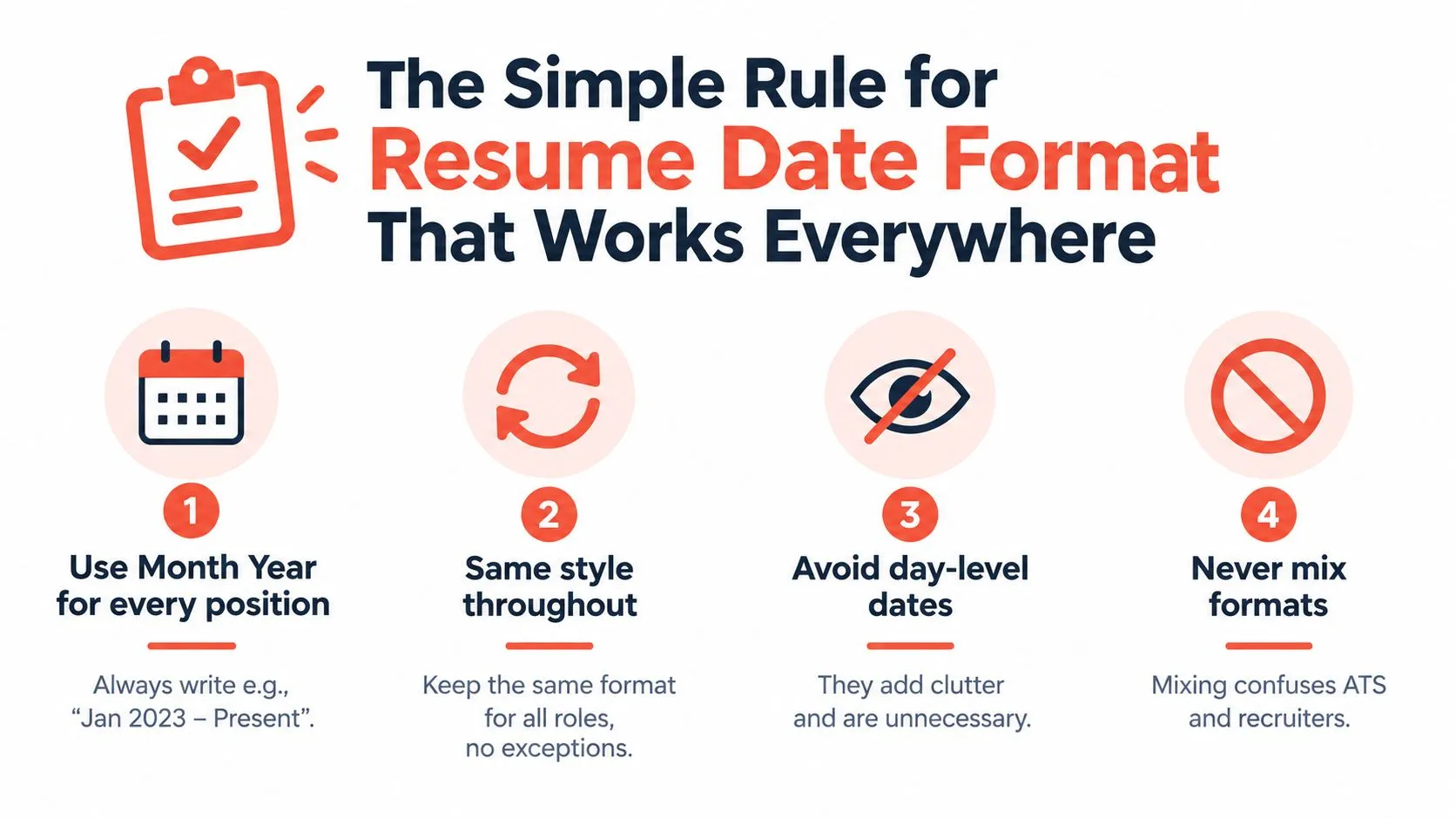
Treat dates as part of your career story, not decoration. Use month and year when the timeline needs to show the length of a role, clarify a gap, distinguish freelance work, or make an international application easier to read. Use one visual style across the document. My default recommendation is:
Jan 2020 – Dec 2023
Mar 2021 – Present
Full month names also work:
January 2020 – December 2023
A numeric format fits when space is tight:
01/2020 – 12/2023
Consistency matters because recognizable date tokens help parsers calculate tenure, while mixed formats, day-level dates, and dates in tables or headers can make that calculation harder, according to Resume Worded's date-format guidance.
Day-level dates add clutter without improving the reader's understanding of your trajectory. January 15, 2024 – October 31, 2024 is unnecessary for most employment histories. Month and year provide enough precision, including for international readers who may interpret numeric dates differently.
Apply the rule everywhere
Use the same convention for:
- Work history:
Feb 2019 – Aug 2022 - Current roles:
Sep 2022 – Present - Education:
Sep 2018 – May 2022 - Freelance work:
Jan 2023 – Present - Certifications: use the same month-year pattern when a date matters
List roles in reverse chronological order, with the newest experience first. Employers can then assess your current level before reviewing earlier positions. See this guide to resume date ordering for the same ordering principle.
Before sending the file, audit every date from top to bottom. Check the month style, separator, spacing, capitalization, and use of Present. Your dates should read as one deliberate system. That consistency signals control and makes the sequence of promotions, projects, and career changes easier to follow.
Choosing Your Exact Format and How to Write Present Correctly
Choose one date system and apply it to every entry. The format should support your story by making promotions, freelance periods, and international experience easy to read.
| Format | Example | When to Use |
|---|---|---|
| Full month and year | January 2020 – December 2023 | Best for maximum human readability and international applications |
| Abbreviated month and year | Jan 2020 – Dec 2023 | Best default for most professional resumes |
| Numeric month and year | 01/2020 – 12/2023 | Useful when space is tight and the format stays consistent |
I recommend abbreviated month and year for most mid-to-senior professionals. It saves space without making the timeline feel compressed. Use full month names when readability matters more than space, especially for international applications where numeric date conventions can differ. Resume Gyani's ATS formatting guidance recognizes both full and abbreviated month-year ranges.
For a current role, write the starting month and year followed by Present:
March 2021 – Present
Jan 2024 – Present
Use Present consistently. Avoid Now, Current, a blank end date, or lower-case variations. A clear ending token shows that the role continues and keeps your career story easy to interpret.
Keep the punctuation boring
Use a spaced dash throughout:
Jan 2020 – Dec 2023
Do not switch between to, slashes, hyphens, and dashes. Avoid these formats:
January 15, 2024 – October 31, 20242022 – 2023for recent roles when the months matterJan ’20 – Dec ’2303/04/20242020/21
Day-level dates add clutter in most employment histories. Two-digit years and compressed numeric forms can also slow interpretation, particularly for international readers and automated systems. Your achievements should show personality. Your dates should show control.
How ATS and International Readers Actually Read Your Dates
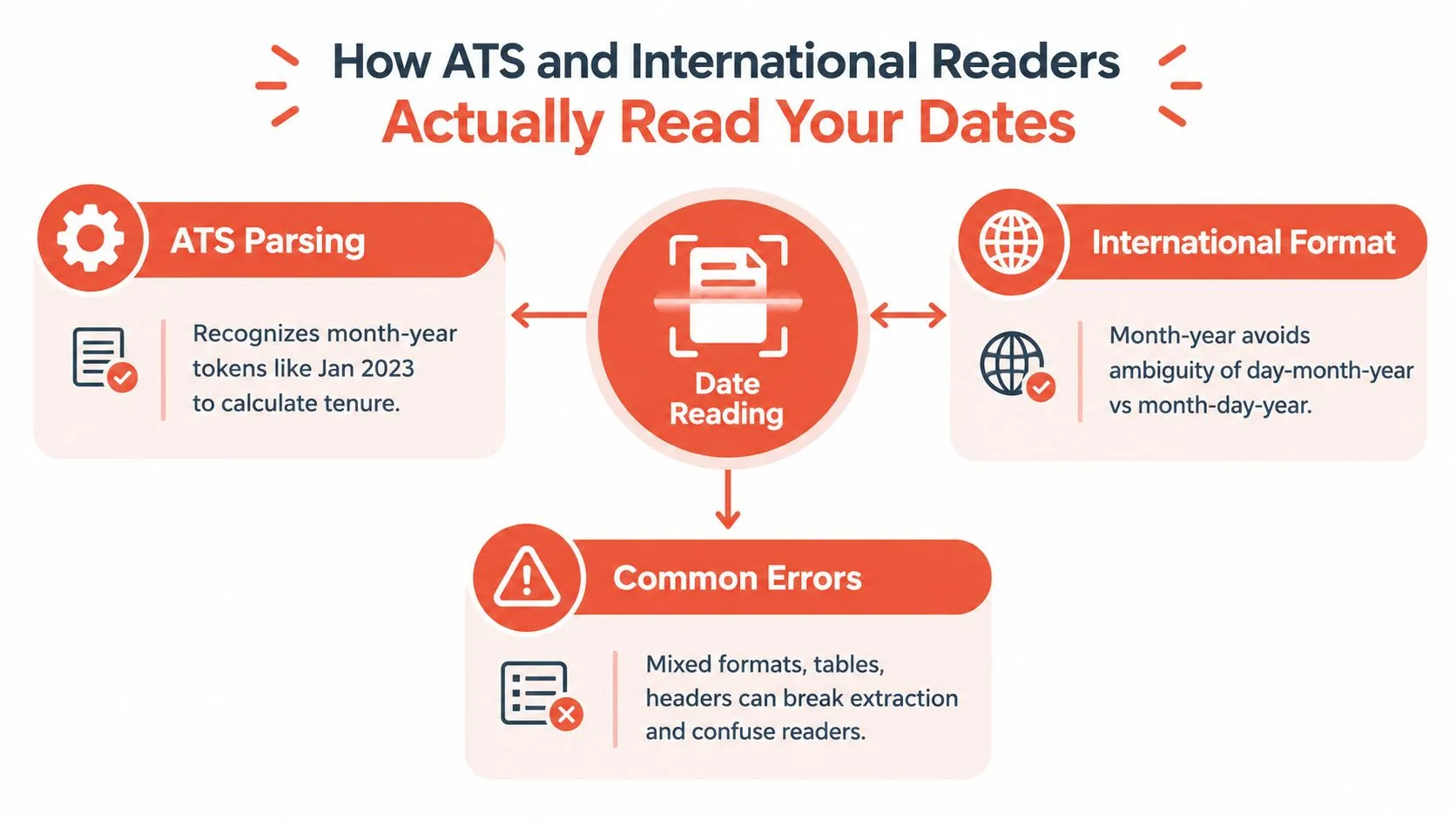
Your dates signal seniority through clarity. An ATS extracts recognizable date tokens and connects them to a title, employer, start date, and end date. A human reader makes the same judgment faster: a clean timeline suggests control, while inconsistent formatting creates questions.
Use one month-year convention throughout the experience section. A line such as Jan 2023 – Present gives parsing software a familiar pattern. Keep the dates beside the related role rather than isolating them in a table, header, or separate column. Tables and mixed written and numeric formats can separate dates from the information they describe. For broader structure, follow this guide to optimizing a resume for ATS.
International readers face a separate risk. Numeric dates that include a day can change meaning across regions. 03/04/2024 may mean March 4 or April 3, depending on the reader's convention. Written month-year removes that ambiguity. Use it when applying across borders, especially for senior roles where a clear career sequence matters more than compressed spacing. Global resume date guidance also treats written month-year as a safe default.
Remove ambiguity before you submit.
Use a short pre-submit test
- Read the dates alone: Can you follow the career sequence without the bullets?
- Check the structure: Does each date sit clearly beside the correct role?
- Search for outliers: Do month names, separators, and end labels match?
- Inspect the file: If dates appear in tables or headers, move them into plain text.
- Review across borders: If international readers may review the resume, use a written month.
The goal is simple: let the dates clarify tenure, progression, and transitions without making the reader interpret your formatting.
Handling Gaps Overlaps Freelance and Short Stints Without Hiding
A messy timeline isn't automatically a weakness. Hidden chronology is. Date choices should clarify what happened, not make a career look artificially smooth.
Start with gaps. Use month and year when the gap is recent or relevant to the role. Year-only dates can be useful for older positions or a compressed early-career section, but they can look evasive when used across recent experience. Guidance on dates for non-linear careers highlights the tradeoff: year-only saves space, yet month-year often makes gaps, short stints, and progression easier to interpret.
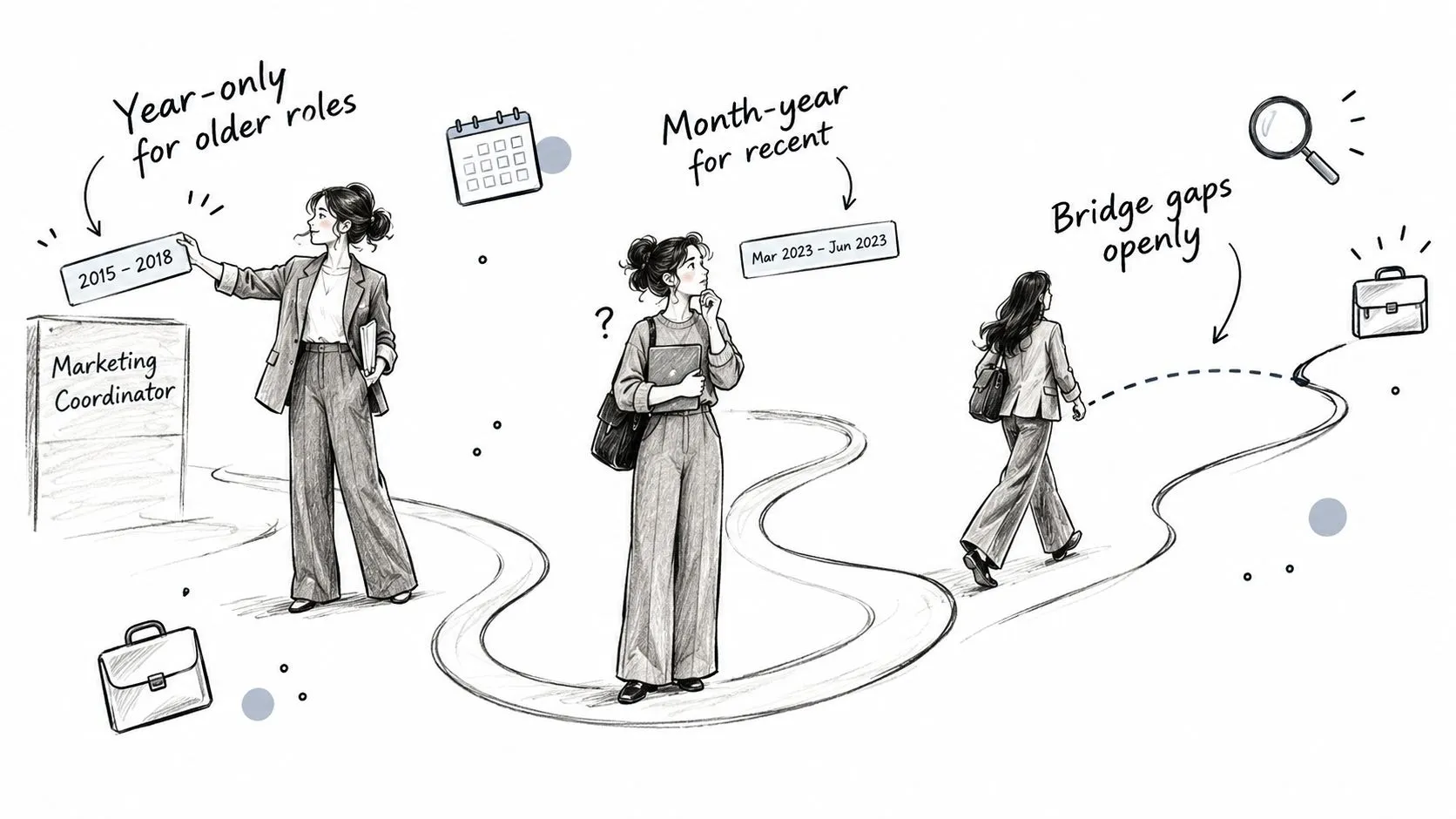
A short gap doesn't need a dramatic explanation in the experience section. Keep the dates honest, then use a brief resume line, cover letter, or interview answer if context matters. Don't remove months merely to make the timeline look continuous.
Make freelance work legible
For ongoing freelance work, create an umbrella entry:
Freelance Operations Consultant | Jan 2023 – Present
Then use bullets to name the work, clients where appropriate, and outcomes. For distinct contracts, separate them:
Contract Product Manager, Northstar Labs | May 2022 – Nov 2022
This structure tells the reader whether freelance work was continuous, project-based, or parallel to employment. It also gives your strongest evidence a home.
Overlapping roles deserve the same honesty. If you held two roles at once, show both date ranges. Add a short label such as part-time, fractional, contract, or military reserve when it prevents confusion. An overlap can signal transition, consulting depth, or leadership breadth. It only looks suspicious when the resume refuses to explain it.
Let the bullet explain the change
A responsibility describes the job. Context, action, and outcome explain its value.
Weak:
Managed network infrastructure.
Stronger:
Managed a 600-device Cisco network across 14 sites, maintaining 99.99% uptime.
The stronger bullet gives the reader scale, environment, action, and outcome. Its date range then answers the remaining question, how long you did it.
If you know what happened but can't find the words, StoryCV can help you work through the role by asking about the context, actions, and changes behind your responsibilities. It's an online resume writer, not a template library. Use this guide for multiple short stints when the timeline needs structure without concealment.
The video below offers another visual way to think about career chronology.
Copy Ready Resume Date Format Examples and Templates by Role
Use one date line, then make the bullet prove why the role mattered. The date creates chronology. The bullet creates credibility.
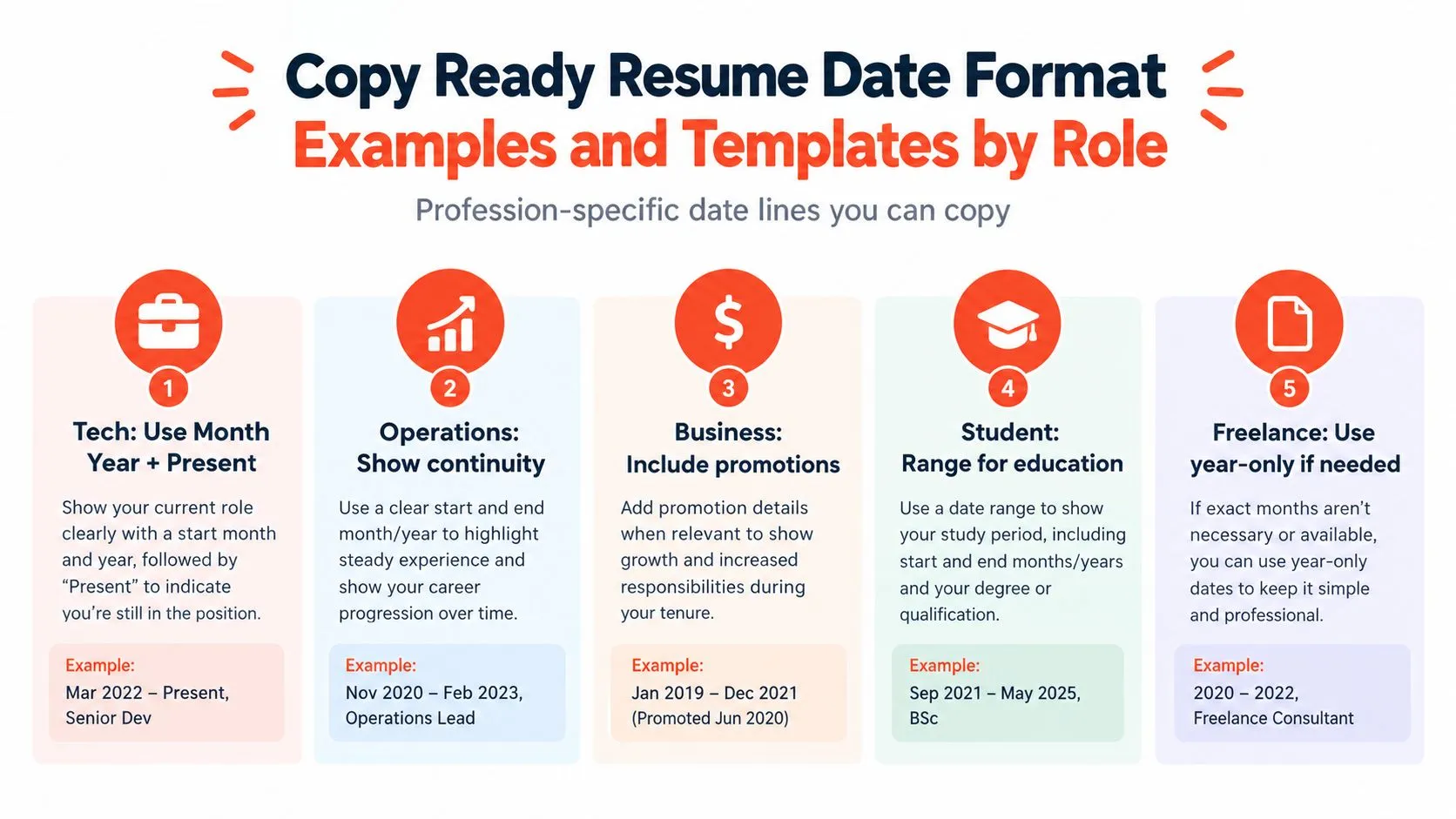
Role-specific examples
-
Tech:
Mar 2022 – Present, Senior Network Engineer
Weak:Managed network infrastructure.
Stronger:Managed a 600-device Cisco network across 14 sites, maintaining 99.99% uptime. -
Operations:
Nov 2020 – Feb 2023, Operations Lead
Stronger bullet:Redesigned regional operating processes, giving managers a clearer handoff between planning and delivery. -
Business:
Jan 2019 – Dec 2021, Business Manager
Add the promotion directly:Promoted Jun 2020. This makes progression visible without creating a duplicate role. -
Student:
Sep 2021 – May 2025, BSc
Use the education range when the degree timeline supports the story. -
Career changer:
Jun 2023 – Present, Freelance Product Consultant
Use bullets to connect prior experience to the target role through context, action, and outcome.
For web development roles, this resume format guide for web developers shows how dated experience and focused evidence can work together.
Two templates you can reuse
[Job title], [Company] | [Mon YYYY] – [Mon YYYY or Present]
Freelance [Specialism], Self-employed | [Mon YYYY] – [Mon YYYY or Present]
Don't let the template write the story. Use it to keep the timeline clean, then describe what changed because you were there.
Make Your Dates Tell a Clearer Story
Audit your resume in sixty seconds. Choose one month-year format, replace ongoing end dates with Present, keep roles in reverse chronological order, and check that every range matches the truth.
Then fix one role properly. Start with the dates, add the context, describe your action, and name the outcome. Clear chronology earns trust. Clear bullets explain your value.
StoryCV helps you talk through the work behind each role and turn those answers into resume-ready writing, including stronger context, action, and outcome. Visit StoryCV, choose one role, and start finding the words your timeline needs.