Listing Microsoft Word, email, and internet research on an experienced professional's resume isn't harmless. My recruiter read is that you had space to fill, and this was the strongest evidence you reached for.
That's usually unfair to the work you've done. But your resume can only represent the evidence you put on it.
The Quiet Resume Signal Most People Miss
The popular advice about basic computer skills on resume skills lists is simple: include them so employers know you're computer literate. For an experienced desk-job candidate, I recommend the opposite. Don't volunteer a baseline when you can demonstrate a contribution.
Microsoft Word tells me you can open a document. It doesn't tell me you wrote the operating procedure everyone followed, reconciled competing edits, or prepared the client proposal. Those are very different claims.
A generic list can make your ceiling look like Word proficiency. The problem isn't that you lack better experience. It's that you've chosen not to show it.
Real skills still need useful evidence
Basic digital competence isn't universal. The OECD's analysis of adult digital skills reported that 56% of adults had no ICT skills or only enough for the simplest tasks.
That makes foundational capability meaningful. It doesn't make a generic software list the right choice for every candidate.
For someone with established professional experience, the question is narrower: what does this entry help an employer understand about your ability to do this particular job?
The distinction is easy to miss when familiar skills feel safe to include.
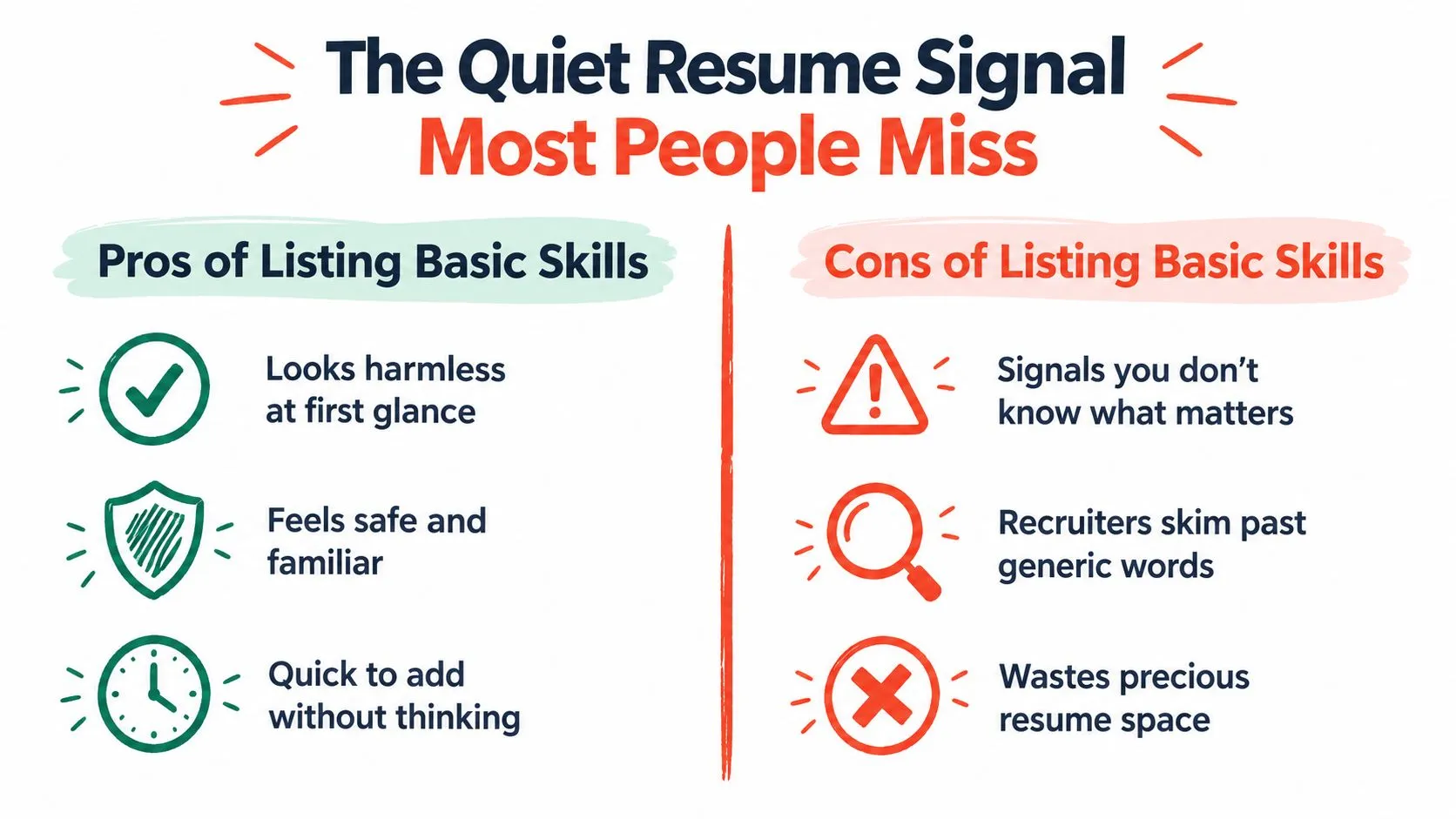
Practical rule: Keep a computer skill when it proves relevant capability, names a required system, or answers an explicit requirement.
Your useful alternatives are:
- Name the function. Show the spreadsheet feature or workflow you use.
- Name the system. Identify the industry software behind your work.
- Mirror the requirement. Include basic proficiency when the employer explicitly asks for it.
If you're also reconsidering section labels, the Interview Pilot guide to resume header synonyms is a resource to consult. But changing the heading won't rescue weak content underneath it.
Upgrade Generic Labels Into Named Skills
Microsoft Excel is a product name, not a description of your capability. Someone who enters figures and someone who builds a reporting workflow can both truthfully list it.
The useful detail sits beneath the software name.
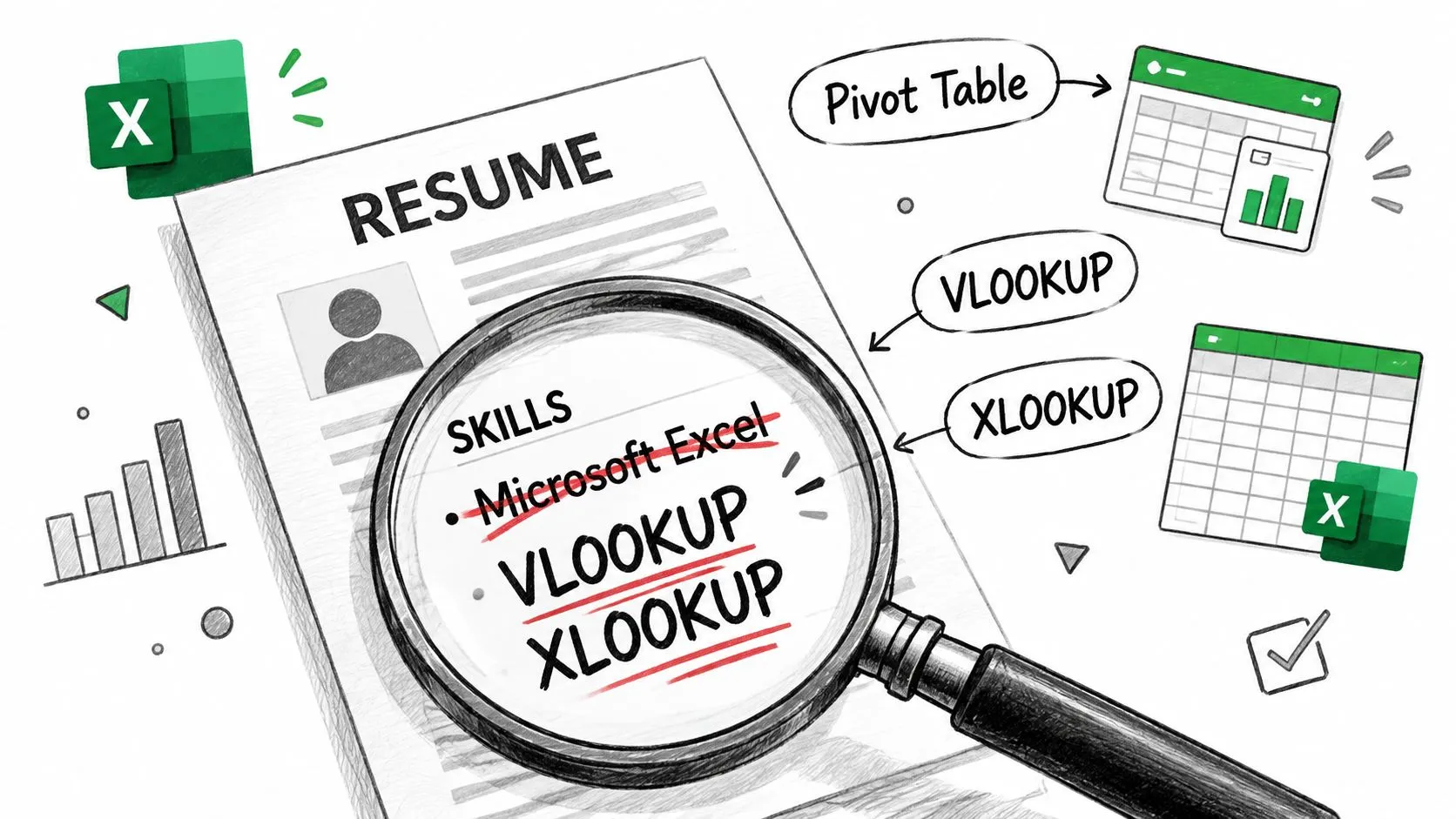
Replace familiarity with something checkable
Use software + function or artifact + purpose. Name VLOOKUP, XLOOKUP, pivot tables, conditional formatting, or Power Query only when you've used them.
These are illustrative rewrites, not achievements to borrow unchanged.
| Generic entry | Stronger example | Another useful example |
|---|---|---|
| Microsoft Excel | Matched invoice records to purchase orders using XLOOKUP. | Built an inventory summary using pivot tables and conditional formatting to flag exceptions. |
| PowerPoint | Built the sales review deck the regional manager presented. | Converted project updates into a decision deck showing risks, options, and recommended actions. |
| Google Workspace | Built the shared Google Sheets tracker used to assign owners and monitor handoffs. | Coordinated document reviews in Google Docs and maintained the team's shared reference files. |
| Managed a shared Outlook inbox, routing requests to the appropriate service owner. | Organized stakeholder updates around pending decisions and follow-up actions. |
Notice what changed. Each rewrite lets an interviewer ask about an actual piece of work. You can explain the input, your decisions, and how someone used the output.
The claim becomes credible because it becomes checkable. It also stops treating software familiarity as the accomplishment.
Keep the list short and the evidence useful
A skills entry might read Microsoft Excel: XLOOKUP, pivot tables, conditional formatting. Your experience bullet should explain where those capabilities mattered.
Use this guide to writing a resume skills section to decide how to separate searchable skills from work-history evidence. Don't duplicate an entire bullet in both places.
If you can't yet demonstrate the function your target role requires, practice before claiming it. You can find digital literacy courses for career growth through Next Level Online College as a starting point for that search.
For a supplementary video resource, use the embedded video below.
Name the System Recruiters Actually Search For
You might use Salesforce every day and still write “computer literate” on your resume. That's a strange trade: you've replaced identifiable experience with a vague category.
The same mistake happens with Epic, SAP, Toast, ServiceNow, Shopify, Workday, and specific point-of-sale, electronic health record, or ticketing systems. Candidates overlook them because they're the systems they use to work.
Routine for you doesn't mean irrelevant to the employer. When a posting names a platform, give the reader that platform's name, not a category they have to interpret.
Start with the job description
Read the requirements and responsibilities for named systems. Then compare them with what you've personally used.
- Match genuine experience. If the posting asks for Salesforce and you've used Salesforce, name it.
- Specify your scope. Record maintenance, reporting, configuration, and administration aren't interchangeable.
- Preserve the distinction. Experience with another platform may transfer, but don't rename it to match the vacancy.
Don't write Salesforce administration because you updated customer records. Don't imply SAP implementation experience because you entered transactions. Being precise about your scope is more persuasive than borrowing a bigger title.
Decide where each system belongs
A skills list helps the reader locate a qualification. An experience bullet explains what you did with it.
| System | Possible skills entry | Illustrative experience evidence |
|---|---|---|
| Salesforce | Salesforce, account records and reporting | Maintained account records and prepared pipeline reports for sales reviews. |
| Epic | Epic, patient scheduling workflows | Coordinated appointment updates and documented scheduling changes in Epic. |
| ServiceNow | ServiceNow, ticket triage | Reviewed incoming requests, assigned ownership, and tracked unresolved issues. |
| Shopify | Shopify, product and order management | Updated product listings and investigated order discrepancies. |
These aren't instructions to list every platform. They show how to connect a named system with a bounded responsibility.
For ATS preparation, follow this guide to optimizing a resume for ATS. Treat keyword alignment as accurate translation, not a reason to add software you can't discuss.
The strongest choice is often a system name in your skills section and a distinct example in your work history. The first answers whether you've used it. The second answers whether your experience is relevant.
The Exceptions Where Basic Skills Still Belong
If a job posting explicitly asks for proficiency in MS Office, include it, provided it's true. Answering a stated requirement is different from volunteering filler.
Apply that rule when reviewing government, healthcare administration, education support, warehouse, or manufacturing vacancies. Don't assume the sector determines what belongs. The actual posting does.
Digital competence also covers more than opening software. The European Commission's digital skills framework includes information and data literacy, communication and collaboration, digital content creation, safety, and problem-solving.
That's a useful reminder for administrative and operational work. Accurate records, sensible file handling, and responsible data use can matter more than an impressive-looking software inventory.
Mirror the requirement without weakening the page
Use the employer's terminology, then add a compact explanation of what you can do.
| Posting requirement | Honest resume phrasing |
|---|---|
| Proficient in MS Office | MS Office proficiency, including Excel tracking, Word document preparation, and Outlook scheduling. |
| Basic computer skills | Basic computer skills, including email, electronic record entry, and shared-file management. |
| Internet research | Conducted online research to locate supplier information and verify contact details. |
Only include the activities you've performed. A requirement isn't permission to expand your experience.
- Keep it contained. Put baseline proficiency in a short skills entry rather than making it the center of your summary.
- Use recognizable wording. Don't replace a named requirement with a creative synonym.
- Avoid mechanical promises. Matching the wording supports clear review; it doesn't guarantee an ATS result.
If the requirement isn't stated and your work history already demonstrates digital competence, remove the generic line. Keep the space for something the employer still needs to learn about you.
Why Proficiency Labels Undercut the Rest of Your Page
“Advanced Excel” sounds confident until an interviewer asks what advanced means. If your answer is sorting a column, you've created a credibility problem that didn't need to exist.
Beginner, intermediate, advanced, and expert are self-ratings, not evidence. Without a shared assessment standard, the reader has to guess what your scale means.
I'd rather read a modest, precise claim than an ambitious label.
Let the work establish the level
Compare these illustrative rewrites:
| Self-assessed label | Evidence-based replacement |
|---|---|
| Advanced Excel | Built reconciliation worksheets using XLOOKUP and conditional formatting to identify unmatched entries. |
| Expert PowerPoint | Prepared leadership presentations that translated operational findings into options and recommendations. |
The replacements don't announce a level. They let the reader judge the work.
That matters because skills claims can shape screening. NACE's survey of employer hiring practices found that nearly two-thirds of employers used skills-based hiring, including during screening, interviews, and resume review.
A label gives those readers little to examine. A function or artifact gives them a starting point.
Don't ask the reader to trust your rating. Give them something you can explain.
There's an exception for a formal application that explicitly requires a proficiency rating. Answer that field truthfully, using its definitions if provided.
On the resume itself, skip stars, progress bars, and unsupported expertise claims. Before keeping a skill, ask whether you could explain the task, your approach, and a mistake you learned to avoid. If you can't, narrow the claim until you can.
How Students, Mid-Level Pros, and Career Changers Should Adapt This
The right evidence depends on where you've worked, not on how impressive your skills section looks. A student's project, a manager's reporting workflow, and a veteran's logistics experience can all demonstrate useful digital capability.
The standard stays consistent: show work you performed, in language the target employer understands.
Use the framework differently depending on your starting point.
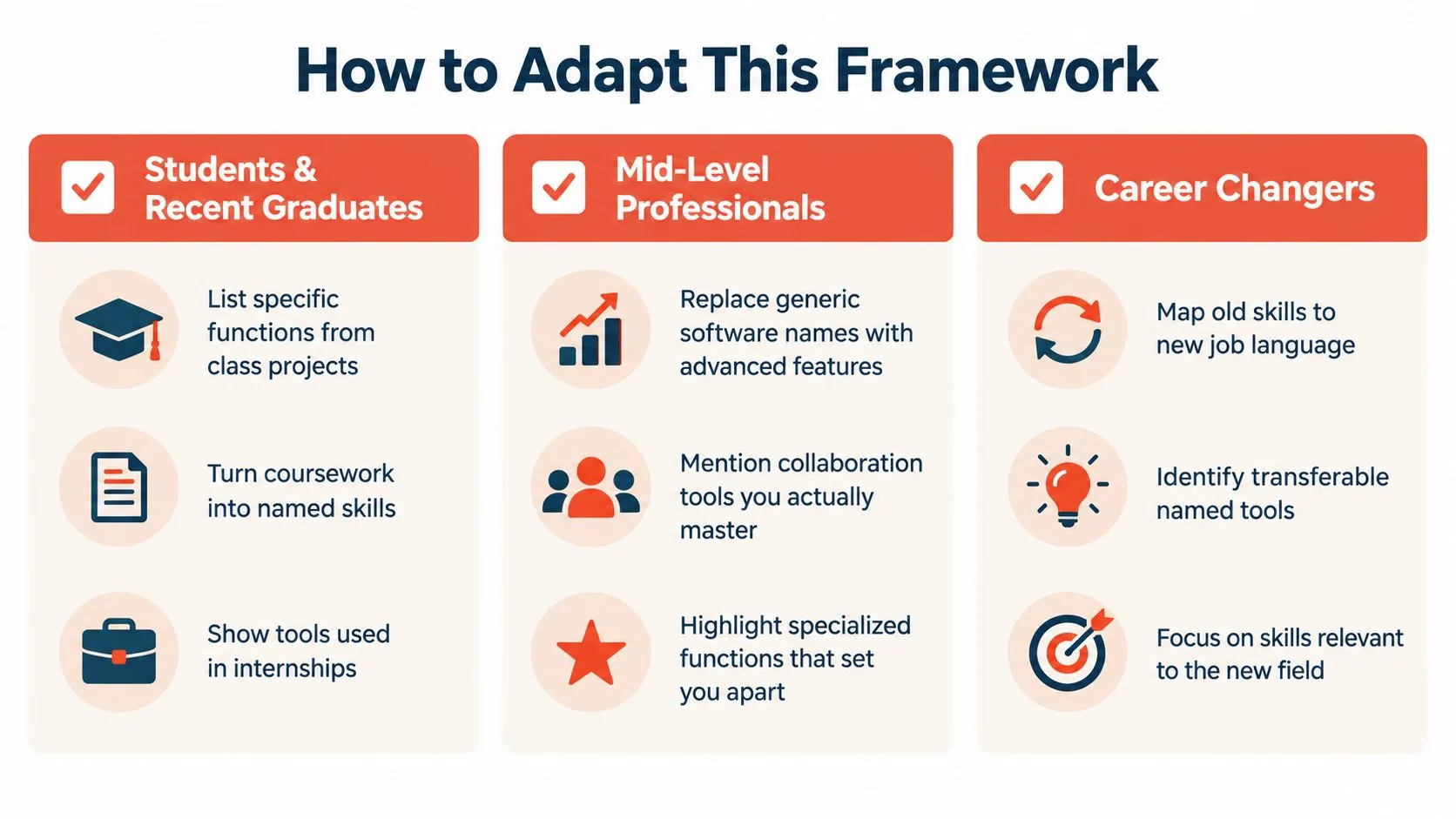
Students and recent graduates
You don't need paid employment to demonstrate a function. Class projects, internships, and volunteer work can provide evidence, as long as you label the context accurately.
Possible examples include:
- Coursework. Built a Google Sheets project budget using formulas to compare planned and actual spending.
- Internship. Updated Salesforce contact records and prepared account summaries for the sales team.
Don't call ordinary record updates Salesforce administration. The narrower description is both honest and useful.
If you're establishing your first experience section, the Access Courses Online resource on how to build a cv from scratch provides a starting point. Gather the underlying work before polishing sentences.
Mid-level professionals
With established experience, your skills list should support your professional identity, not make you look newly acquainted with office software.
An operations professional might write: Built the Excel exception report used to prioritize unresolved supplier issues. An HR professional might write: Maintained Workday employee records and coordinated corrections with payroll.
The important distinction is ownership. Did you merely receive the report, maintain it, build it, or decide how the team used it? Don't inflate that boundary, but don't hide it either.
Career changers, returners, and military veterans
Translate unfamiliar terminology without erasing relevant experience. Name a system when it's appropriate to disclose, and explain the workflow when the target employer won't recognize it.
For example:
- Logistics experience. Maintained shipment records in a logistics platform and reconciled discrepancies before dispatch.
- Service operations. Triaged requests in a ticketing system and documented handoffs between support teams.
Don't claim Salesforce experience because another customer database felt similar. Describe the transferable work, then identify the platform you used.
Returning after time away? Prioritize capabilities you can still demonstrate. If you've refreshed a skill through a recent project, use that project as evidence rather than stretching an old proficiency claim.
Adaptability belongs in this conversation too. Show how you learned a system or checked an output. Using a consumer chatbot doesn't, by itself, justify claiming automation expertise.
The Last Three Things You Made on a Computer at Work
Open the last three things you made on a computer at work. The tracker. The report. The schedule. The deck.
Use files you're authorized to access, and keep confidential details out of your resume-writing notes. You're looking for evidence of your work, not material to publish.
Inspect the work before naming the skill
For each item, write down:
- The need. What problem or request led you to make it?
- The method. Which system, feature, or workflow did you use?
- The judgment. What did you decide, check, organize, or reconcile?
- The use. Who relied on it, and what did it help them do?
A schedule might reveal staffing coordination and conflict resolution. A tracker might reveal data validation and exception management. A presentation might reveal your ability to turn messy findings into a recommendation.
None of those requires inventing a performance percentage. An outcome can be a documented decision, a usable handoff, or a completed reporting process.
The skill worth listing is often whatever the finished work required, not the software name you were about to type.
Use this guide to writing achievements in a resume to move from responsibility to context, action, and outcome.
You can make that translation yourself or talk it through with a writer. Either way, start with the artifact and reconstruct what you contributed. Don't start with a list of software and search for reasons to keep it.
You probably have stronger evidence than Microsoft Word. Open the work and find it.
StoryCV is an Online Resume Writer that asks about the work you did and turns your answers into resume-ready bullet points. Bring one role and the tracker, report, or schedule behind it, then talk through what you built, how you used it, and what it changed. Try it to write your first role with evidence instead of generic computer skills.