
Most AI resume tools sell the wrong outcome.
They act like resume writing is a formatting problem. It isn’t. Tech candidates rarely lose because they picked the wrong template. They lose because the tool turns real work into dead filler. A migration becomes “responsible for system improvements.” An outage fix becomes “collaborated across teams.” A hard-won performance gain becomes a pile of keywords with no proof.
That is why so many AI-written tech resumes feel fake. The model can spot common terms. It usually cannot describe engineering judgment, tradeoffs, failure risk, or measurable impact unless you force that context into the prompt.
Hiring still starts with software. The Society for Human Resource Management notes that employers widely use applicant tracking systems to sort and search resumes before a human reviews them, which means structure still matters early in the process (SHRM’s overview of applicant tracking systems). If your resume parses badly, you get filtered out. If it parses fine but reads like machine sludge, a recruiter moves on.
So skip the usual feature-list nonsense. This guide sorts tools by job-to-be-done for tech roles. One tool helps you pull useful detail out of vague experience. Another helps with tailoring. Another helps with ATS checks. Those are different jobs. Treating them like the same problem is why people waste hours polishing resumes that still say nothing.
If you want the short version, start with tools that improve the story first, then use ATS tools to clean up the packaging. This breakdown of an AI resume writer vs ChatGPT for resume writing explains the difference clearly.
ATS matters, but it is not the strategy. If you want a plain-English look at how screening systems read resumes, skim this breakdown of AI-powered resume parsing.
1. StoryCV
StoryCV is the best pick if your problem isn’t formatting. It’s articulation.
This is the core problem for most mid-level tech people. You did the work. You can explain it in a meeting. But when you sit down to write, it turns into vague sludge like “collaborated with cross-functional teams” and “worked on scalable systems.”
StoryCV fixes that by acting like a digital resume writer, not a template machine. It uses a guided interview to pull out context, decisions, tradeoffs, and impact. Then it writes the role up for you.
Why it works for tech resumes
Tech resumes need depth by role. Frontend, backend, data, DevOps, product analytics. They don’t sell the same way.
A decent tech bullet needs three things:
- The problem: what was broken, slow, risky, manual, or blocked
- The work: what you changed in the stack, system, workflow, or architecture
- The impact: what improved for users, reliability, speed, cost, or team throughput
Most builders skip the first part and fake the third. StoryCV is better because the interview flow forces the missing details out of you.
Before:
- Built internal tools for engineering team
- Worked on API performance improvements
- Helped migrate services to cloud
After:
- Built internal debugging tooling for engineers, cutting time spent tracing failed jobs and making recurring incident patterns easier to spot
- Refactored API request handling and query paths to reduce slow responses during peak usage
- Led service migration planning and rollout, moving critical workloads with minimal disruption to existing integrations
That’s the difference. Same work. Better framing.
Practical rule: If a bullet could apply to a designer, marketer, and backend engineer at the same time, it’s too generic.
StoryCV also balances ATS and human readability well. That matters because keyword stuffing is still the default bad advice. If you want the blunt version of that tradeoff, this piece on AI resume writer vs ChatGPT gets into it.
Best for
- Mid-level engineers: You’ve done real work but undersell it
- Career changers into tech: You need transferable skills framed credibly
- Senior ICs and leads: You need project and system impact, not generic leadership fluff
Pros:
- Guided interview writing: Pulls out context better than blank-box builders
- Role-aware output: Better at project framing than generic AI writers
- ATS-safe without sounding dead: Strong balance between parsing and persuasion
- Low-friction test drive: One fully written role for free
- Fast drafts: Minutes, not days
Cons:
- No live human consultation: If you want a traditional writer on a call, this isn’t that
- More than a quick tweak tool: Best when you need real rewriting, not tiny edits
Website: StoryCV
2. Teal
Teal is for organized applicants. If you apply across multiple tech roles and hate losing track of versions, it’s one of the cleanest systems.
Its strength isn’t deep writing. It’s workflow.
You can tailor a resume to a job description, keep multiple versions, and track applications without duct-taping five tools together. That’s useful if you’re applying to backend, platform, and data engineering roles that all ask for slightly different framing.
Where Teal is strongest
Teal works best when you already have decent raw material and need control.
Use it when:
- You’re testing role variants: frontend engineer vs full-stack engineer vs product engineer
- You’re applying at volume: lots of openings, lots of resume versions
- You want one dashboard: job tracker, builder, browser extension, and tailoring in one place
Its job-based tailoring is helpful for stack-specific edits. Say one posting leans hard on React and design systems while another cares more about TypeScript and performance. Teal makes those swaps easier.
Where it falls short is the same place most structured builders do. It won’t magically turn weak bullets into strong ones unless you do the thinking.
Bad bullet:
- Managed microservices architecture
Better bullet:
- Maintained and improved microservices used by multiple internal teams, resolving reliability issues and simplifying service-to-service communication
That second line still needs your actual specifics. Teal won’t invent them for you. Good.
Pros:
- Strong workflow: build, tailor, track in one place
- Good for multiple resume versions: useful for tech applicants with overlapping targets
- Solid free starting point: easy to test before paying
Cons:
- Still DIY: you’ll need to rewrite weak content yourself
- Advanced features sit behind paid tiers: common tradeoff with all-in-one tools
Website: Teal
3. Rezi
Rezi is for the last mile.
Use it after you know what you did, why it mattered, and which role you want. If you need help extracting impact from messy engineering work, start elsewhere. Rezi is better at tightening, formatting, and aligning than it is at pulling a real story out of thin air.
That makes it useful for tech applicants with strong raw material and weak packaging. Software engineers, data people, and PMs often have the same problem. Good work. Bad framing. Rezi helps clean that up fast.
Where Rezi earns its spot
Rezi fits one specific job-to-be-done. Final ATS optimization for tech roles.
Use it when:
- Your resume already has substance: the projects and outcomes are there, just buried
- You need cleaner targeting: matching language to backend, data, infra, or product job descriptions
- You want plain formatting: no columns, no visual clutter, no cute design mistakes
Its structure is a strength. A rigid builder forces discipline. That matters because tech resumes fail for boring reasons. Bullets are vague. Keywords are stuffed in without context. Half the document reads like a sprint retrospective no hiring manager asked for.
Here’s the trap with Rezi. It can make a weak bullet look polished without making it better.
Weak AI-shaped bullet:
- Used Python and SQL to extract data insights and optimize operational efficiency
Better:
- Used Python and SQL to automate recurring reports, cutting manual review time for ops teams
That second version works because it names the task, the output, and the business effect. That is the whole game. AI tools usually miss this on engineering resumes. They describe activity. Hiring teams want evidence of impact.
That risk is getting easier to spot. ResumeBuilder.com reported in its 2024 AI in the Workplace survey that many companies were already using or planning to use AI in hiring workflows. If your bullets sound generated, templated, or padded with trend words, they blend in with the slop. Read this if you want a practical filter for how to tell if a resume is AI-generated.
Pros:
- Strong at final polish: good for turning solid content into a cleaner ATS-ready version
- Fast tailoring: easier to swap in role-specific terms for different tech openings
- Simple formatting: a safer choice than design-heavy resume builders
Cons:
- Weak at discovery: it will not help much if you still do not know your best stories
- Generic output risk: you still need to rewrite bullets so they sound human and specific
Website: Rezi
4. Wonsulting ResumAI
Wonsulting ResumAI is a good starter tool if your experience feels “too small” on paper.
That’s common with students, career changers, junior engineers, and international applicants. You’ve done work. It just doesn’t look impressive yet because it’s buried under duty-based phrasing.
ResumAI helps convert responsibilities into impact-style bullets and gives you a score so you can tighten things up fast.
Where it helps most
This tool is useful when you need momentum.
Examples:
- Internship rewrite: turning “assisted with testing” into something clearer and more active
- Project translation: making personal or academic work sound job-relevant
- First pass improvement: getting out of blank-page mode
A better tech example:
- Built a Flask app for class project
Can become:
- Built a Flask app that handled user input, stored data reliably, and gave non-technical users a cleaner way to complete a manual process
That’s still simple. But it sounds like someone solving a problem, not someone listing homework.
Its suite approach also helps if you want resume, cover letter, and interview support in one account. That’s convenient. Just don’t confuse convenience with finished output. You still need to personalize.
Pros:
- Low-friction entry: easy to test
- Helpful for early-career tech applicants: especially projects and internships
- Integrated suite: useful if you want one account for multiple tasks
Cons:
- Formula risk: some outputs feel templated
- Best features require paid plan: expected, but worth noting
Website: Wonsulting ResumAI
5. Jobscan
Jobscan belongs at the end of the process.
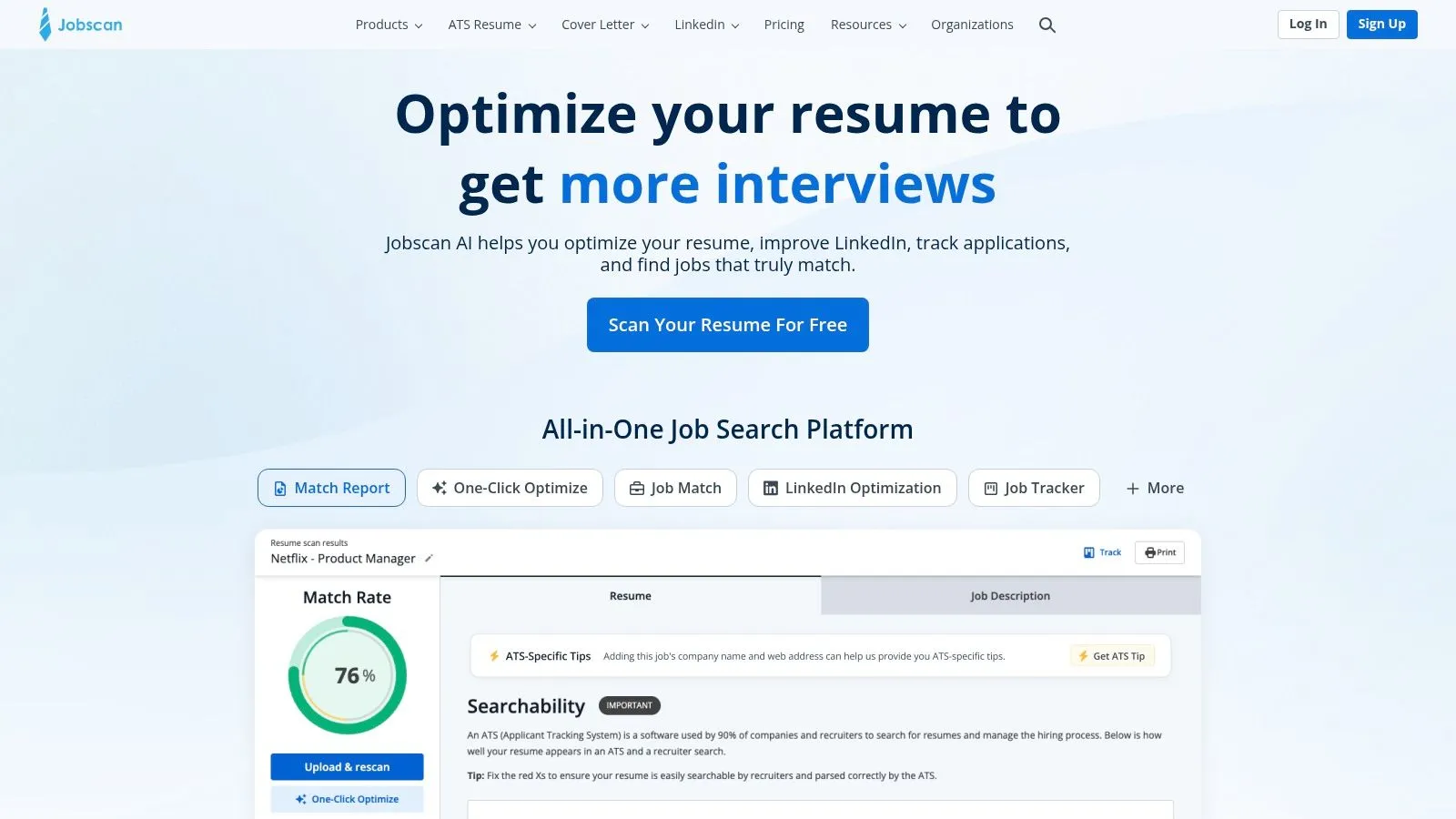
Use it after you’ve done the hard part: choosing the right projects, writing real impact bullets, and shaping a resume that sounds like an engineer who solved problems. Jobscan is a tuning tool. It is not a thinking tool. That distinction matters because a lot of AI resume products can shuffle keywords around, but they still fail at the part tech hiring managers care about most. Explaining what changed because of your work.
Where Jobscan earns its keep
Jobscan is best for final alignment against a specific posting.
It helps with:
- Keyword gaps: spotting missing terms from the job description
- ATS formatting checks: catching section labels or layouts that may parse badly
- Tooling language: aligning your wording with the stack the company names
That last one is where it’s useful for tech roles. A posting might ask for Kubernetes, Terraform, on-call, and observability. Your resume may say container orchestration, infrastructure automation, production support, and monitoring. Close enough for a human. Not always close enough for a screener or parser. Jobscan helps tighten that gap without forcing a full rewrite.
Analysts at LinkedIn have reported that employers are adopting AI in hiring fast, which means resume matching systems are not going away. That makes optimization practical. It does not make it strategic.
The mistake is obvious. Chasing the score.
A higher match score can still produce a worse resume if you stuff in terms you barely touched or flatten nuanced engineering work into buzzwords. For tech candidates, that tradeoff is brutal. You pass the filter, then fail the interview because your resume overclaimed.
Use Jobscan after you’ve already adapted the substance. If you need a process for that, read this guide on how to tailor your resume to a job description before you start tweaking keywords.
Mirror the posting. Don’t cosplay the role.
Pros:
- Strong final-pass optimizer: good for job-specific tuning
- Useful ATS checks: helps catch parsing and wording issues
- Fast feedback loop: easy to compare your draft against a target role
Cons:
- Weak at story quality: it will not turn bland bullets into credible engineering impact
- Score obsession risk: easy to optimize for matching instead of truth
Website: Jobscan
6. Resume Worded
Resume Worded is blunt. That’s why it’s useful.
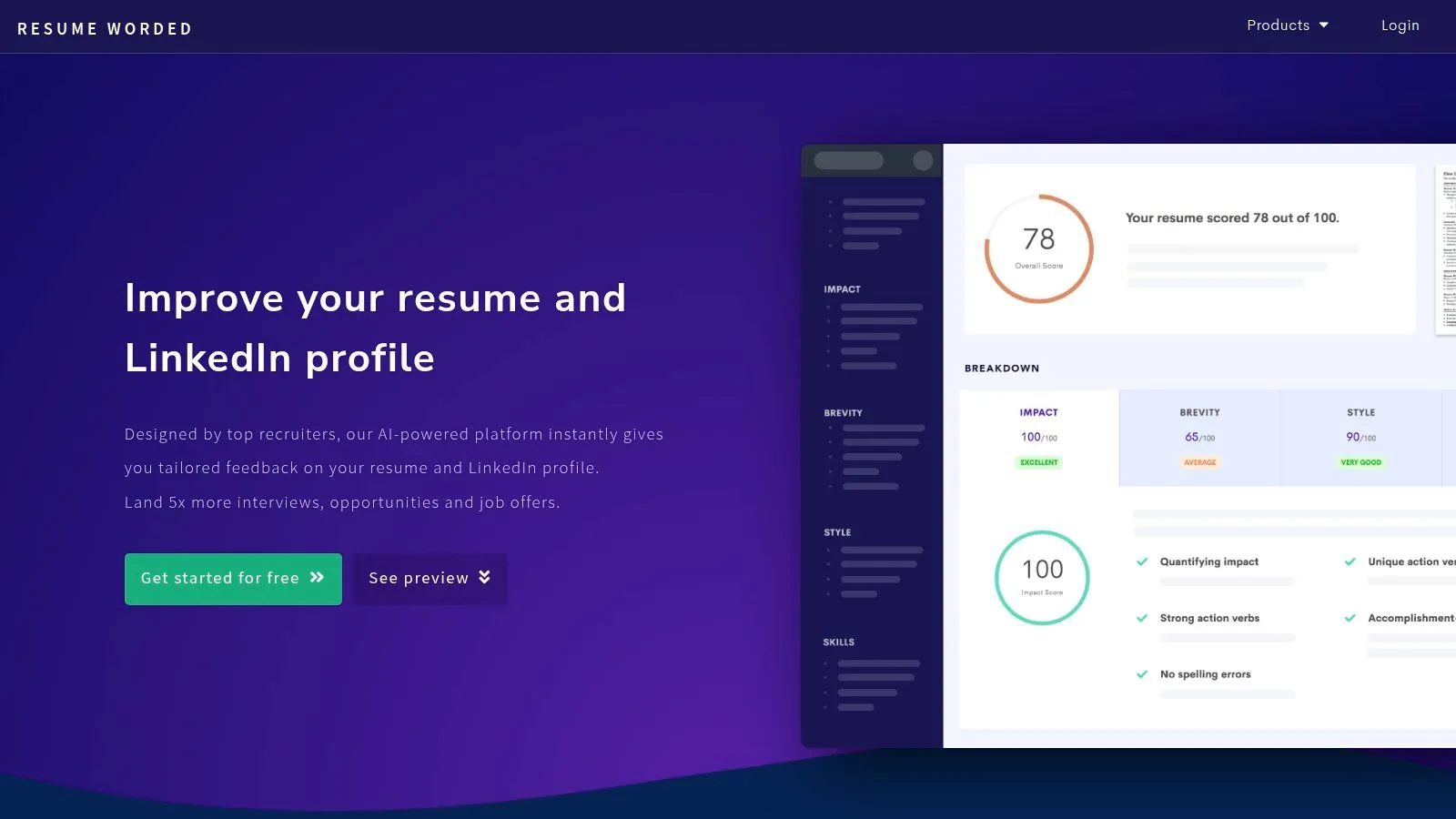
It scores your resume and gives line-by-line suggestions. If your bullets are lazy, vague, or metric-free, it’ll call that out fast. For tech people, that’s helpful because weak engineering bullets usually fail in predictable ways.
They say what you touched. Not what changed.
Best use for tech applicants
Resume Worded is best as an editor, not a builder.
It helps tighten bullets like:
- Worked on improving system performance
- Assisted with dashboard development
- Responsible for ETL jobs
Into stronger versions like:
- Improved slow system paths that were affecting reliability during peak usage
- Built dashboards that gave teams faster visibility into operational issues
- Maintained ETL workflows used to move and clean data across reporting systems
Still no fake metrics. Just better framing.
This kind of feedback matters because generic builders tend to optimize for speed and formatting, not narrative depth. That’s the big gap in the category. Reviews of major builders focus heavily on keyword matching, ATS scoring, and bullet generation, but they rarely prioritize storytelling for tech professionals who need context-rich project framing as discussed in this review of top AI resume builders.
Pros:
- Concrete rewrite feedback: especially helpful for weak bullets
- Good for quantification prompts: pushes you to prove impact
- Fast iteration: useful when polishing an existing draft
Cons:
- Not a full writing system: works best with another editor or writer
- Scoring can feel harsh: you still need judgment
Website: Resume Worded
7. Kickresume
Kickresume is for speed.
Import your LinkedIn or an old PDF, get a draft, clean it up, move on. If you need something usable today, it does that well.
Its template library is broad, the UI is friendly, and the AI writing can help you get past the first ugly draft. That’s enough reason for a lot of people to use it.
Where Kickresume fits
Kickresume is best for:
- Fast draft generation: when you need a resume skeleton quickly
- Import-based rebuilding: pulling in older content without starting over
- Design-conscious users: if you want a cleaner visual result than plain ATS docs
The caution is obvious. Good-looking isn’t the same as effective.
Tech resumes don’t win because they’re pretty. They win because they explain system impact clearly. If the design starts getting in the way of ATS parsing or recruiter scanning, you’ve lost the plot.
A simple bullet improvement it can help start:
- Developed web application features
Then you should push it further:
- Built frontend features that improved usability, reduced friction in key flows, and aligned with backend API constraints
That last bit is what many generic tools miss. Good tech bullets often connect product behavior to technical constraints.
Pros:
- Quick import flow: easy start from LinkedIn or PDF
- Polished templates: nice if presentation matters to you
- AI assists the first draft: useful for momentum
Cons:
- Design can become distraction: keep ATS in mind
- Needs editing for authenticity: raw AI output still sounds generic
Website: Kickresume
8. Enhancv
Enhancv sits between design-first resume builders and smarter tailoring tools.
That makes it a decent option for tech candidates who want more personality than a stripped-down ATS document, but still need some structure around job-specific edits.
Paste in a job ad, get suggestions, adapt the resume. Simple.
When Enhancv makes sense
Use Enhancv if:
- You want guided edits: not just a blank builder
- You care about layout: but don’t want to manually design everything
- You’re testing role-specific versions: especially for hybrid technical roles
This works well for people in product engineering, solutions engineering, analytics engineering, or other jobs where communication matters alongside the stack.
One caution. Design flexibility can tempt you into overbuilding the page. Resist that.
A strong hybrid-role bullet should still be straightforward:
- Partnered with product and engineering to simplify a release workflow, reduce handoff friction, and make rollout issues easier to trace
That’s better than a shiny layout wrapped around empty phrases.
Pros:
- Tailor-to-job guidance: helpful for role-specific edits
- Good balance of structure and flexibility: more guided than many builders
- Useful for hybrid tech roles: where story matters as much as stack
Cons:
- Easy to overdesign: bad for stricter ATS scenarios
- Some useful features are paid: normal, but relevant
Website: Enhancv
9. SkillSyncer
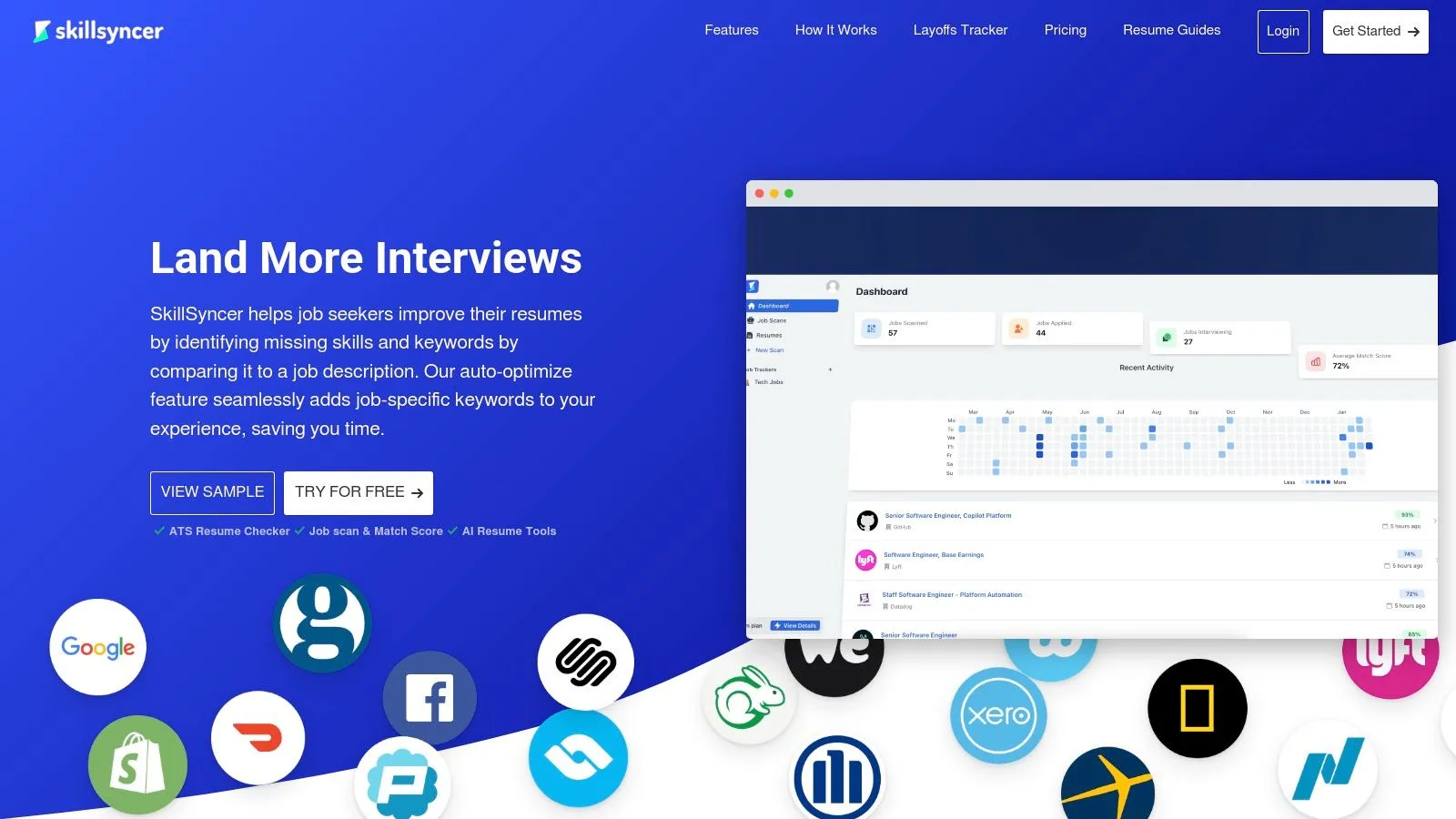
SkillSyncer is another optimizer, but it’s more tactical than broad.
It’s handy when the main problem is keyword coverage for a specific posting. Think AWS, Terraform, Kubernetes, React, Snowflake, dbt. If your experience is real but your phrasing misses the posting’s exact language, SkillSyncer can help close the gap.
Good for stack-heavy applications
This tool fits best when:
- You already have a resume you like
- The job description is highly technical
- You need faster keyword alignment across several applications
It’s practical for tech because stack terms can change resume relevance fast. “Containerized services” may be true, but “Docker and Kubernetes” may be what the filter is looking for.
Still, watch semantic accuracy. If the tool suggests adding terms that were not central to your work, don't do it.
A better edit looks like this:
- Deployed backend services in containerized environments
Adjusted for a Kubernetes-heavy posting:
- Deployed and maintained backend services in containerized environments, including workflows that aligned with Kubernetes-based deployment practices
That’s honest. That’s enough.
Pros:
- Focused ATS tuning: useful for specialized tech stacks
- Fast optimization loop: good when tailoring multiple applications
- Practical keyword coverage: especially for technical postings
Cons:
- Not a writer: won’t rescue weak storytelling
- Easy to overdo: review every suggestion for accuracy
Website: SkillSyncer
10. Huntr
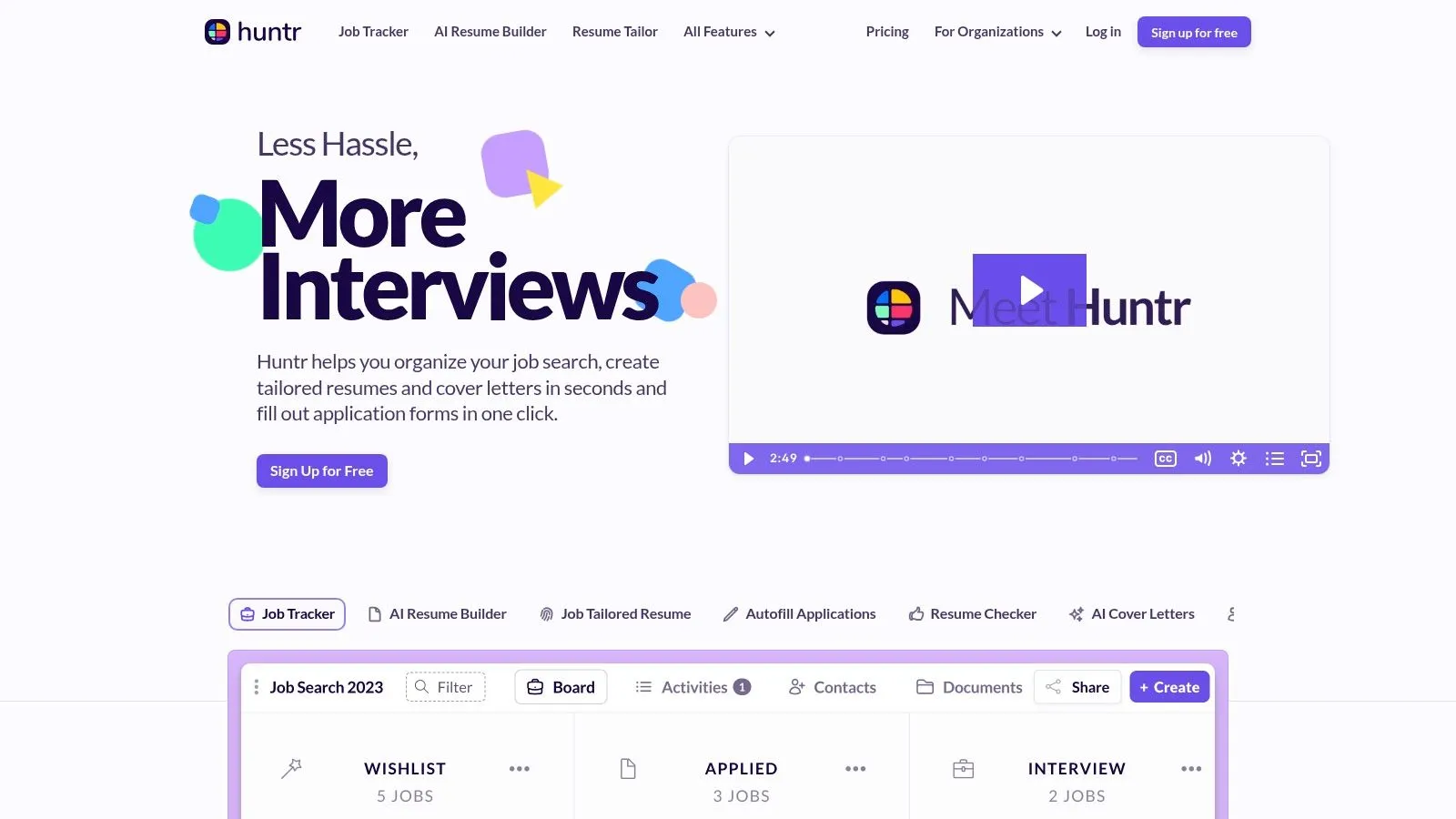
Huntr is for people running an active pipeline.
If you’re applying a lot, tracking contacts, and tailoring resumes while juggling interviews, Huntr makes sense. It combines job tracking with resume tools so you don’t keep switching tabs and losing state.
That’s its value. Operational sanity.
Best for high-volume tech searches
Huntr works well if:
- You’re in an active search with many applications
- You want tailoring plus tracking in one place
- You need to manage momentum, not just documents
This is useful for tech applicants who are targeting several adjacent roles at once. Software engineer, platform engineer, SRE, solutions engineer. Same core background. Different emphasis.
Huntr helps manage those parallel tracks. But like other all-in-one systems, it’s only as good as the content you feed it.
One example:
- Managed CI/CD pipeline
Push it further:
- Maintained CI/CD workflows used by the team to ship changes more reliably and reduce manual release overhead
Short. Clear. Better.
Pros:
- Strong end-to-end workflow: tailoring and tracking together
- Good for high-volume applicants: less context switching
- Useful pipeline visibility: easier to manage active searches
Cons:
- Paid plan needed for deeper AI usage: common limitation
- Writing still needs supervision: don’t trust first draft output blindly
Website: Huntr
Top 10 AI Resume Tools for Tech Industry
| Product | ✨ Unique / Core features | ★ UX / Quality | 💰 Pricing / Value | 👥 Best for |
|---|---|---|---|---|
| StoryCV 🏆 | ✨ Guided interview that converts context → impact; ATS + storytelling; privacy-focused | ★★★★★ | 💰 Free 1 role; Full Story subscription (promo ~$39–$59/mo) | 👥 Students, career-changers, mid-level pros, veterans (tech, biz, ops) |
| Teal | ✨ All-in-one: AI builder + job tracker + extension; Match Score tailoring | ★★★★ | 💰 Strong free tier; Teal+ for advanced AI | 👥 US tech applicants needing workflow + tailoring |
| Rezi | ✨ ATS-optimized builder with keyword targeting and templates | ★★★★ | 💰 Free/basic; paid for full ATS tools | 👥 Engineers, product, data candidates who need ATS clarity |
| Wonsulting ResumAI | ✨ Bullet generator + instant Resume Score; part of suite (cover/interview) | ★★★ | 💰 Free trials; premium for unlimited uploads | 👥 Students, career-changers, international applicants |
| Jobscan | ✨ JD vs resume Match Rate, One-Click Optimize, LinkedIn optimizer | ★★★★★ | 💰 Free scans; paid plans for full features | 👥 Applicants tailoring to specific JD keywords (tech focus) |
| Resume Worded | ✨ Line-by-line AI feedback and recruiter-informed heuristics | ★★★★ | 💰 Free scoring; paid insights for deeper edits | 👥 Tech applicants wanting tight, metric-driven bullets |
| Kickresume | ✨ Design-forward templates + LinkedIn/PDF import + AI writing | ★★★★ | 💰 Free basic; premium for full templates & exports | 👥 Users wanting modern designs and quick drafts |
| Enhancv | ✨ Tailor-to-job widget + narrative-focused templates and ATS check | ★★★★ | 💰 Free trial; paid plans for full features | 👥 Candidates who want both story and structured format |
| SkillSyncer | ✨ AI Auto Optimize for keywords + instant match reports | ★★★★ | 💰 Free scans; paid for Auto Optimize & tracking | 👥 Tech roles needing fast JD keyword boosts (stacks) |
| Huntr (AI + Tracker) | ✨ Job board-style tracker + AI resume builder and Resume Tailor | ★★★★ | 💰 Free tier with credits; Pro for unlimited AI | 👥 High-volume applicants who need tailoring + pipeline tracking |
The Tool Is Not the Strategy
The fastest way to waste AI on a resume is to treat every tool like it does the same job.
It doesn’t.
A resume builder can format. An ATS scanner can compare keywords. A bullet generator can help you get unstuck. None of that replaces the hard part for tech candidates: explaining what you changed, why it mattered, and how your work held up under real constraints.
The category is getting bigger. Market Intelo reports the AI resume builder market reached USD 1.24 billion in 2024 and projects strong growth through 2033. That says one thing clearly. Plenty of applicants are using AI. Plenty are still producing bland, interchangeable resumes.
That failure shows up the same way every time. A software engineer pastes in LinkedIn data. The tool spits out vague bullets about collaboration, development, and delivery. Then the candidate runs an ATS check, stuffs in more stack terms, and sends the file out fifty times. The resume is technically optimized and strategically weak.
Tech hiring does not reward keyword soup. It rewards proof.
Your resume needs to show three things:
- Problem ownership: what was broken, slow, risky, or blocked
- Technical contribution: what you changed in the codebase, system, workflow, or architecture
- Business or team impact: what improved after your work shipped
That is the effective way to use these tools. Pick the tool based on the job-to-be-done. Use ideation tools to surface raw material from messy experience. Use builders for structure and formatting. Use ATS tools like Jobscan or SkillSyncer at the end, after the story is already strong.
StoryCV matters here because it focuses on the part generic tools usually miss. It helps turn migrations, performance work, internal tooling, reliability fixes, and ugly cross-functional projects into clear resume language a recruiter can follow. That is far more useful than another template or another score.
A broader hiring trend supports the point. The World Economic Forum's Future of Jobs Report 2025 makes it clear that employers are placing more weight on skills, adaptation, and applied capability. Your resume has to make that capability legible. AI can help. Only if you make it do the right job.
If you want the bigger hiring context, this overview of AI powered recruitment tools is useful.
Stop chasing resume scores.
Write bullets a hiring manager can believe.
If your tech resume sounds flatter than your actual work, try StoryCV. It helps you turn messy projects, migrations, systems work, and hard-to-explain impact into a clear, ATS-safe narrative that still sounds human. Start with one fully written role for free and see if your experience reads the way it should.