Copying keywords from the job description won't save a weak resume. It'll only make a weak resume easier to search. Software has to read your file, and a person has to believe your claims. Learning how to write an ATS resume means handling both jobs at once, with plain structure, truthful language, and proof in every bullet.
Formatting Rules That Keep Your Resume Machine-Readable
Forget the clever layout first. Software reads the file before a person does, so your first job is a plain, parseable document. In 2024, 75% of resumes reportedly did not reach a human reviewer because of AI-powered applicant tracking and screening systems, according to Carnegie Mellon University. That's not a reason to panic. It's a reason to stop hiding text inside design.
The Six-Second Priority Order
Then comes the human scan, and it's brutal. A 2012 eye-tracking study conducted over 10 weeks with 30 professional recruiters found recruiters spent about six seconds on a resume before making an initial fit-or-no-fit judgment, with nearly 80% of review time focused on name, current title and company, previous title and company, employment dates, and education, as reported in the HuffPost summary of the eye-tracking study. After that, recruiters scanned for keywords matching the open position.
So don't make them hunt. Put your target title, employers, dates, and education where eyes expect them. Save the remaining space for quantified accomplishments. Decorative layouts waste both passes. If you want to see what recruiters get from these systems, this overview of core ATS features for recruiters is useful background.
| Element | Do | Avoid |
|---|---|---|
| Layout | One column, left-aligned, standard margins | Two columns, sidebars, text boxes |
| Section headings | Summary, Experience, Education, Skills | Creative labels such as My Journey |
| Dates | Month and year in one format throughout | Mixed formats or shorthand such as '22 |
| Contact details | Plain text at the top of the body | Header or footer |
| Graphics | None | Icons, photos, charts, logos |
| File type | DOCX or text-based PDF | Scanned image PDF |
| Tables | Plain bulleted lists | Tables used for skills or dates |
The Plain-Text Check
Run one test before you edit a single word. Copy the whole resume into a plain-text editor. If it still reads top to bottom in the right order, the structure is sound.
If pasted plain text scrambles your history, fix the structure first. Better wording can't rescue broken fields.
That's the trade-off. A boring file that parses beats a beautiful file that loses your phone number.
How to Pull Keywords From the Job Description
Don't copy keywords. Map requirements to evidence. The posting tells you what to prove, and your work supplies the proof, or it doesn't.
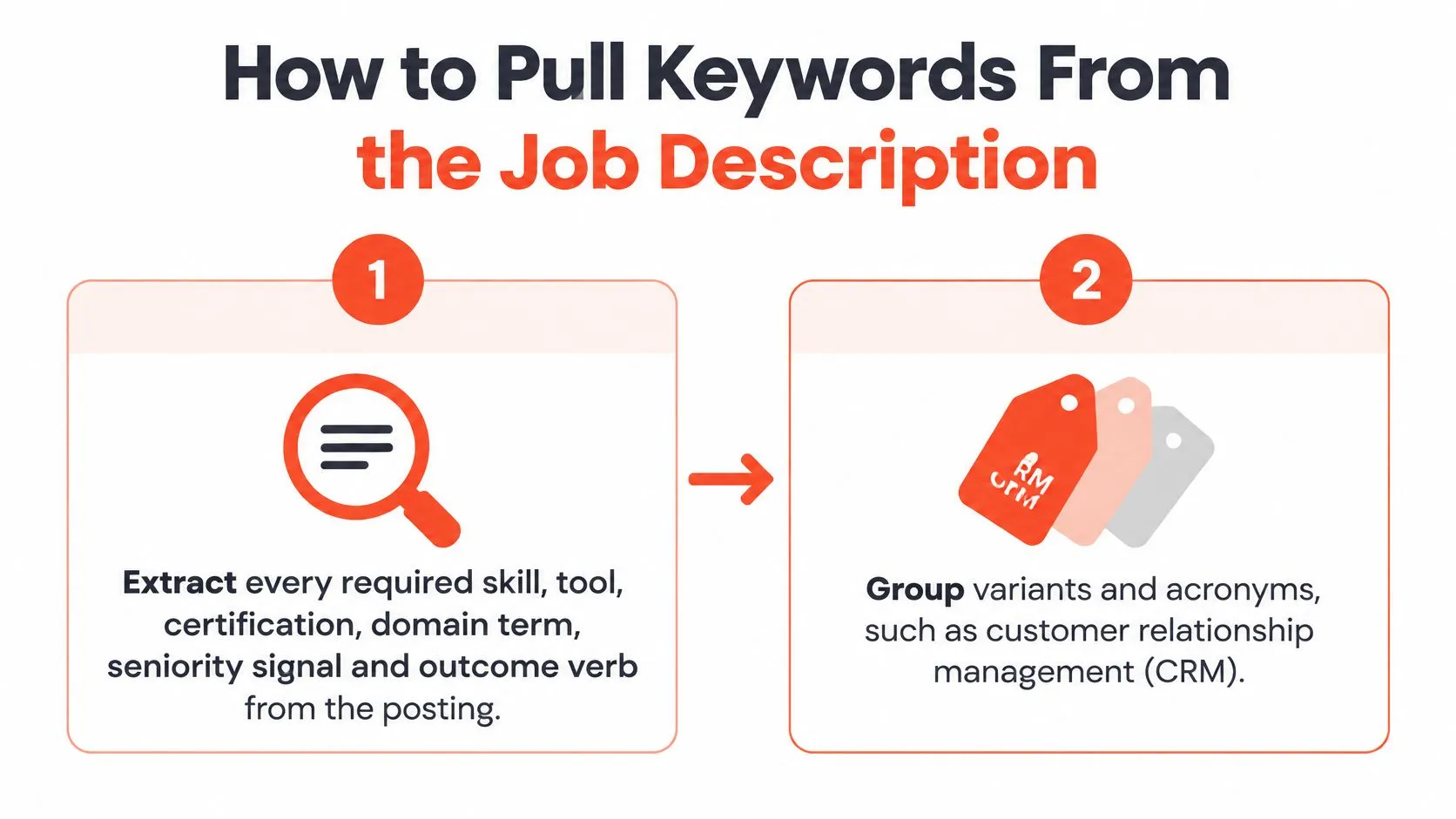
- Extract the full requirement list. Pull every required skill, tool, certification, domain term, seniority signal, and outcome verb from the posting. You're building an inventory, not a word cloud.
- Group variants and acronyms. Treat customer relationship management (CRM) and Salesforce as related language, not separate claims. Write the full term once, then use the short form naturally.
- Map each requirement to real work. For every item, name where you used it. If nothing in your career supports a requirement, leave it out. Claiming it anyway collapses at interview.
- Write bullets with a result structure. Use action, method or tool, scope, and measurable outcome. Don't write "managed reporting." Write "Automated weekly revenue reporting in SQL and Excel for 6 regional teams, reducing preparation time by 40%."
- Place terms where they belong. Put the exact, truthful terminology in the relevant experience bullet first. Then reinforce high-priority skills in your Skills section. A skills list with no bullet behind it is a claim without a witness.
- Validate like a skeptic. Check that every major requirement has explicit evidence. Add scale or a baseline to metrics where you can. Then read it cold. If it doesn't read coherently to a human, you've over-optimized.
The numbers support tailoring, with a caveat. A 2026 scan study reported an average job-specific match score of 58/100 and found that tailoring a resume to a specific job description increased average scores by 22 points, in the ATSChecker 2026 resume scan study. Those are vendor-reported figures, not a universal hiring benchmark. Treat them as directional.
Tailoring is still an edge because many job seekers skip it. In 2024, only 31.2% of U.S. job seekers reported customizing their resume for each position, according to iHire's State of Online Recruiting 2024. This step-by-step guide on tailoring your resume to a job description walks through the same requirement-to-evidence method in more detail. Do the mapping. Don't stuff.
Bullets That Prove the Work, Not Just Name It
A duty names what you did. Evidence shows what you changed. That difference is the whole game once your file gets read.
The image below shows the shift from naming tasks to proving impact.
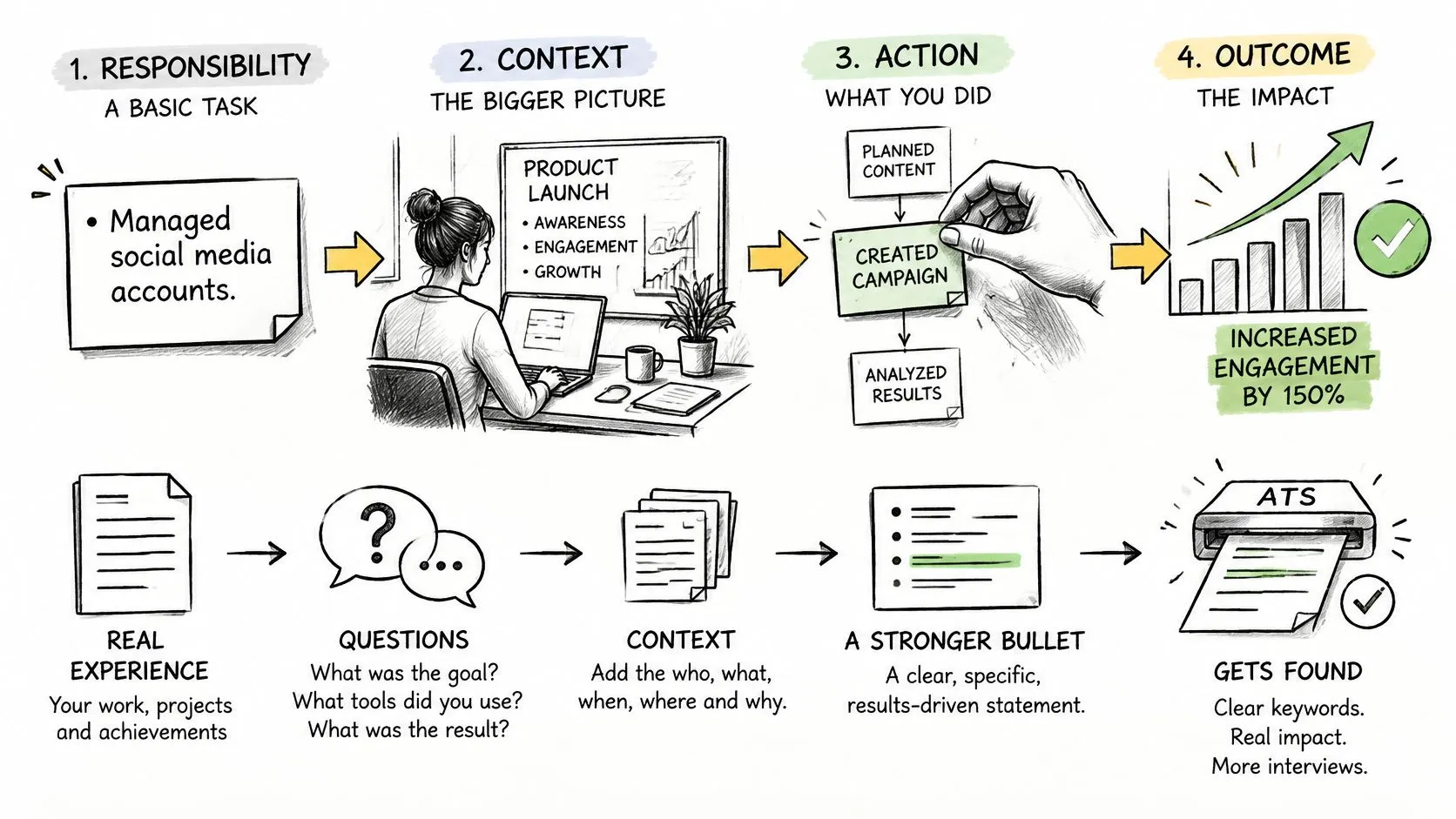
Think in a chain. Responsibility, context, action, outcome. What were you responsible for, under what conditions, what did you do about it, and what moved afterward. Most weak bullets stop at step one and call it done.
| Weak bullet | Stronger bullet | What changed |
|---|---|---|
| Managed network infrastructure. | Managed a 600-device Cisco network across 14 sites, maintaining 99.99% uptime. | Added scale, platform and measured outcome |
| Responsible for system improvements. | Cut a nightly data load from 6 hours to 40 minutes by rewriting its joins in Spark. | Named the change, method and time saved |
| Collaborated across teams on outages. | Led a four-team fix for checkout outages, cutting average recovery from 2 hours to 25 minutes. | Named the role, scope and recovery time |
| Helped with hiring. | Ran final-round interviews for 9 engineering roles in 5 months, with 3 offers accepted. | Gave the count, timeframe and result |
From Rough Note to Finished Bullet
Most strong bullets start as a rough note. Say your note is "fixed the slow reports." That's not a bullet. It's a reminder. Now interrogate it.
- What was slow exactly? The weekly revenue report took half a day to assemble by hand.
- Who used it? Six regional teams depended on it every Monday.
- What did you change? You automated the pulls in SQL and rebuilt the template in Excel.
- What moved afterward? Preparation time dropped by 40%.
Now you have a bullet. "Automated weekly revenue reporting in SQL and Excel for 6 regional teams, reducing preparation time by 40%." Same work. Completely different value on the page.
This short video shows the same transformation, from raw task to a bullet with a result attached.
Don't stop at one rewrite. These resume bullet point examples show the responsibility-to-outcome pattern across different roles, so you can borrow the thinking, not the sentences.
Every bullet is also a story you'll be asked to tell. In 2025, 76% of employers reported using skills tests, and 36% used those tests before screening resumes, according to TestGorilla's State of Skills-Based Hiring 2025. So write bullets you can defend out loud, with the problem, your action, and the result ready to go. If you know you did the work but can't find the language, that's a remembering problem, not a writing problem. Find my words by answering the four questions above for one role at a time.
What to Cut When Your Resume Runs Long
The one-page rule is lazy advice. If you've got three or more years of real experience, one to two pages is the working range. Use the second page when progression and impact need the room. Don't use it to warehouse old duties.
The page limit is an editing constraint, not a design problem. Shrinking the font to squeeze in more text helps nobody. Keep enough evidence to show growth toward the target role. Remove older or unrelated material that doesn't help you match it.
| Content | Keep when | Cut when |
|---|---|---|
| Roles from the last 10 years | They show progression toward the target role | They are older and unrelated to it |
| Bullets per role | Three to six, each with a result | Duties copied from the job description |
| Skills section | Tools and methods the posting names and you've used | Lists with no evidence in any role |
| Certifications | Required or valued for the target role | Expired or unrelated |
| Summary | Two to three lines naming the target role and proof | Generic objective statements |
| Hobbies and interests | They support a specific claim | They only fill space |
Career changers get one special rule. Translate transferable work into the employer's vocabulary, but keep your titles honest. If you ran training sessions in a support role, say so, with numbers. Don't rename yourself a Learning and Development Manager. The translation should happen in the bullet, not in a fictional title.
Editing order: Cut before you compress. A shorter resume with proof beats a cramped resume with everything you've ever done.
Here's a concrete cut. If a bullet just repeats a duty the posting already lists, like "responsible for customer escalations," it earns nothing. Either replace it with proof, such as how many escalations you handled and what improved, or delete it. Every line either proves something or goes.
How to Run a Parse Test Before You Apply
Visual polish proves nothing. A file can look perfect on your screen and still extract as garbage. Test the document the way software will meet it.
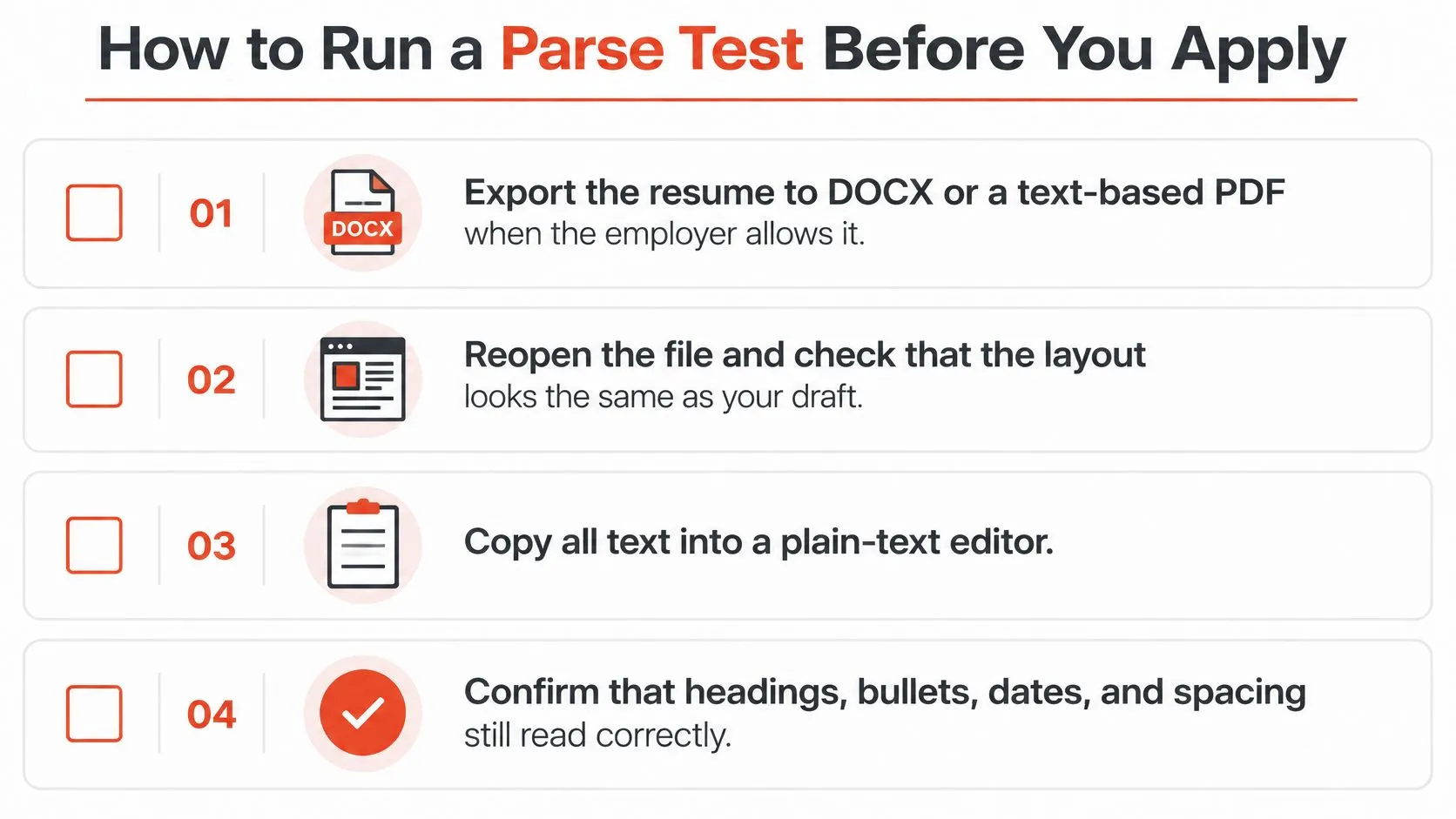
- Export to DOCX or a text-based PDF when the employer allows it. Follow the posting's stated format if it names one.
- Reopen the exported file. Confirm the layout looks the same as your draft. This catches conversion surprises early.
- Copy all text into a plain-text editor. Select everything, paste it, and strip the styling away.
- Read top to bottom. Name and contact details should come first. Each role should show employer, title, and dates before its bullets, not after them.
- Compare against the job description. Search the extracted text for each required qualification. If a term was only visible in a graphic, it won't be there. That's the point of the test.
- Check skills against roles. Confirm each skill still sits next to the role that proves it. Detached skills read as disconnected fragments.
The failure modes are specific. Parsing errors can remove contact details, reorder employment history, or detach skills from the roles that demonstrate them. The gap between formats is wide. Parsing research reports that plain-text DOCX files fail approximately 4% of the time, while table- or multi-column-based layouts can fail at rates above 31%, in the AI ATS Checker 2026 resume study.
Your benchmark isn't a template score. The file passes when every required field and achievement extracts intact. If a field disappears, find the element that caused it, remove it, and test again. Don't work around it with more design.
A resume passes a parse test when nothing important is missing, misplaced, or separated from its proof.
Run this test on every version you send, including files you pass to recruiters or remote staffing agencies, since the file may enter a system you never see.
Rewrite One Role Before Your Next Application
Don't rewrite the whole resume tonight. Pick the one role that matches your target job most closely and fix only that role first. The rest can wait until the first version works.
- Map the top three requirements from the posting to evidence in that role.
- Write three bullets. Each one needs an action, a method, a scope, and an outcome.
- Run the parse test on the whole file, not just the new bullets. One broken section can still sink the document.
- Cut anything that repeats the posting without proof. Echoing the job description back adds length, not credibility.
Many people stall at step two. They did the work, but they can't recall the numbers behind it. The scope, the baseline, and what changed afterward have faded. That's the gap we built StoryCV for. We ask targeted questions about your industry, role, and accomplishments, then turn your answers into resume-ready writing. Every number in the bullet points comes from your own answers, not from a guess. It's free to start, and the free start includes two finished bullet points, so you can test the method on your strongest role before committing to anything.
That discipline matters beyond the application form. The bullet you write is also the story you'll be asked to tell when someone probes your skills directly. If you can't explain the problem, your action, and the result in conversation, the bullet isn't finished yet.
Start with one role. Prove it. Then repeat the method on the next. Write my first role, because your work already happened, so turn it into evidence you can prove.
You've done the work, and you now know how to make it parseable, provable, and short enough to read. If pulling the numbers and outcomes out of your own history still feels slow, StoryCV asks you targeted questions about each role and turns your answers into clear, plain-text bullet points that applicant tracking systems read without trouble. Start with the role that matches your next application and turn one rough memory into proof.