Most advice gets the name for resume question wrong because it treats the filename like the main event. It isn't. The name on the page is the signal, and the file name is just the wrapper that helps a recruiter and an ATS sort you fast.
That distinction matters because resumes are skimmed brutally fast. Hiring pros spend about 6-8 seconds on an initial review, and less than 5% spend more than a minute on first pass, while another summary says just 14% of hiring professionals give a resume more than a minute (resume statistics summary). If the first things they see are sloppy, unclear, or hard to parse, you've already made the job harder than it needs to be.
Two Naming Problems Most Guides Stitch Together
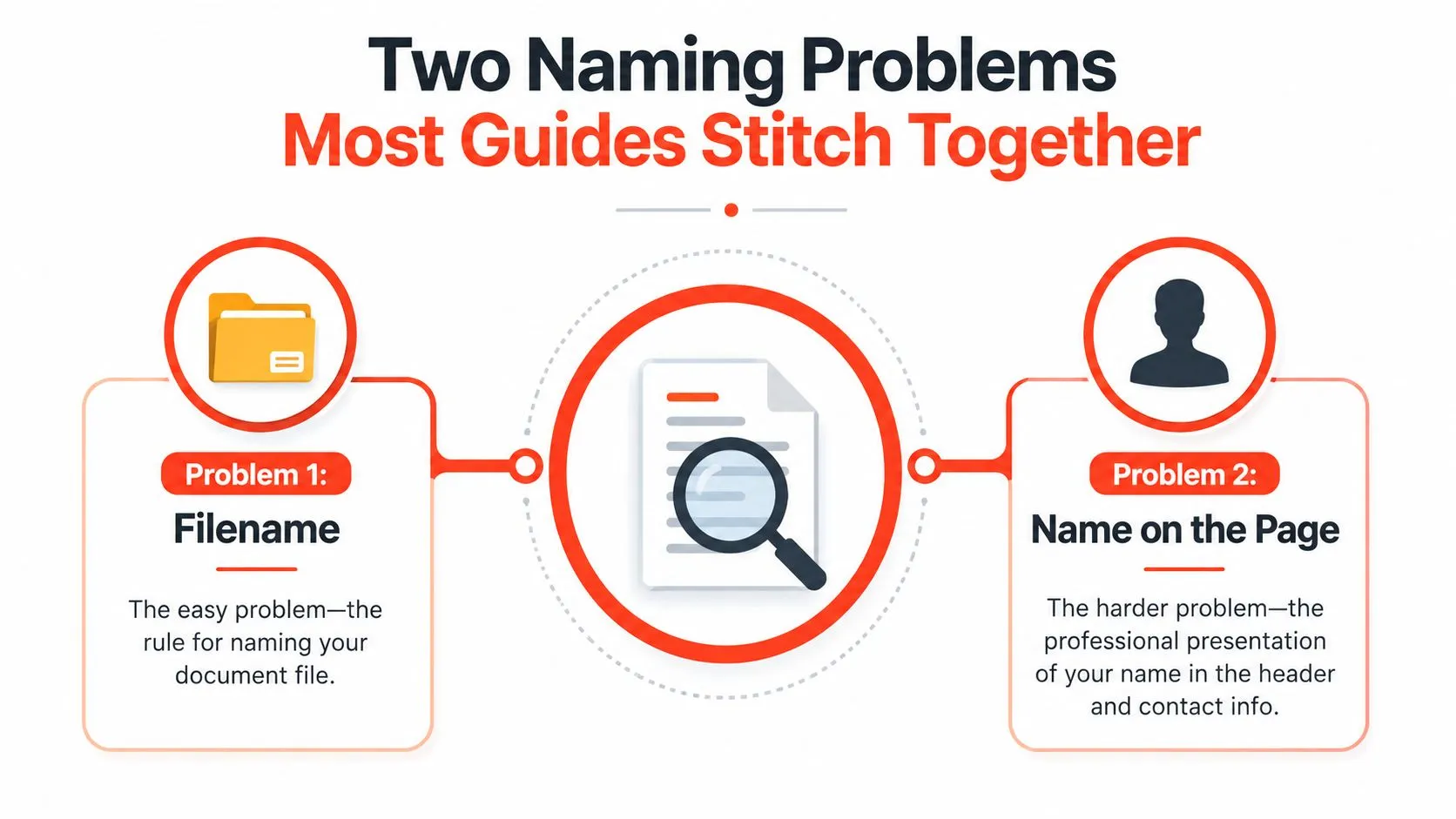
There are two naming problems, and they are not the same problem. One is the identity on the page, the name a recruiter sees in the header and a parser can read cleanly. The other is the identity of the file, the label that keeps your resume easy to sort, forward, and retrieve without confusion.
That split matters because names carry bias before anyone reads the experience section. The NBER summary of the landmark audit study shows that applicants with white-sounding names needed about 10 resumes to get one callback, while applicants with African-American names needed about 15. In practical terms, the same profile got roughly 50% more callbacks when the name signaled whiteness, and the NBER summary says a white name carried the callback advantage of about eight years of experience (NBER summary of the audit study). That is a header problem, not a filename tweak.
The page and the file do different jobs
The name on the page tells a recruiter who this person is, how to address them internally, and whether the document looks professionally handled at a glance. The file name helps the recruiter store, forward, and find the document without friction. If you blur those jobs together, you end up polishing one while the other causes avoidable confusion.
That is why generic advice keeps falling short. It spends all its energy on renaming a PDF and leaves the visible identity block underdeveloped. The resume header deserves its own rules, because the person screening your application reads that part before they care about how neat your downloads folder looks.
A resume is not a branding exercise. It's a clarity exercise.
Use the page to present a readable identity block. Use the file name to make life easier for the hiring team. If either one forces a guess, you have already made the process harder than it needs to be.
The Resume Header You Build
A strong header gives the recruiter the basics fast. It should be a clean block of five fields, and nothing more. If the page starts looking like a personal flyer, you have already gone too far.
Start with the name line
Use the name you want employers to know you by. If your legal name and professional name differ, keep the header aligned with the name you use in applications and across your profile links. If you use a middle name or initial in your working life, keep it there. Add credentials such as MBA, CPA, or PhD only when they fit the role and your field treats them as normal.
Do not stack every identity detail onto the page. The header is not the place to force the reader to sort out your life story before they reach your experience. If your passport, email, and public professional presence do not match perfectly, tighten that up before you send the resume.
Then keep the contact strip tight
Put city and country or city and region, not your full street address. Use an international phone format if you apply across borders. Use a professional email address that looks current, not one you made in a college dorm and never retired. Add one clean link each for LinkedIn, portfolio, or GitHub if those support the role.
The same discipline that makes a bio readable also makes a resume header work. Clear name, clear role, clear proof. That approach lines up with Wise Web shares bio advice, and the lesson carries over cleanly to resumes.
| Header Field | Do | Don't |
|---|---|---|
| Name | Use your professional name consistently | Hide behind initials or a nickname nobody recognizes |
| Location | Use city and country, or city and region | Put a full home address |
| Phone | Use a reachable international format if needed | Use a number that looks unfinished or outdated |
| Use a professional address | Use a quirky handle from years ago | |
| Links | Keep URLs clean and relevant | Paste a long, messy link with tracking junk |
Use the header to reduce doubt
A messy header makes the reader look for other mistakes. A clean one does the opposite. It steadies the page before the recruiter gets to your experience.
Keep the block lean, searchable, and familiar. If you add a resume summary or positioning line, keep that separate. The header should identify you, not explain you. For a tighter structure, StoryCV's resume heading approach is a useful reference, because the same discipline that keeps a heading sharp also keeps a header from drifting into clutter.
Header Examples by Situation
A single header pattern doesn't fit everyone. Students need less. Mid-level professionals need focus. Career changers need positioning. International applicants need clarity without making the page awkward.
Student header
Ava Patel
Toronto, Canada
+1 416 555 0134
ava.patel@email.com
portfolio.example.com
Add education if the role depends on it, but keep the header itself clean. If you've got a portfolio, put it here. If you don't, don't invent one just to fill space.
Mid-level professional header
Daniel Morgan, MBA
Manchester, UK
+44 7700 900123
daniel.morgan@domain.com
linkedin.com/in/danmorgan
This version is plain for a reason. The recruiter doesn't need decoration. They need a name, a location, and a clean route to your work.
Career changer header
Nina Brooks
Chicago, IL
nina.brooks@email.com
portfolio.example.com
Targeting operations and project coordination
That last line is not a summary dump. It's a positioning cue. It helps the reader understand why the rest of the page is headed in this direction before they hit the bullets.
If your background crosses industries, the header can quietly frame the transition without turning into a speech.
International applicant header
Yara El-Hassan
Berlin, Germany
+49 170 1234567
yara.elhassan@email.com
github.com/yarahassan
If your name uses diacritics, keep them if the system supports them and your everyday professional identity uses them. If your name is commonly published in a different order in your market, use the version that matches the job audience and the application system. If you need a work-authorization line for a specific market, place it elsewhere in the resume, not in the name block.
A good header doesn't show off. It removes friction. The recruiter should know who you are in one glance and move on to the substance.
The Filename Recipe That Survives Every ATS
The filename has one job, make the document easy to sort. That is the whole point. Do not try to be clever. Do not try to be memorable. Be readable.
Use FirstName_LastName_Resume_[RoleOptional]_[Version].pdf as the clean pattern. Put your name first so a recruiter can find the file fast in a folder. Include the word Resume so the document does not look like another random PDF. Add a role tag only when it helps separate versions for different applications. Add a version stamp only when you need one for your own tracking.
The separator matters. Use underscores or hyphens. Do not use spaces. Do not bury the file in extra punctuation. LinkedIn's filename guidance recommends underscores, and other career sources allow hyphens too, because readability and fewer formatting problems matter across systems (LinkedIn filename guidance). The file format should be PDF by default, because layout matters more than keeping it editable forever.
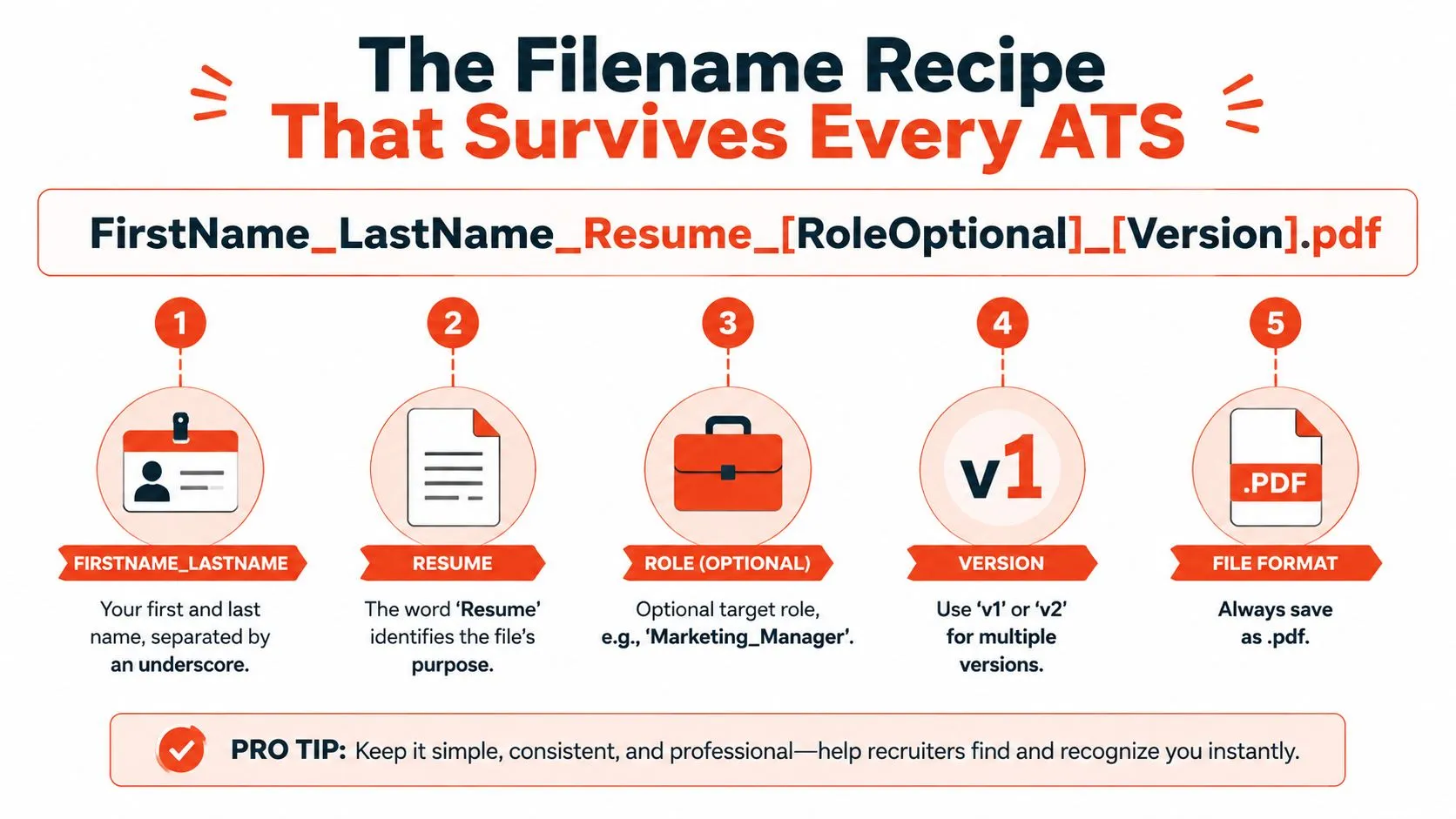
Good filename patterns
- Maria_Garcia_Resume.pdf
- Maria_Garcia_Resume_Product_Manager.pdf
- Maria_Garcia_Resume_v2.pdf
- Maria_Garcia_Resume_Product_Manager_v2.pdf
Keep it short. If the filename gets long enough to wrap awkwardly in email previews or mobile folders, it is already too long.
Bad filename patterns
- resume.doc
- final final resume new.pdf
- Resume_Maria_Garcia_2025_FINAL.pdf
- ProductManagerMariaGarcia.pdf
The first one disappears into a pile. The second one looks careless. The third one says you have not decided which file is current. The fourth one puts the role ahead of the name, which makes scanning slower than it needs to be.
If you manage multiple versions, keep the label plain. v1, v2, or a date stamp only if your workflow needs it. A tool like the CareerPulseAI application dashboard helps keep versions organized without turning every filename into a junk drawer.
The bad-to-good rewrite is usually brutally simple. Turn “final-v2-REAL-resume-new.docx” into “Jordan_Lee_Resume_Project_Manager.pdf” and the file immediately looks like it belongs in a hiring workflow instead of a shared drive dump.
ATS screening adds one more reason to keep the filename clean. The system does not care about your clever wording, it cares whether it can parse the file and match it to the right application, which is why a plain structure beats a flashy one. A close look at AI resume screening makes that obvious.
For upload systems, the same logic shows up again in StoryCV's guide to uploading a resume in LinkedIn, which is a reminder that the file should be easy for a system to accept and a recruiter to identify.
Why PDF Is the Default and When to Break That Rule
Use PDF unless the job post says otherwise. That is the default for a reason. It locks in spacing, fonts, and layout across devices, and it avoids the small disasters that happen when a file opens in a different editor from the one you used to save it.
Word still has a place, but only in a narrow case. Some employers ask for DOCX because their process involves editing, text extraction, or copying content into an internal system. If they ask for Word, send Word. If they do not, do not volunteer it. That is not being helpful, it is taking a formatting risk for no reason.
Check the file on another device before you send it. Open the PDF on a phone or a second screen and look for broken spacing, clipped margins, or text that shifts in a way your laptop hid from you. If it looks fine on your machine and broken somewhere else, the recruiter may be the one opening the broken version. That is how a solid resume turns into a sloppy first impression.
Save as PDF. Check it on a second screen. Then send it.
PDF also holds up better once the file leaves your hands and gets pushed through upload systems that strip or reflow formatting. Boring wins here because boring survives more edge cases. If you are posting your resume on a profile or job platform, the guide to uploading a resume in LinkedIn is a useful reminder that the file needs to be easy for both the system and the recruiter to read.
Naming Mistakes That Quietly Cost Interviews
The recruiter side of this is painfully predictable. They see a file, they make a quick judgment, and they move on. If your filename looks sloppy, they assume your attention to detail will look sloppy too.
Spaces in the filename
A file with spaces can behave awkwardly in older systems and badly in email threads. A recruiter sees “Jane Doe Resume Final.pdf” and doesn't admire the creativity. They just see friction. The fix is easy, use underscores or hyphens and keep it clean.
Version chaos
“resume final-v2-REAL.pdf” tells the recruiter you weren't organized enough to pick one current file. That's a self-inflicted bruise. If you need versions, make them disciplined and small. Nobody needs your internal drama in a filename.
Role first, name later
“Product_Manager_Jane_Doe_Resume.pdf” can look tidy to you and still slow the scan down. The searchable component should lead. Recruiters sort by names constantly, so the name should appear first in the filename.
No word “Resume”
A file called “Jane_Doe.pdf” is vague in a folder full of vague PDFs. Is it a resume? A certificate? A cover letter? Don't make someone guess. Give the file its purpose in plain language.
The filename is for the recruiter's filing system, not yours.
That's the whole principle. If the recruiter can identify it in a second and file it without thinking, you've done the job. If they have to interpret it, you've already made them work too hard.
Pre-Send Naming Checklist
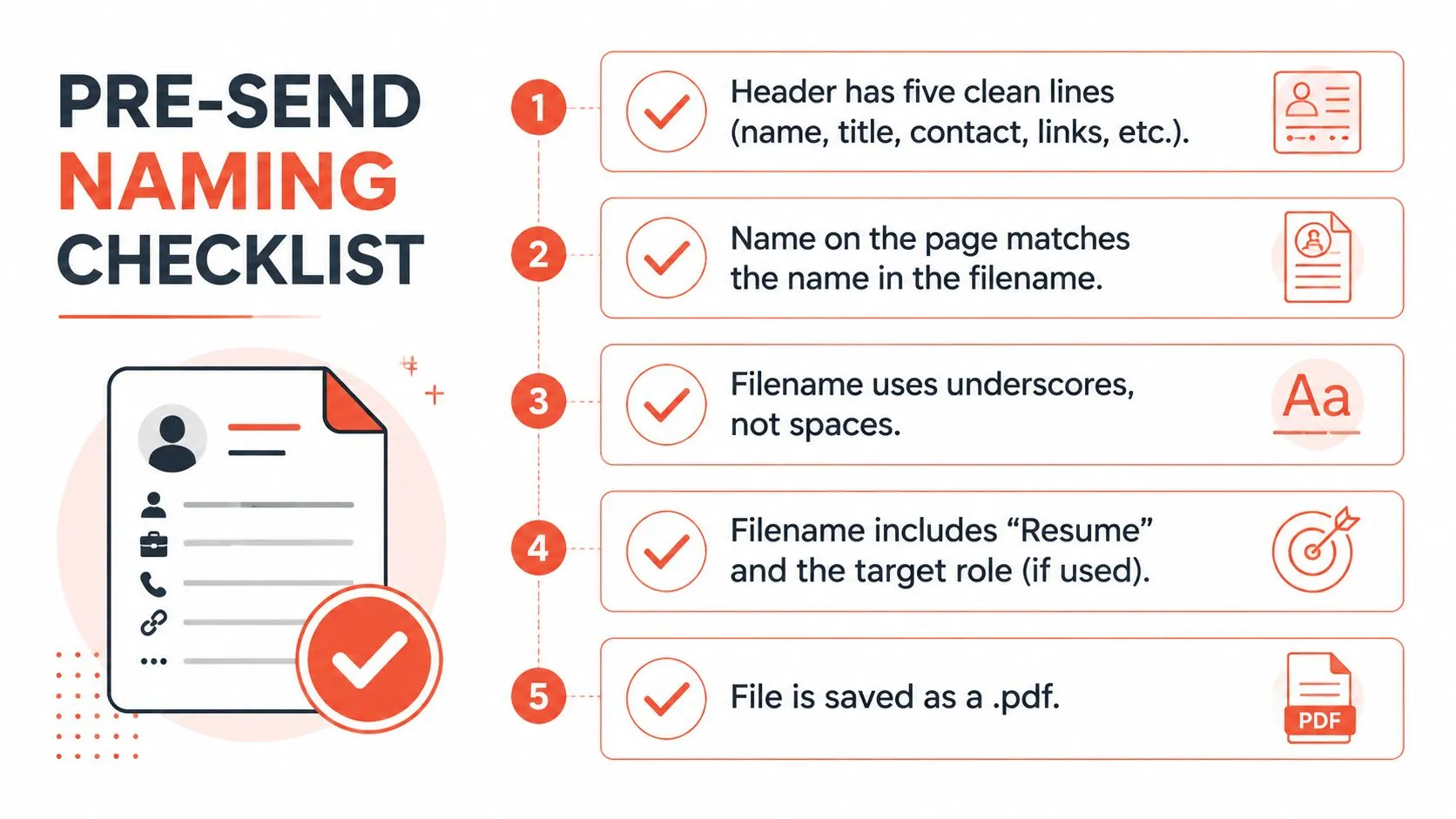
- Header check: The resume header has five clean lines and nothing noisy.
- Identity check: The name on the page matches the name in the filename.
- Separator check: The filename uses underscores or hyphens, not spaces.
- Purpose check: The filename includes Resume and, if needed, the target role.
- Format check: The file is saved as PDF unless the posting asks for something else.
Naming isn't branding. It's removal of friction. The human should recognize you fast. The system should store you cleanly. Do both, and spell the name the same way in both places.
StoryCV turns messy career history into clear resume writing without making you wrestle with blank templates. If your header, filename, or overall resume needs to look sharper and read faster, visit StoryCV and start with a guided draft that gives your experience a cleaner shape.