You've been at the same company for five, maybe ten years. Your LinkedIn profile was last touched around the week you joined. Now you need to update it, and suddenly you're trying to compress half a decade of work into one stale job entry.
That's why it feels impossible.
Every time you add another bullet, the entry gets worse. It reads like trivia. Or it sounds like bragging. Or both. You end up with a profile that starts with junior-level tasks and ends with senior-level scope, all mashed into one listing that no sane person wants to read.
The fix is simple. Don't add. Recompose.
A long-tenure role is not a diary. It's not a museum. It's a case for where you should go next.
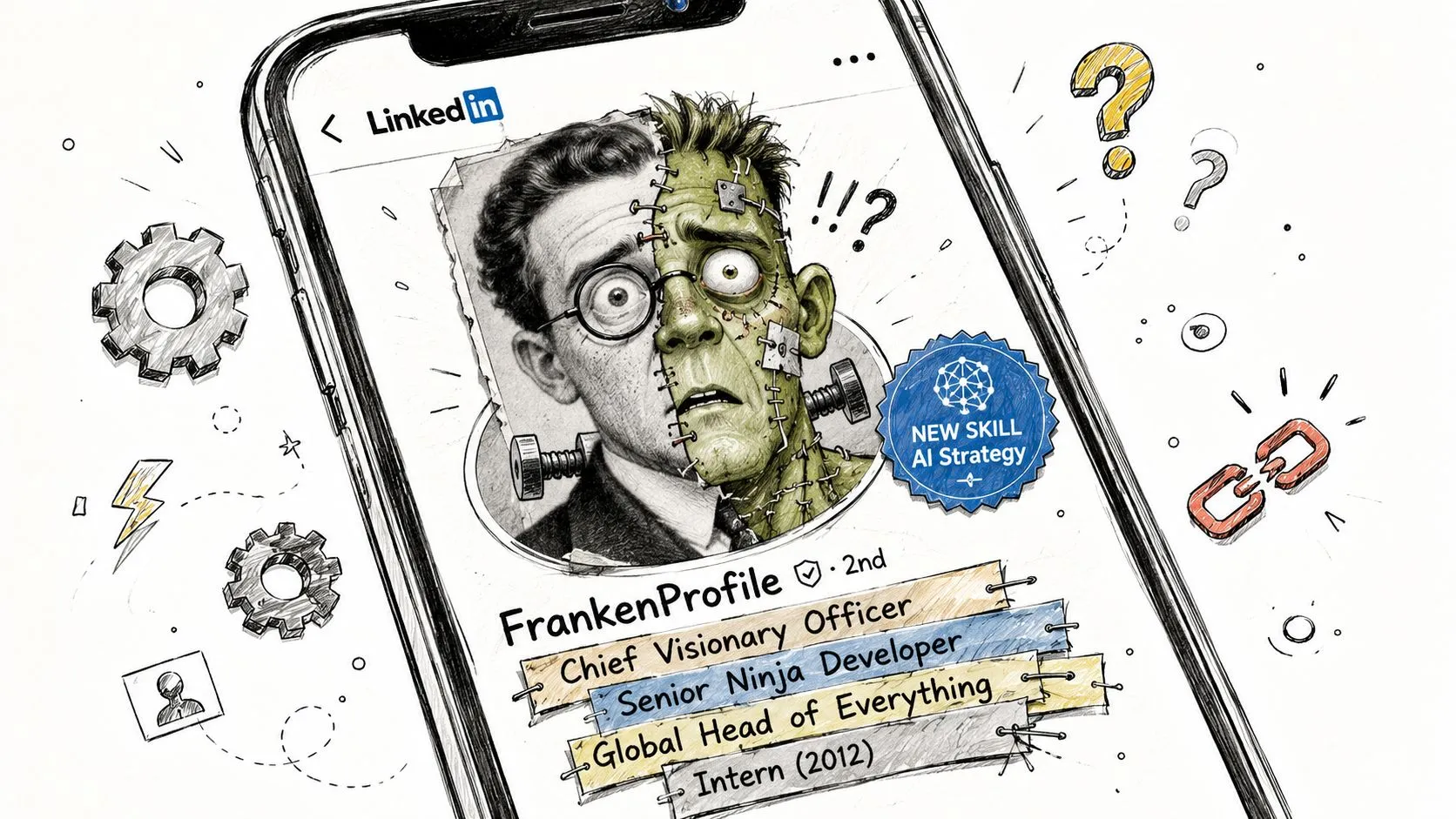
Your LinkedIn Profile Is a Frankenstein
If you want to update LinkedIn after years at same company, stop treating the role like an append-only document.
That instinct is what creates the mess.
You leave the original description intact. Then you tack on a bullet for the new product launch. Another for the team you now manage. Another for the cross-functional project you led last year. Soon the profile says you “supported campaigns” and “own go-to-market strategy” in the same breath. That's not progression. That's confusion.
Why adding new bullets fails
The usual advice is lazy. “Add every promotion.” “List every project.” “Keep your profile current.”
Fine. But for long tenure, that often produces a listing that's half early-career IC, half late-career leader. It shows motion, not meaning.
A better question is this: What version of your work do you want the next employer to hire you for?
That's the lens.
Practical rule: Rewrite the whole role from the present. Don't extend the old version from the past.
For a marketing manager, this happens all the time. They joined as an individual contributor. They got promoted twice. Their actual work now includes strategy, channel ownership, budget input, and leading launches. But their profile still opens with “Created email campaigns and social posts.” That's dead weight.
Your profile is bigger than recruiters
LinkedIn's significant size is undeniable. As of 2024, LinkedIn passed 1 billion registered members worldwide, which means your profile isn't just a recruiter document. It's a public professional identity people check when you apply, reconnect, or show up in search results, as noted in Business of Apps' LinkedIn statistics roundup.
If you want a useful tactical companion to this article, RedactAI's LinkedIn optimization strategies are worth skimming. Not for more fluff. For a reminder that discoverability and positioning are part of the same job.
The First Decision Split Roles or Consolidate
Before you rewrite anything, make one decision. Split the tenure into separate roles, or keep it as one entry?
This is not formatting. It's positioning.
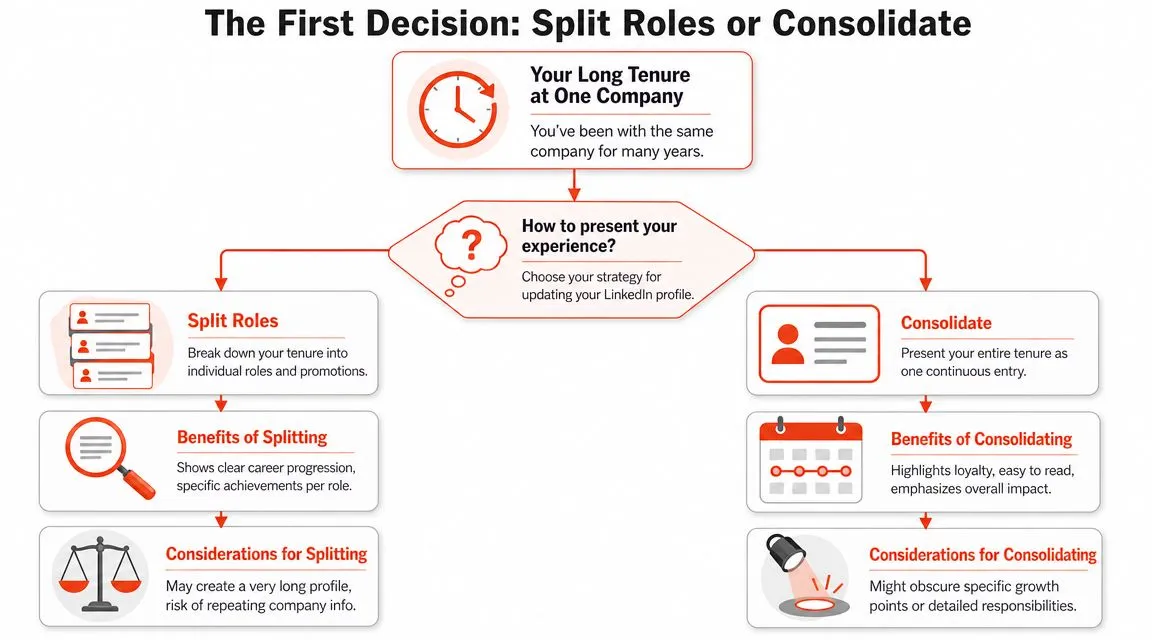
Split when the job actually changed
Use separate entries when the title shift changes how people should understand your career.
That usually means:
- IC to manager: You stopped just doing the work and started leading people, priorities, or execution.
- Function change: You moved from content to product marketing, or from operations to strategy.
- Major title jump: The jump itself tells a story that should be visible fast.
- Different audience: You want recruiters to see distinct phases, not one blended block.
If that's your case, split it. Cleanly. Then make each entry short and distinct.
A resume handles this differently from LinkedIn, but the logic overlaps. This guide on how to show a promotion on a resume is useful because the narrative tradeoff is the same.
Consolidate when scope grew inside one lane
Keep it as one entry when your title barely changed, but your responsibility did.
That usually means:
- Same function, bigger scope: You still work in lifecycle marketing, but now you own strategy, reporting, and cross-functional planning.
- Tiny title changes: “Senior Specialist” to “Lead Specialist” may not deserve separate real estate.
- One coherent story: Your growth makes more sense as a single arc than as chopped-up snapshots.
Here's the shortcut.
| Situation | Better move |
|---|---|
| Clear career ladder with meaningful title shifts | Split |
| Same lane, broader ownership over time | Consolidate |
| Move from execution to leadership | Split |
| Title stayed flat, role evolved a lot | Consolidate |
A quick visual can help if you're still stuck.
If a recruiter can understand your growth in five seconds, you chose the right structure.
Rewrite Your Headline and Summary
Users often waste the best space on the profile.
Your headline is not a payroll label. “Marketing Manager at Acme” says almost nothing. It tells people where you sit, not why you matter.
That's a mistake because the top of the page does the heavy lifting. And visibility matters. A career-advice source citing a 2020 recruiter survey says 67% of recruiters use LinkedIn in hiring decisions, and job seekers who update weekly are 10 times more likely to be contacted, which is a strong case for a keyword-aware headline and active profile maintenance, as summarized by Ivy Exec's LinkedIn optimization article.
Write the headline for direction, not recordkeeping
Bad headline:
- Marketing Manager at Acme Corp
Better headlines:
- Marketing leader turning lifecycle programs into growth engines
- B2B marketer scaling demand, launches, and cross-functional execution
- Growth-focused marketing manager with experience across content, lifecycle, and GTM
The better version does three things:
- It says what you do.
- It hints at your range.
- It points at where you're headed.
If you've been at one company a long time, this matters even more. Your title may be accurate but still undersell your actual scope.
Your summary should retire the old version of you
Your About section is where you stop sounding like your first-year self.
Here's a simple before-and-after using the marketing manager example.
Before
Marketing Manager with experience in email marketing, social media, campaign execution, and content creation. Skilled in working with teams and supporting business goals.
After
I've spent the last several years growing from hands-on campaign execution into broader ownership across lifecycle, launches, and cross-functional marketing planning. My best work sits where strategy meets execution: clarifying the message, aligning teams, and turning scattered activity into programs that move the business forward. I'm especially good at stepping into messy situations, tightening the story, and building repeatable marketing systems.
That second version sounds like someone worth hiring.
If you need help shaping that section, this breakdown of what to put in LinkedIn summary gives solid examples without the usual corporate mush.
Recompose Your Experience Don't Just Update It
This is the actual job.
Do not try to summarize five years by listing everything you touched. Nobody wants your internal archive. Pick three to five inflection points that show how your role grew and what changed because of you.
That's enough.
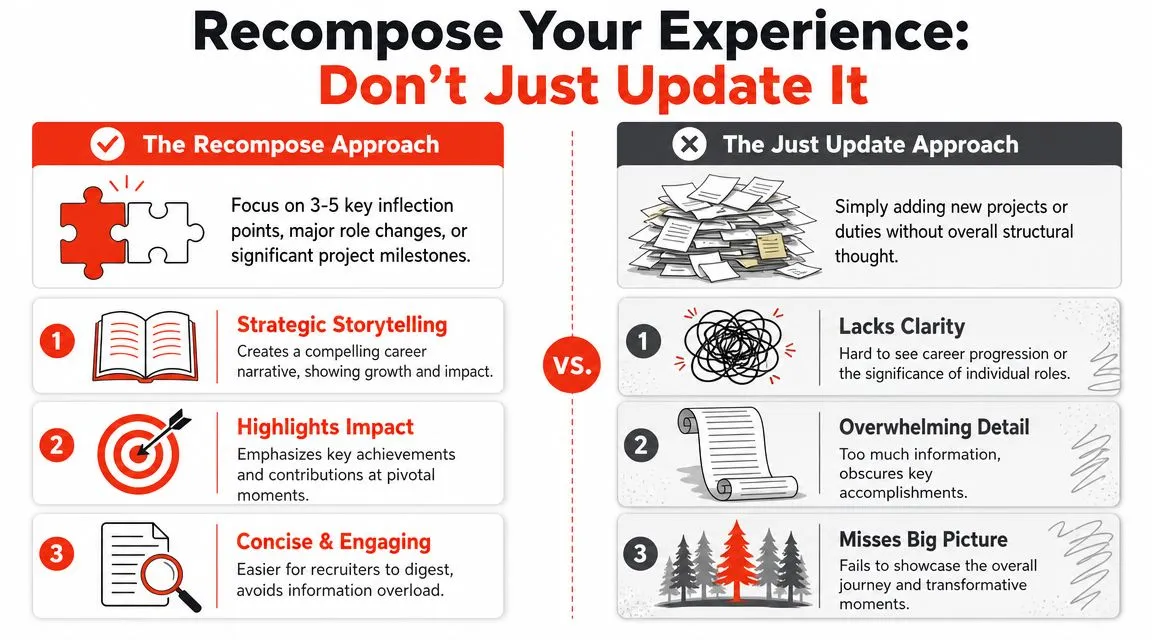
Pick the moments that define the role now
Good inflection points usually come from one of these buckets:
- Scope expansion: You started owning a bigger function, market, team, or process.
- Decision-making: You moved from supporting execution to setting direction.
- Business-critical work: You led something visible, messy, or high-stakes.
- Repeatable impact: You built a system, not just finished a project.
- Career signal: The work points toward the next job you want.
For the hypothetical marketing manager, the right inflection points might be:
- Took ownership of lifecycle marketing instead of just executing campaigns.
- Led a major product launch across sales, product, and marketing.
- Built a reporting rhythm that changed planning conversations.
- Managed external partners or internal contributors.
- Shifted the team from one-off campaigns to a program-based model.
That's a story. A long list of 17 projects is not.
Rewrite bullets around change
Here's the difference.
Weak
- Created email campaigns and supported product marketing initiatives.
- Worked with cross-functional teams on launch materials.
- Helped manage agency relationships.
Stronger
- Expanded from channel execution into broader lifecycle ownership, shaping campaign strategy and launch planning across multiple stakeholders.
- Led cross-functional marketing work for major launches, aligning messaging, timelines, and execution across product, sales, and creative partners.
- Built tighter operating rhythm with external and internal contributors, improving coordination and raising the quality bar on campaign delivery.
Notice what changed. The stronger version shows motion, scope, and level.
If you want sharper language for this, the examples in how to write impact statements are useful because they force you out of task-speak.
Use proof without getting reckless
A lot of people freeze here because they don't want to disclose sensitive information. Good instinct.
Advice on updating LinkedIn while employed gets this right: focus on outcomes, scope expansion, and impact in language that's truthful but broad enough to avoid disclosure risk. One example from An Expert Resume's guide on how to update LinkedIn while employed shows the pattern clearly. Instead of naming a confidential project and dollar amount, describe the strategic initiative and the result in a safer, more general way.
“Led a strategic initiative that grew a key product line's revenue by 25%.”
If you don't have clean public-facing metrics, don't force fake precision. Use credible specifics about ownership, scale, complexity, or change.
Update Without Alerting the Office
This is the part people overdramatize.
Yes, profile edits can trigger notifications. That doesn't mean you should leave your profile stale for years. It means you should update it like an adult and use the privacy settings first.
Keep the edits quiet
Before you touch anything major:
- Turn off profile-sharing notifications: Do this before editing your headline, photo, About section, or experience.
- Batch your updates: Don't edit one line every other day for three weeks.
- Review the whole profile offline first: Draft the new version in a doc, then update in one pass.
- Skip thirsty signals: If you're employed, keep the tone grounded and professional.
You're not sneaking around. You're maintaining your professional record.
Pick stable timing
There's also a timing rule worth following. Guidance from Drexel notes that people often wait through a common 90-day probationary period before updating LinkedIn for a new job, and the broader point applies here too. Major profile changes make more sense during a stable stretch, not in the middle of chaos or right after an abrupt internal shakeup, according to Drexel's advice on when to update your LinkedIn profile.
So don't rewrite your profile the same week your team gets reorged and your manager quits. Pick a calm window. Make the changes. Then move on.
Your Profile Is Now a Pitch Not an Archive
Once you update LinkedIn after years at same company the right way, the whole thing reads differently.
Not longer. Better.
You're no longer dumping old tasks into a bloated entry. You're making a case. You're showing how your role evolved, how your judgment grew, and what kind of problems you're qualified to solve now.
What good looks like
A strong long-tenure profile does not try to preserve every chapter equally.
It does this instead:
- Leads with current level: The profile sounds like the professional you are now.
- Shows selected proof: It highlights the few moments that changed your scope or trajectory.
- Stays useful even if you stay put: You don't need to be job hunting for accuracy to matter.
That last point gets ignored too often. Career advice aimed at non-job-seekers still recommends periodic updates for new responsibilities, promotions, and projects, because a static profile can weaken credibility with recruiters, clients, and internal stakeholders, as explained in Penn State Smeal's guidance on why to update LinkedIn even if you're not looking.
If you're refreshing the written story, refresh the visual signal too. This guide on how to make your LinkedIn photo get noticed is useful if your profile photo still looks like it came from an old conference badge.
Your profile should not read like a filing cabinet. It should read like a clear argument for your next level.
StoryCV is a Digital Resume Writer, not a template box. If your experience is real but hard to explain, StoryCV helps turn messy career history into sharp, readable narrative. Start with one written role for free and get a draft that sounds like you on your best day.